
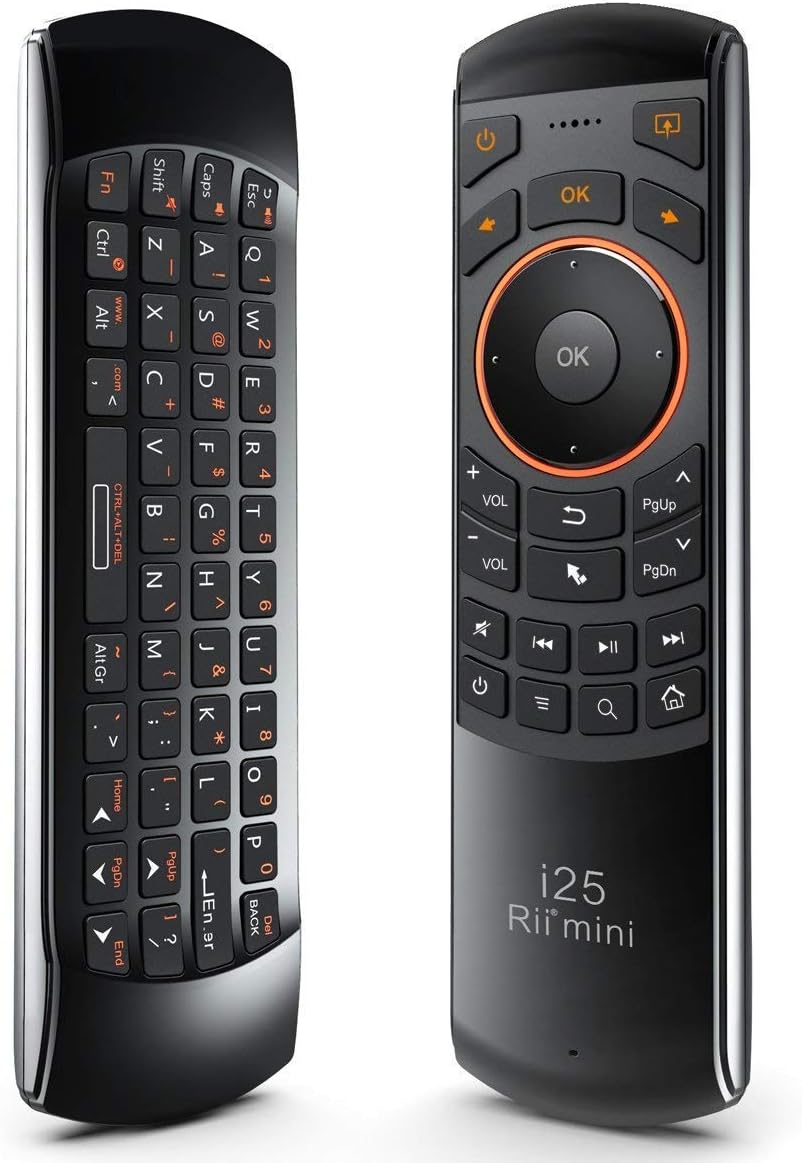
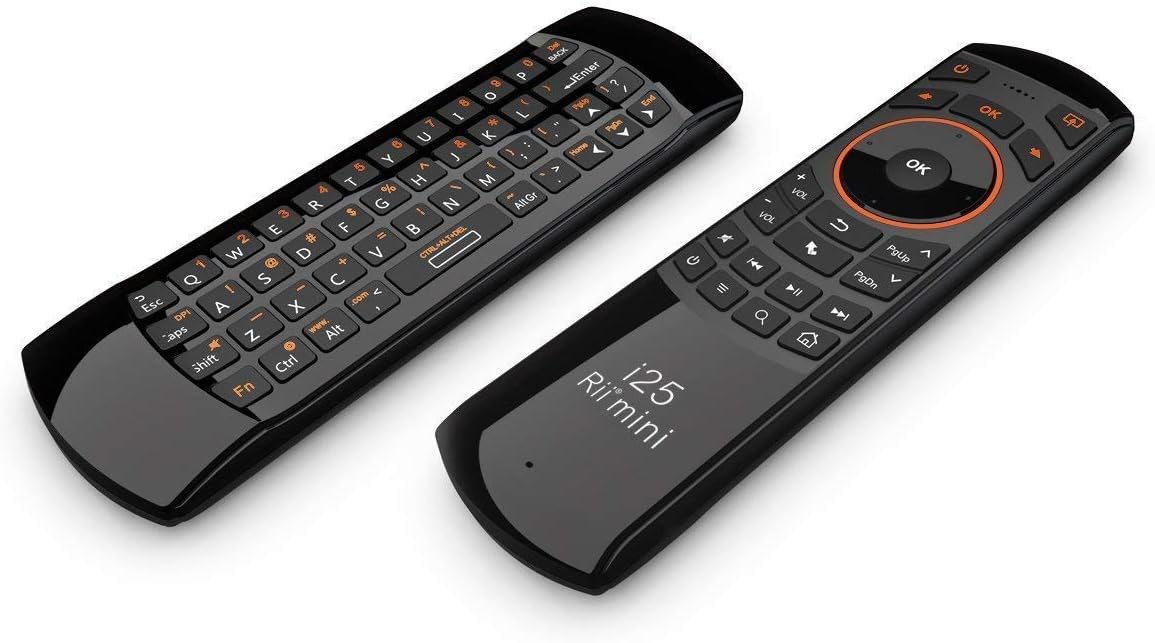


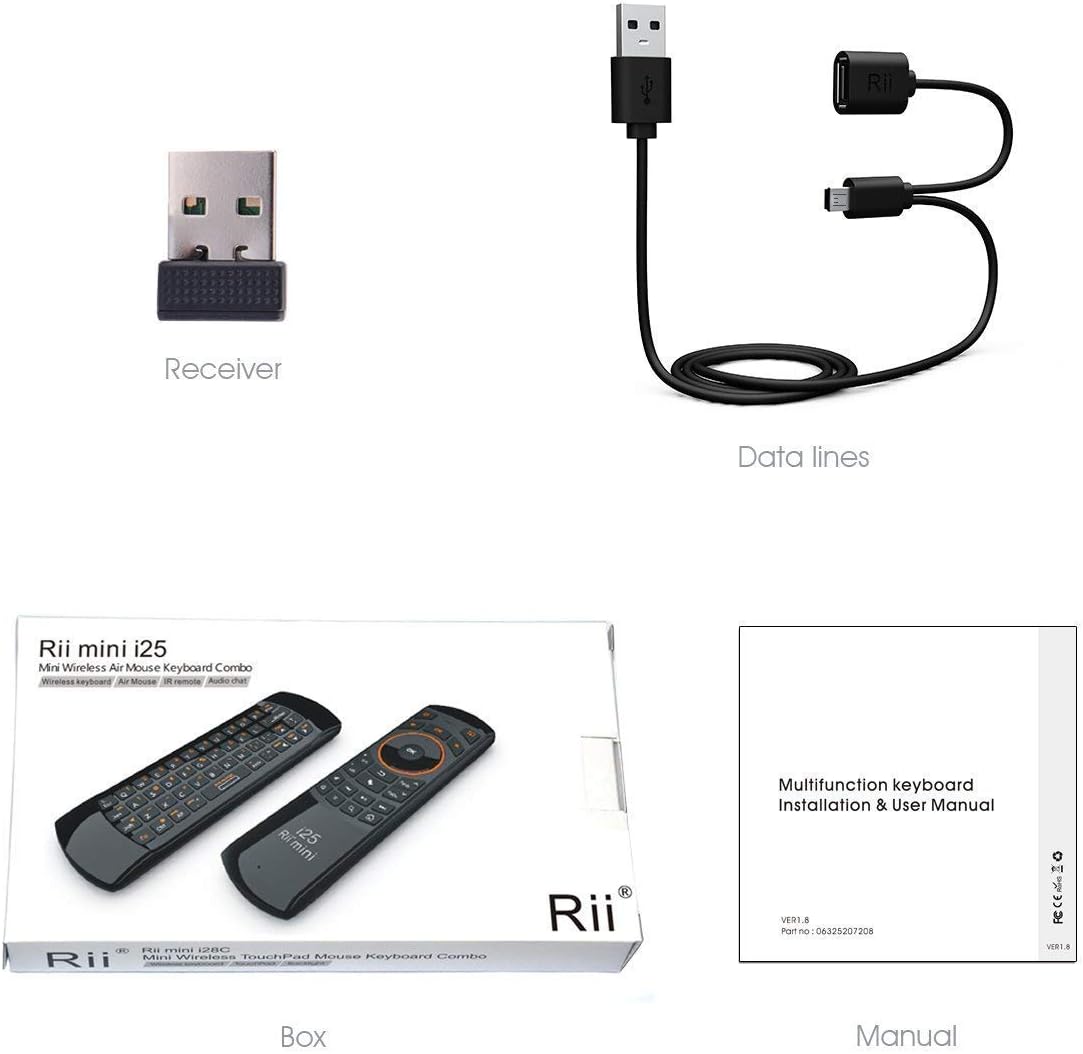
Rii Mini i25 Rechargeable 3-in-1 Wireless Fly Mouse Keyboard Remote for PC Android TV Boxes
₦18.99
Description
About the Product 🔑
| Feature ⭐ | Description ✅ |
|---|---|
| Innovative Design of the Navigation Keys | |
| Windows Multimedia Control | |
| Build-in Large Capacity Rechargable Li-ion Battery: 350mA | |
| Real QWERTY full-function Mini Keyboard | |
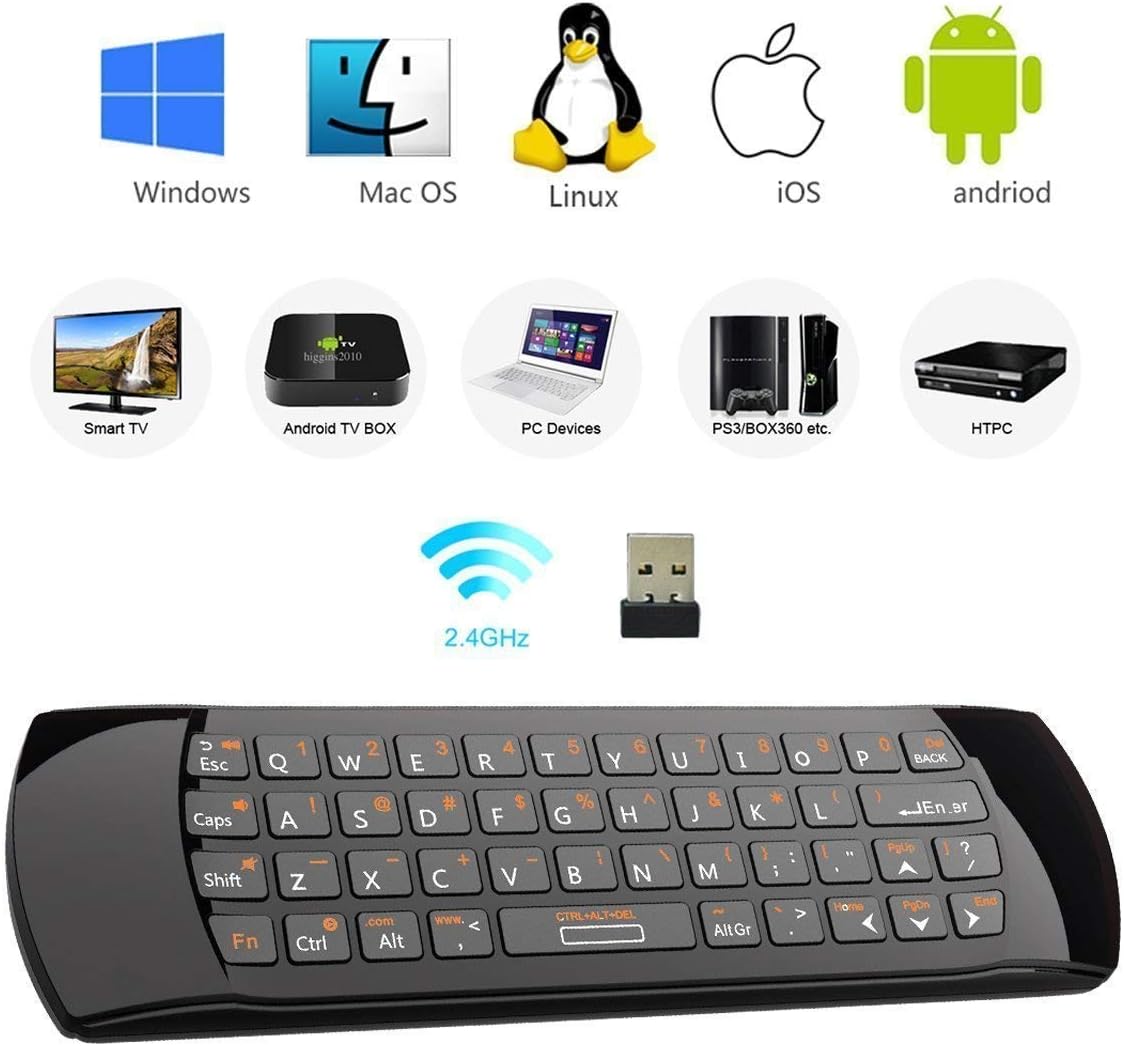
| A Perfect Keyboard for your For Windows & Mac OS PC, HTPC, IPTV, iPad II, PS3 & Xbox 360, etc. | |
| Portable, Elegant, Lifestyle | |
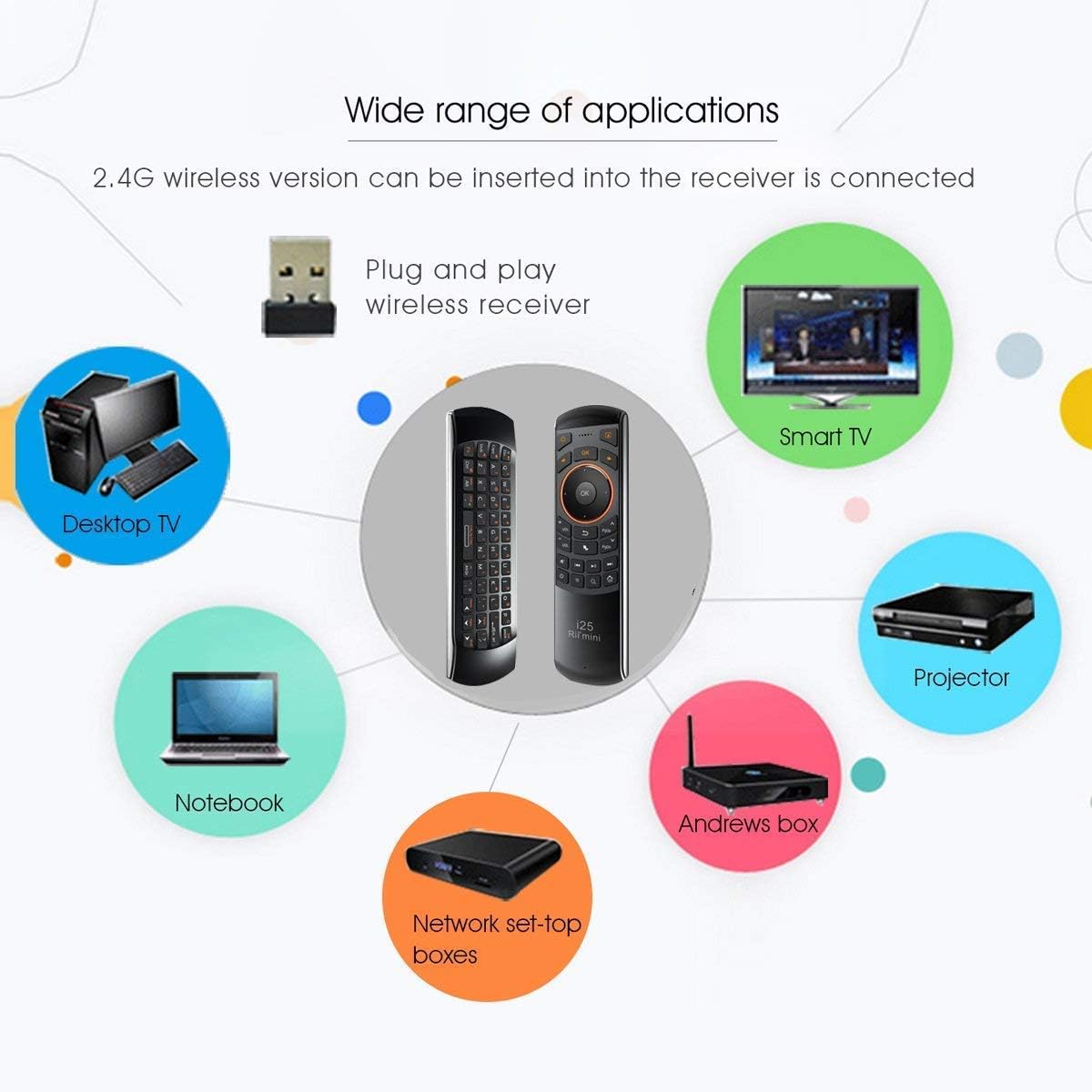
| Multifunction, with QWERTY Keyboard & Air Mouse & IR remote for Windows and Mac OS computers, home theater PC users, IPTV, Internet TV, Google TV, Android TV box, PS3 and Xbox 360. | |
| With USB interface receiver, and built-in advanced lithium-ion battery, energy-efficient. | |
| Build-in rechargeable polymer Lithium-ion battery, support USB charge. | |
| One side features a responsive air mouse for point-and-click control, while the other side offers a full keyboard for smooth text input. | |
| Simply plug in the included USB receiver and turn on the Rii Mini i25 remote control. | |
| Multifunction, Wireless Mini QWERTY Keyboard & IR remote & Fly Mouse Combo, with USB interface receiver . | |
| Generally, this keyboard works well on smart TV. | |
| But different smart TVs have diverse systems,especially Samsung smart TV. so we can’t make sure it is compatible with any system. | |
| Before you place order . Try the common wired keyboard and mouse on your smart TV.If the keyboard and mouse all work well, this keyboard-mouse combo can,too. | |
| Built-in advanced lithium-ion battery, energy-efficient.support USB charge,when press and drag at the same time,if the mouse freezes for a couple of seconds,you can use the USB extension cable on your device . | |
| You can use it for emails,to enjoy your favorite games. | |
| It is compatible with HTPC,TV BOX running Android systems | |
| Innovative Shape,Portable, elegant, Perfect for PC, Pad, Android Tv Box, Google TV Box, Xbox 360, PS3, HTPC, IPTV. | |
| Not work with the amazon fire tv stick ! | |
| In any circumstance, it does a good job! | |
| The remote control can only support a remote control. |
Product Benefits 💡
- Offers crystal-clear visuals.
Usage Instruction 🛠️
- Step 1: Long press the air mouse keyboard button that requires programming 3 seconds,LED light will blink withing 3 seconds and be lighted after 3 seconds.
- Step 2: Align the original IR remote lamp with the air mouse keyboard IR lamp at a distance of 2-7cm and short press the corresponding button within 10 seconds,if the programming is made successfully,LED light blinks 2 seconds and exits programming status,you can check whether the programming is successfully,if not,please repeat the above operation.
- Step 3: Make sure that the remote have been charged fully,when the battery is low,the low-voltage light will blink to warn the user,the unit will turn off automatically if the battery have been depleted.
- Step 4: Keep your PC on.
- Step 5: Press the “ESC” without releasing.
- Step 6: Power on keyboard and release the “ESC” immediately.
- Step 7: Plug the USB receiver into the USB port of your PC ,wait a moment,the keyboard will be paired automatically,then you could try if it works well.
- Step 8: Make sure that this remote have been charged fully before pairing.
- Step 9: The remote uses built-in polymer lithium-ion battery,please use only approved data cables and chargers.
- Step 10: Fully charge the unit before initial operation ,this device can be used when charging ,but charging time will be extended.
- Step 11: When the battery is low,the low-voltage light will blink to warn the user ,the unit will be automatically turned off if battery is depleted.
- Step 12: The battery will discharge if it is stored for a long time without operation.
- Step 13: Use the specified charger,disconnect the device when the battery is charged fully.
- Step 14: Overcharging the battery will shorten the battery life.
- Step 15: Do not expose the device in extreme heat or cold environment,which shorten the battery life.
- Step 16: In the activation status, the mouse will follow your gestures in any direction,in any status, you can use the “LOCK” button to lock and unlock the fly mouse.
- Step 17: Press the FN+caps to adjust the DPI ,to deal with the cursor drift problem.
- Step 18: Press the SET button for more than 4 seconds, the yellow LED will blink once and lit.
- Step 19: Align the Rii remote IR Light with the original remote IR Light. (note: distance less than 7cm).
- Step 20: Then, press the key to be programmed, LED indicator will flash twice and be on, which means the key is ready for programming.
- Step 21: Press the key to be programmed in the original remote. Rii remote LED will flash three times and be on, indicating the programming is complete.
- Step 22: Repeat steps 2-4 and finish the programming for other keys.
- Step 23: Press Set or leave it without any operation 10 seconds. Rii remote will exit programming mode.
Product Specification 📱
| Specification ⭐ | Description ✅ |
|---|---|
| Receiver (dongle) | Nano style 📡 |
| Connect port | USB2.0 above 🔌 |
| RF mode | 2.4Ghz GFSK 📶 |
| Transmission distance | Up to 10 meters 📏 |
| Transmission Power | Less than +4db ⚡ |
| Power supply | Rechargeable 450mAh polymer Lithium-ion battery 🔋 |
| Charging voltage | 4.4V ~ 5.25V ⚡ |
| Charging current | 300mA ⚡ |
| Sleeping Current class1 | 86uA 😴 |
| Operation Voltage | 3.7V 💡 |
| Operating Current | 22mA ⚙️ |
| Product Size | 170mm*49mm*16mm 📏 |
| Brand | Rii 🏷️ |
| Item model number | 8541649159 🔢 |
| Operating System | Android 🤖 |
| Item Weight | 1.44 ounces ⚖️ |
| Product Dimensions | 3.2 x 1.3 x 8.5 inches 📏 |
| Item Dimensions LxWxH | 3.2 x 1.3 x 8.5 inches 📏 |
| Color | Black ⚫ |
| Power Source | Battery Powered 🔋 |
| Batteries | 1 Lithium Ion batteries required. (included) 🔋 |
| Manufacturer | Riitek 🏭 |
| ASIN | B06XHF7DNQ 🆔 |
| Is Discontinued By Manufacturer | No 🚫 |
| Date First Available | March 9, 2017 🗓️ |
Product Details 🏷️
Other Technical Details ⚙️
| Brand | Rii |
|---|---|
| Item model number | 8541649159 |
| Operating System | Android |
| Item Weight | 1.44 ounces |
| Product Dimensions | 3.2 x 1.3 x 8.5 inches |
| Item Dimensions LxWxH | 3.2 x 1.3 x 8.5 inches |
| Color | Black |
| Power Source | Battery Powered |
| Batteries | 1 Lithium Ion batteries required. (included) |
| Manufacturer | Riitek |
| ASIN | B06XHF7DNQ |
| Is Discontinued By Manufacturer | No |
| Date First Available | March 9, 2017 |
Additional Information ℹ️
| Customer Reviews | 3.9 out of 5 stars 1,744 ratings |
|---|---|
| Best Sellers Rank | #244 in Computer Keyboard & Mouse Combos |
Warranty & Support 🛡️
Amazon.com Return Policy: You may return any new computer purchased from Amazon.com that is “dead on arrival,” arrives in damaged condition, or is still in unopened boxes, for a full refund within 30 days of purchase. Amazon.com reserves the right to test “dead on arrival” returns and impose a customer fee equal to 15 percent of the product sales price if the customer misrepresents the condition of the product. Any returned computer that is damaged through customer misuse, is missing parts, or is in unsellable condition due to customer tampering will result in the customer being charged a higher restocking fee based on the condition of the product. Amazon.com will not accept returns of any desktop or notebook computer more than 30 days after you receive the shipment. New, used, and refurbished products purchased from Marketplace vendors are subject to the returns policy of the individual vendor.
Product Warranty: For warranty information about this product, please click here
Full Images
Product Standout Benefits
This is a multifunction, Wireless Mini QWERTY Keyboard & IR remote & Fly Mouse Combo, with USB interface receiver. Generally, this keyboard works well on smart TV. Before you place order, try the common wired keyboard and mouse on your smart TV. If the keyboard and mouse all work well, this keyboard-mouse combo can, too.
- Built-in advanced lithium-ion battery, energy-efficient.
- Support USB charge.
- You can use it for emails, to enjoy your favorite games.
- Innovative Shape, Portable, elegant, Perfect for PC, Pad, Android Tv Box, Google TV Box, Xbox 360, PS3, HTPC, IPTV.
- In any circumstance, it does a good job!
How to Program the IR Remote
- Press the SET button for more than 4 seconds, the yellow LED will blink once and lit.
- Align the Rii remote IR Light with the original remote IR Light. (note: distance less than 7cm). Then, press the key to be programmed, LED indicator will flash twice and be on, which means the key is ready for programming.
- Press the key to be programmed in the original remote. Rii remote LED will flash three times and be on, indicating the programming is complete.
- Repeat steps 2-4 and finish the programming for other keys.
- Press Set or leave it without any operation for 10 seconds. Rii remote will exit programming mode.
Note: The remote control can only support a remote control.
🤔 Customer Questions and Answers ❓💬
Q: How do I use this product? 🤔
It’s a multifunction, Wireless Mini QWERTY Keyboard & IR remote & Fly Mouse Combo. You can use it for emails and to enjoy your favorite games!
Q: Is it compatible with my smart TV? 🌿
Generally, this keyboard works well on smart TV. But different smart TVs have diverse systems, especially Samsung smart TV, so we can’t make sure it is compatible with any system. 🙂 Before you place order, try the common wired keyboard and mouse on your smart TV. If the keyboard and mouse all work well, this keyboard-mouse combo can, too.
Q: What devices is this compatible with? 🔗
It’s innovative, portable, elegant, and perfect for PC, Pad, Android Tv Box, Google TV Box, Xbox 360, PS3, HTPC, IPTV. It does not work with the Amazon Fire TV stick!
Q: What should I do if the mouse freezes when I press and drag at the same time? 💡
If the mouse freezes for a couple of seconds when you press and drag at the same time, you can use the USB extension cable on your device.
Q: How do I program the IR remote? 🧼
It’s pretty straightforward! First, press the SET button for over 4 seconds until the yellow LED blinks and lights up. Then, line up the Rii remote IR Light with your original remote’s IR Light (keep them less than 7cm apart). Press the key you want to program, and the LED indicator will flash twice and stay on. Next, press the same key on your original remote. The Rii remote’s LED will flash three times and stay on to show programming is complete. You can repeat these steps for other keys. Just press Set or leave it for 10 seconds, and it’ll exit programming mode. Just a heads-up, it can only support one remote control for programming.
Related Products
-

New HTR-D09B Replacement Remote Control for Haier TVs 22-55 Inch Models
₦6.99 -
Sale!

BN59-01391A Solar Voice Remote Replacement for Samsung Frame TV Bluetooth Rechargeable 4K Ultra HD
Original price was: ₦50,421.99.₦30,807.99Current price is: ₦30,807.99. -

MX3 Voice Air Mouse Mini Keyboard Wireless Remote 2.4G 3-Axis Gyro Motion Sensing for HTPC Smart TV Box
₦18,044.88 -

HTR-A18M Replacement Remote for Haier TVs 58 Inch Screen Size
₦6.98 -

Rii i8 Mini Black Portable Wireless Bluetooth QWERTY Keyboard with Touchpad for Smart Devices
₦60,943.50 -

Rii K28 White 2.4GHz Wireless Mini Keyboard with Backlit Touchpad and Built-in Mic
₦39,000.00 -
Sale!

Solar Rechargeable Voice Remote Control Replacement for Samsung Smart TVs BN59-01385A 13-Word Title
Original price was: ₦37,798.98.₦27,991.98Current price is: ₦27,991.98. -

IFYOO GTP01 2.4G Wireless Gaming Touchpad Controller Black for Xbox PS5 PC
₦119,980.00 -
Sale!

Universal Replacement TV Remote for Samsung LG Sony Sharp Vizio Philips Toshiba TVs
Original price was: ₦22,401.99.₦9,792.99Current price is: ₦9,792.99. -

SAMSUNG Smart Keyboard Trio 500 Wireless Bluetooth, White, US Layout
₦73,060.00 -

GE Backlit 6-Device Universal Remote Control Gold Replacement for Samsung, Roku, Vizio, LG, Sony, Apple TV
₦11,978.55 -
BFRIENDit Ultra-Quiet Wireless Keyboard, Slim Design, White, 2.4GHz Connection, Chocolate Keys, for Mac/Windows PC Smart TV
₦55,000.00 -

Philips Universal 4-Device Remote Control for Samsung, LG, Roku, Black, SRP2024R/27
₦27,165.39 -
Sale!

Solar Voice Remote Replacement for Samsung Frame Smart TV BN59-01357 Series New
Original price was: ₦64,431.99.₦53,223.99Current price is: ₦53,223.99. -

GE 4-Device Universal Remote Control with Streaming Remote Compartment for Smart TVs and Players
₦25,218.00 -
Sale!

Solar Voice Remote Replacement for Samsung Smart TVs – Compatible with Multiple Models
Original price was: ₦60,228.99.₦56,025.99Current price is: ₦56,025.99. -
Sale!

New BN59-01432J Replacement Voice Remote Control for Samsung TVs 32-inch to 55-inch
Original price was: ₦61,629.99.₦36,397.98Current price is: ₦36,397.98. -
G60S Pro Backlit Rechargeable Bluetooth Voice Remote with Keyboard and Air Mouse for Android TV Box
₦35.99 -

HTR-U27E Replacement Remote Control for Haier 4K UHD Smart Android TVs LE32K6600SG LE65K6600UG LE58U6900HQGA LE58U6900UG LE65U6900UG LE43K6600SG LE43K6700UG
₦16.98 -

MX3 Pro Mini Wireless Keyboard with Backlight, IR Learning, and Fly Remote Mouse for Android TV Box, HTPC, and Mini PC
₦13,995.99
Reviews
There are no reviews yet.