

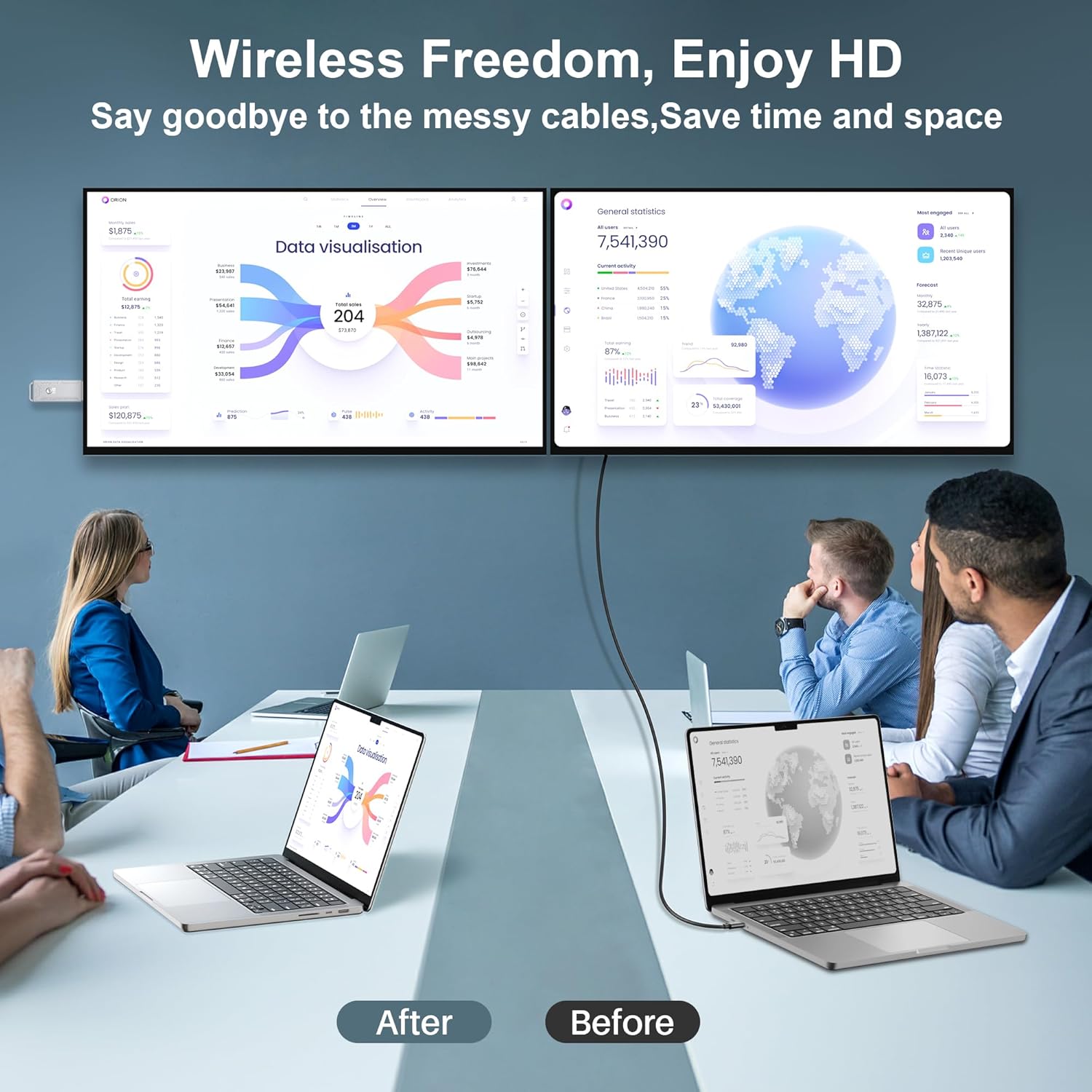


4K HD Wireless HDMI Display Dongle Adapter Plug and Play No App for Laptop PC Smartphone HDTV Projector
₦24.99
Description
About the Product 🔑

| Feature | Description |
| Resolution | ✅ 4K Decoding & 1080P UHD |
| Connection | ✅ Simple Connection |
| Device Compatibility | ✅ HDMI Output Laptops |
| Projecting | ✅ PC/Laptop/TV Box to Projector/Monitor/HDTV |
| Setup | ✅ Easy plug-and-play setup |
| Compatibility | ✅ Compatible with multiple devices |
Product Benefits 💡
- Stream content, including movies, from your iPhone, iPad, and MacBook.
- Utilize Miracast, DLNA, and AirPlay modes for versatile screen mirroring.
- Automatically detects your IP address and matches the local language for a seamless experience.
- Unique key ring structure at the end for easy portability and better use in meetings, traveling, and home cinema.
- Distinctive ventilation holes and a heat-dissipating silicone pad for superior breathability and lower surface temperature.
- Lifetime Warranty.
Usage Instruction 🛠️
- Step 1: 🔌 Connect the receiver’s HD port to the display device’s video input port (monitor or TV).
- Step 2: ⚡ Connect the receiver’s power supply port to the charging cable and plug it into a power adapter (Voltage above 5V, current above 2A).
- Step 3: 📺 Adjust your monitor or TV’s HD source to the appropriate HD port until the power-on screen is displayed. The default page is Mode 1: P2P mode (peer to peer).
- Step 4: 📶 Turn on the transmitting device’s WIFI function. (Note: This is only for signal searching. You can still connect to use your home WIFI and continue using it seamlessly.)
Product Specification 📱
| Specification | Description |
| Brand Name 🏷️ | ZeroneTeck |
| Item Weight ⚖️ | 4.6 ounces |
| Product Dimensions 📏 | 3.41 x 0.41 x 1.18 inches |
| Item Model Number 🔢 | ZE-HDMI-dongle |
| Color Name 🎨 | Silver HDMI Dongle |
| Resolution 🌟 | 4K Decoding & 1080P UHD |
| Setup ⚙️ | Plug-and-play, No App, No drivers needed |
| Supported Modes ▶️ | Miracast, DLNA, AirPlay, P2P |
| HDCP Support 🔒 | Supported for non-AirPlay devices; some paid subscription apps may not be supported on Apple devices. |
| Cooling Design 🌬️ | Unique ventilation holes, heat-dissipating silicone pad. |
| Warranty ⚡ | Lifetime Warranty |
Product Details 🏷️
Product Description
What is Wireless HDMI Dongle?
To help you better understand the distinctions between the two products, here’s a simplified explanation of how the Wireless HDMI Display Dongle and the Wireless HDMI Transmitter and Receiver function differently:
Wireless HDMI Display Dongle:
Function: This device is essentially a receiver that connects directly to your TV or monitor via an HDMI port.
Signal Transmission: It receives signals directly from a transmitting device like a smartphone, tablet, or laptop. The device itself wirelessly sends the signal to the dongle.
Usage: Ideal for streaming video and audio content from portable devices to a larger display without needing a separate transmitter unit.
Wireless HDMI Transmitter and Receiver:
Components: This setup includes two separate units – a transmitter and a receiver.
Function of Transmitter: The transmitter connects to the source device, such as a mini PC, via a USB or HDMI port. It sends the signal out wirelessly.
Function of Receiver: The receiver, connected to the TV or another display via an HDMI port, picks up the signal from the transmitter and displays the content.
Usage: Suitable for more permanent setups where the source device is not typically moved, like connecting a desktop PC to a TV across the room.
Key Differences:
The Dongle acts as a single unit that both receives from and communicates directly with the source device.
The Transmitter and Receiver are two distinct units, where the transmitter sends signals to the receiver, which then outputs to the display. This setup allows for greater flexibility in terms of placement and potential range between devices.
Understanding these distinctions can help in choosing the right device based on your specific needs, whether for casual content streaming or more complex multimedia setups.
How to connect to streaming videos

1. Connect the HD port of the receiver to the video input port of the display device such as the monitor or TV.
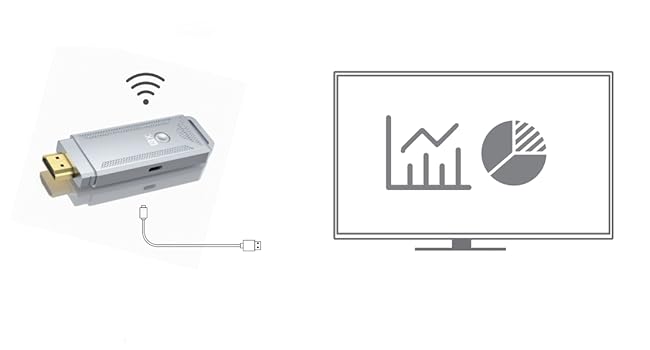
2. Connect the power supply port of the receiver to the charging cable and plug it into the power adapter (Voltage above 5V. current above 2A).

3. Adjust the HD source of your monitor or TV to the appropriate HD port until the power-on screen is displayed and the default page is Mode 1:P2P mode (peer to peer).
4. Turn on the WIFI function of the transmitting device. Note: Only for searching signal, you can still connect to use your home WIFI.
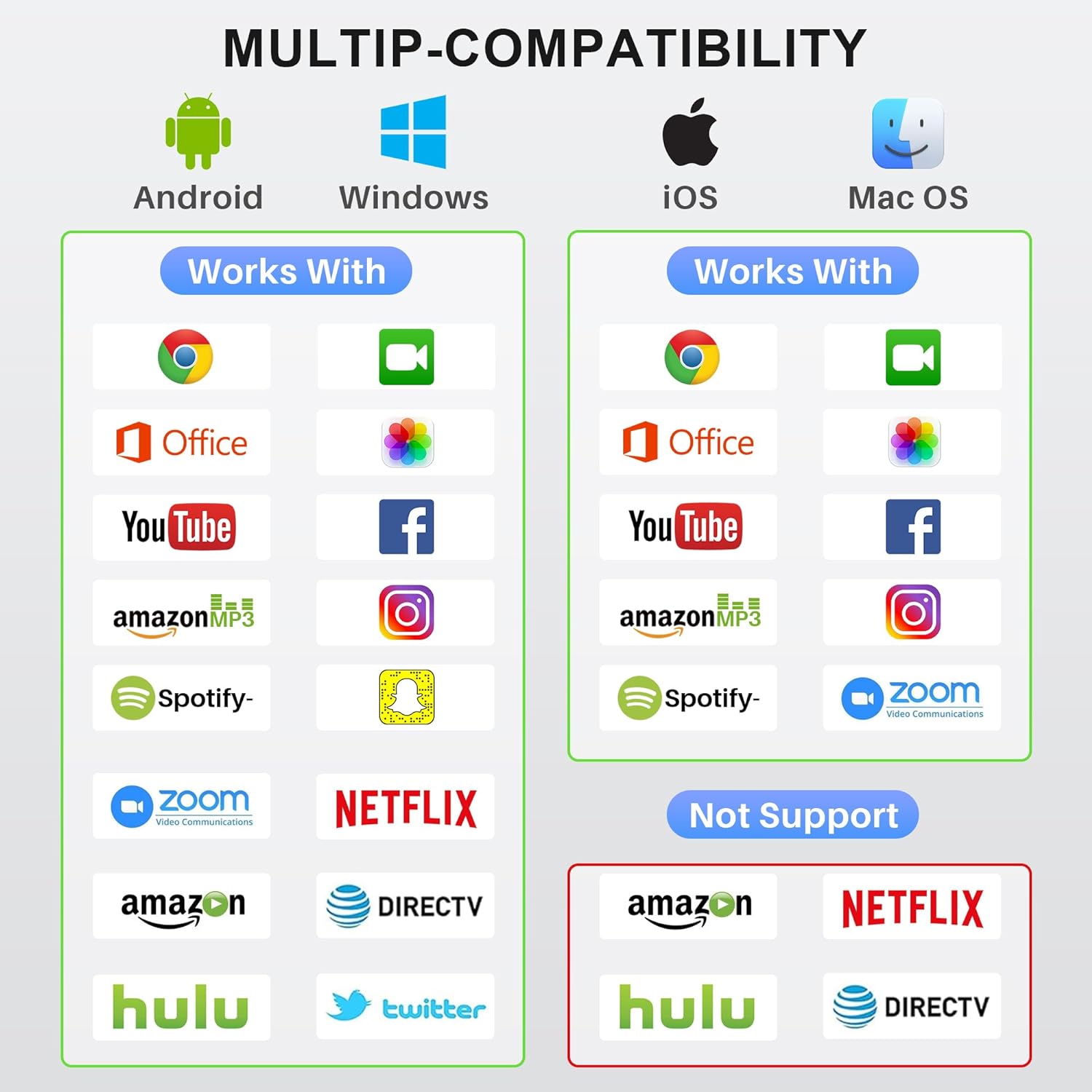
Device Compatibility:
1 Windows
2 Android
3 IOS
4 Mac OS
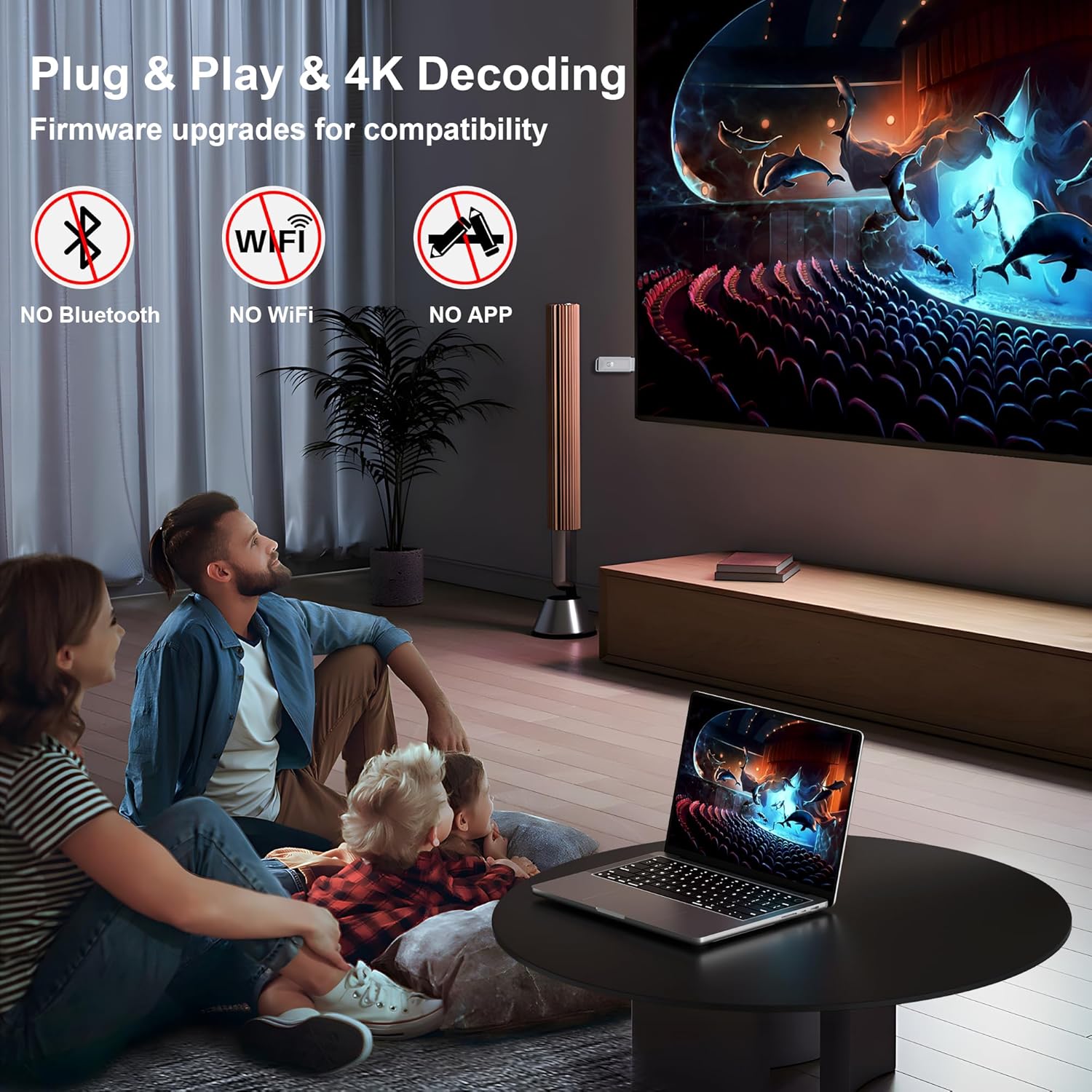
Simple to use: No apps or drivers needed. Simple 3-step setup: Plug, Connect, and Mirror. Utilize Miracast, DLNA, and AirPlay modes for versatile screen mirroring. Automatically detects your IP address and matches the local language for a seamless experience.
P2P Mode: Our default mode requires only turning on the WiFi on your Phone/PC/PS4/MacBook and selecting our device in the video transmission settings. (Note: This is only for signal searching. No need to connect to our device via WiFi or app, allowing you to continue using your home WiFi seamlessly. You can switch WiFi networks at will during use.)
HDCP Support: Stream content, including movies, from your iPhone, iPad, and MacBook by connecting the HDMI Wireless Adapter to most TVs and projectors. Note: Certain paid subscription apps and apps protected by HDCP copyrights, such as Netflix and Amazon Prime Video, are not supported on Apple devices but are supported when using other non-AirPlay devices.
Unique Cooling Design & Key Ring Design: Our dongle features a unique key ring structure at the end, allowing for easy portability and better use in meetings, traveling, and home cinema. And our dongle includes distinctive ventilation holes and a heat-dissipating silicone pad, providing superior breathability compared to traditional non-ventilated plastic or metal cases. This design ensures a lower device surface temperature than metal cases, enhancing user comfort.
4K Decoding & 1080P UHD: This wireless HDMI display dongle adapter, with 4K Decoding & 1080P resolution, can give you a very good experience whether you are watching a movie, playing a game or making a presentation.
⚡Lifetime Warranty⚡: We are committed to providing you with a high-quality product. If you encounter any issues while using our device, please contact us first for support. We are here to help. Thank you for choosing our product.
Technical Details
| Brand Name 🏷️ | ZeroneTeck |
|---|---|
| Item Weight ⚖️ | 4.6 ounces |
| Product Dimensions 📏 | 3.41 x 0.41 x 1.18 inches |
| Item model number 🔢 | ZE-HDMI-dongle |
| Color Name 🎨 | Silver HDMI Dongle |
Additional Information
| ASIN | B0D44S4PHY |
|---|---|
| Customer Reviews ⭐ | 2.8 out of 5 stars (6 ratings) |
| Best Sellers Rank 🏆 |
|
| Date First Available 🗓️ | May 14, 2024 |
Warranty & Support
| Amazon.com Return Policy | Amazon.com Voluntary 30-Day Return Guarantee: You can return many items you have purchased within 30 days following delivery of the item to you. Our Voluntary 30-Day Return Guarantee does not affect your legal right of withdrawal in any way. You can find out more about the exceptions and conditions here. |
| Product Warranty: | For warranty information about this product, please click here |
Full Images


![40Gbps USB 4 Cable for Thunderbolt 4 [Red, 3.3Ft, Durable], High-Speed Data Transfer, USB C Monit...](https://m.media-amazon.com/images/S/aplus-media-library-service-media/e25e3d49-e7c5-46e6-bce8-9c019b02556e.__AC_SR166,182___.jpg)


![40Gbps USB 4 Cable for Thunderbolt 4 [Red, 0.5FT Durable], 6inch High-Speed Data Transfer, Short ...](https://m.media-amazon.com/images/S/aplus-media-library-service-media/d1abe2f6-cc99-4a3b-98aa-885a8377059d.__AC_SR166,182___.jpg)
![[3.3FT-2Pack] Car Carplay Cable for iPhone 15/15 Plus, 15 Pro/Pro Max, MacBook, iPad 4/5, iPad Mi...](https://m.media-amazon.com/images/S/aplus-media-library-service-media/5d5421a3-8d5b-4fc8-a610-59523251509d.__AC_SR166,182___.jpg)
![40Gbps USB 4 Cable for Thunderbolt 4 [Red, 5FT, Durable], USB C Monitor Cable 8K@60Hz/Dual 4K@60H...](https://m.media-amazon.com/images/S/aplus-media-library-service-media/eb4ffcd1-4844-44b7-997e-65f6a7c328af.__AC_SR166,182___.jpg)
![40Gbps USB 4 Cable for Thunderbolt 4 [Red, 5FT-2Pack], USB C Monitor Cable 8K@60Hz/4K@144Hz, High...](https://m.media-amazon.com/images/S/aplus-media-library-service-media/7668bda3-7b30-4a40-86d4-abb88e6e782b.__AC_SR166,182___.jpg)

![USB 4 Cable [3.3FT White], USB C Monitor Cable for 8K@60Hz/4K@144Hz Display, 40Gbps Data Fast Tra...](https://m.media-amazon.com/images/S/aplus-media-library-service-media/614ab4d5-cdab-4d2f-9737-c841dfb348b2.__AC_SR166,182___.jpg)


![USB C to USB C Video Cable for Monitor 3.3FT, [8K@60Hz/4K@144Hz]Display Cable,40Gbps High Speed D...](https://m.media-amazon.com/images/S/aplus-media-library-service-media/87562740-4466-4e14-b9dd-f31999a17f21.__AC_SR166,182___.jpg)


![40Gbps USB 4 Cable for Thunderbolt 4 [Red, 6.6FT, Durable], USB C Monitor Cable 8K@60Hz/4K@144Hz,...](https://m.media-amazon.com/images/S/aplus-media-library-service-media/a22e253d-4383-46a4-9e45-0fc3bcf4fc35.__AC_SR166,182___.jpg)


Product Standout Benefits
Simple to use: No apps or drivers needed. Simple 3-step setup: Plug, Connect, and Mirror. Utilize Miracast, DLNA, and AirPlay modes for versatile screen mirroring. Automatically detects your IP address and matches the local language for a seamless experience.
- P2P Mode: Our default mode requires only turning on the WiFi on your Phone/PC/PS4/MacBook and selecting our device in the video transmission settings. (Note: This is only for signal searching. No need to connect to our device via WiFi or app, allowing you to continue using your home WiFi seamlessly. You can switch WiFi networks at will during use.
- HDCP Support: Stream content, including movies, from your iPhone, iPad, and MacBook by connecting the HDMI Wireless Adapter to most TVs and projectors.
Our dongle features a unique key ring structure at the end, allowing for easy portability and better use in meetings, traveling, and home cinema. And our dongle includes distinctive ventilation holes and a heat-dissipating silicone pad, providing superior breathability compared to traditional non-ventilated plastic or metal cases. This design ensures a lower device surface temperature than metal cases, enhancing user comfort.
- 4K Decoding & 1080P UHD: This wireless HDMI display dongle adapter, with 4K Decoding & 1080P resolution, can give you a very good experience whether you are watching a movie, playing a game or making a presentation.
Lifetime Warranty: We are committed to providing you with a high-quality product. If you encounter any issues while using our device, please contact us first for support. We are here to help. Thank you for choosing our product.
Customer Questions and Answers
Q: How do I use this product? 🤔
It’s super simple to get started! Just plug it in, connect it, and you’re ready to mirror your screen. You can use Miracast, DLNA, and AirPlay modes for all your mirroring needs. It’s pretty neat because it automatically figures out your IP address and matches the local language for you. The P2P Mode is also a breeze: just turn on the WiFi on your phone, PC, PS4, or MacBook, and pick our device in the video transmission settings. No need to connect to our device via WiFi or app, so you can keep using your home WiFi without any fuss. You can even switch WiFi networks whenever you like while you’re using it!
Q: Can I stream movies with this? 🎬
Absolutely! You can stream all sorts of content, including movies, from your iPhone, iPad, and MacBook by hooking up the HDMI Wireless Adapter to most TVs and projectors.
Q: How does the cooling design help? 🌬️
Great question! Our dongle has a unique key ring structure for easy carrying, which is awesome for meetings, travel, or home cinema. Plus, it has special ventilation holes and a heat-dissipating silicone pad. This means it breathes way better than those other plastic or metal cases out there. The best part? It actually stays cooler to the touch than metal cases, making it way more comfortable to use.
Q: What kind of quality can I expect? 💎
You’re going to get a fantastic experience! With 4K Decoding and 1080P resolution, whether you’re watching a movie, diving into a game, or giving a presentation, it’s going to look amazing.
Q: What comes in the box? 📦
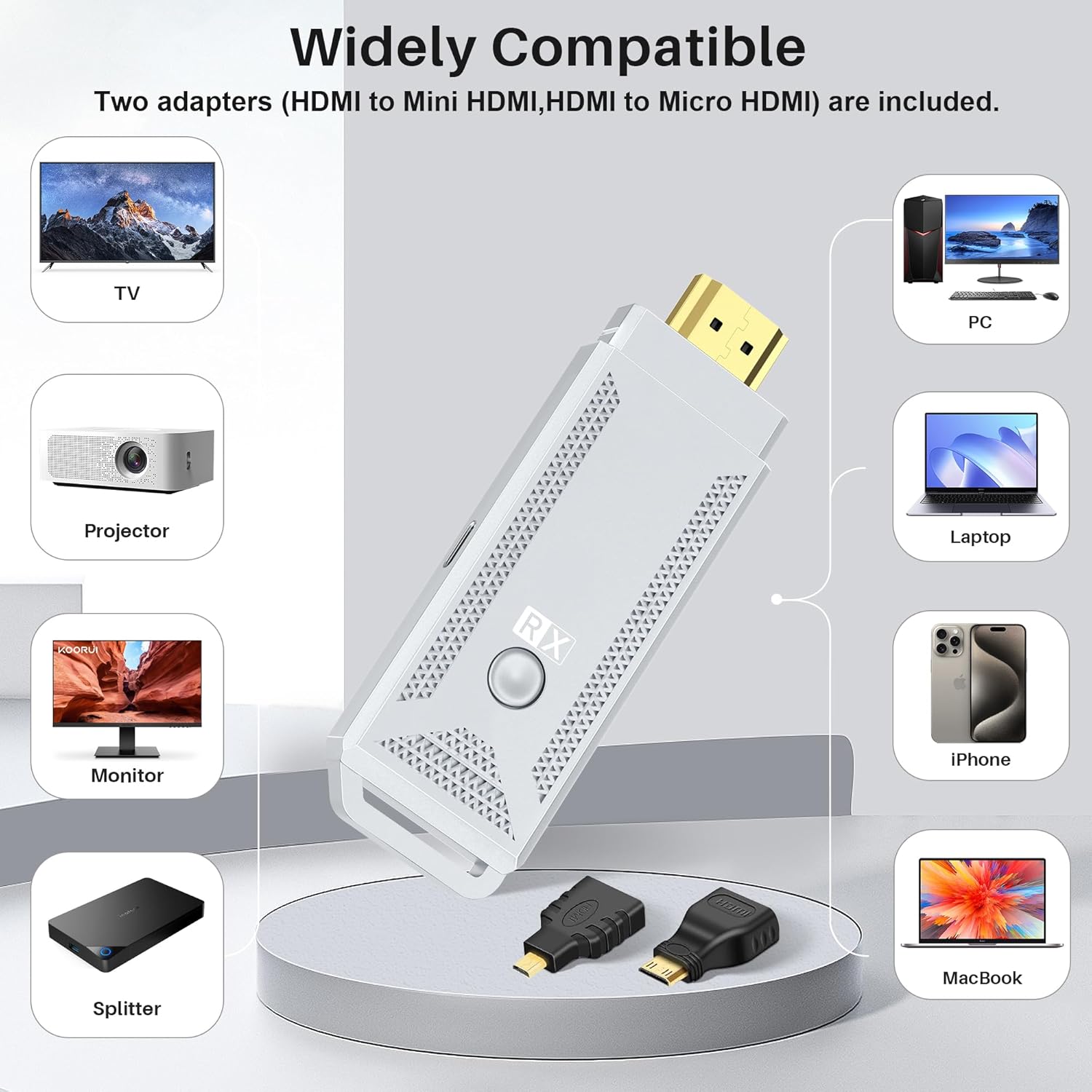
You’ll get everything you need to get going: 1 USB A to USB C power cable, 1 HDMI extension cable, 1 HDMI to Mini HDMI adapter, 1 HDMI to Micro HDMI adapter, and of course, the Wireless HDMI Display Dongle itself.
Q: What are the system requirements? 💻📱
Just make sure your devices are running one of these versions: Android 10 or higher, Windows 8 or higher, Apple iOS 11 or higher, or macOS 10.14 or higher. Also, the transmission distance is about 15 meters without any obstacles, but it can extend up to 20 meters. And make sure your device has a strong and stable signal for the best performance!
Q: What’s the warranty like? 🛡️
We’ve got your back with a Lifetime Warranty! We’re all about making sure you have a high-quality product. If anything pops up while you’re using it, just reach out to us first, and we’ll help you out. Thanks for choosing us!
Related Products
-

SmartSee 4K 1080P Wireless Display Receiver Dual Band 5G/2.4G Mobile Screen Cast Mirroring Adapter Dongle for iPhone Mac iOS Android to TV Projector Support Miracast Airplay DLNA
₦38.99 -

iPhone Wireless HDMI Display Adapter for TV/Projector, HD Video/Audio Sync, iOS Mirroring (No Netflix)
₦29.99 -

4K Wireless HDMI Display Dongle Adapter for Seamless Streaming Media Audio Video from Laptop PC Smartphone to HDTV Projector Monitor
₦59.99 -

Portable Wireless HDMI Display Dongle Adapter Stream Media from Smartphone Laptop to HDTV
₦85.99 -

4K HD Wireless Display Adapter Stream iPhone/Tablet/Laptop to TV Projector Monitor
₦29.99 -

2.4G HD 1080P Wireless Display Receiver Dongle for Streaming Laptop PC Smartphone to HDTV Projector Support Android iOS Windows
₦18.88 -

GREVA 4GB/32GB Android 11 Smart TV Box with Dual Band WiFi and Voice Remote
₦27.99 -

4K Wireless HDMI Display Dongle Adapter No Delay Screen Mirroring for iOS Android Windows Mac to HDTV Monitor Projector
₦39.88 -

AT-Mizhi 4K Wireless HDMI Display Dongle 1080P Mirroring for Phone Pad Laptop PC to TV Projector Monitor
₦29.99 -

Raxxio RAX2100 Android 9.0 4K HDR Smart TV Box 64GB ROM, 4GB RAM
₦85.99 -

4K Wireless HDMI Display Adapter Miracast Dongle Plug and Play 5.8G for Smartphone PC to TV
₦47.97 -

Unitek 4K Wireless HDMI Display Dongle Adapter Screen Mirroring Receiver 2.4G/5G for iOS Android Windows
₦49.99 -

Android 13 TV Box 4GB 64GB 8K HDR10 WiFi 5 Voice Remote
₦49.99 -

Anycast 1080P HDTV Wireless Display Adapter for Mobile Screen Mirroring on TV/Projector, Supports Android, Mac, iOS, Windows
₦19.99 -

LEFFOT L3 Android 14 4K UHD TV Box 2025 with 2GB RAM 16GB ROM and Voice Remote
₦23.99 -

4K Wireless HD Display Adapter Mirror Cast Dongle Receiver for iOS Android Mac Windows to TV Projector Monitor
₦36.99 -

X96 Mini Android 11.0 4K Smart TV Box 1GB RAM 8GB ROM Dual WiFi HDR
₦33.99 -
SmartSee 4K/1080P Wireless Display Adapter for Phone Laptop to TV Projector, Dual Core Streaming Device
₦25.99 -

LEFFOT Android 14 4K UHD Smart TV Box 2025, 2GB RAM 16GB ROM
₦25.99 -

SmartSee 1080P HD Wireless WiFi Display Adapter for iPhone, iPad, Android, Windows to HDTV/Monitor
₦24.99
Reviews
There are no reviews yet.