


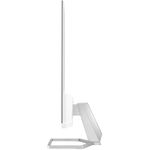
27 Inch Series 5 FHD Monitor with Built-in Speakers – 527sa
₦340,200.00
Display type IPS; LCDDisplay features TiltOnscreen controls Management; Information; Exit; Input; Color; Image; Power; Menu; Brightness+Native resolution FHD (1920 x 1080)[1,2]Resolutions supported 640 x 480; 720 x 400; 800 x 600; 1024 x 768; 1280 x 720; 1280 x 800; 1280 x 1024; 1440 x 900; 1600 x 900; 1680 x 1050; 1920 x 1080Contrast ratio 1500:1Brightness 300 nitsPixel pitch 0.28 x 0.28
Description
About the Product 🔑
| Feature ✨ | Description 📝 |
| Screen Size 🖥️ | 27-inch FHD IPS (1920×1080) |
| Connectivity 🔌 | 2x HDMI 1.4, 1x VGA |
| Mounting Support 🔩 | No VESA Mount Support |
| Tilt Adjustment ⬆️⬇️ | -5 to +25 degrees |
| Display Enhancements ✅ | Flicker Free, Anti-glare |
| Brightness 💡 | 300 nits |
| Comfort Design 🧘 | Designed to help keep you focused; Tilt adjust stand; Ergonomic Setup Guide |
| Built-in Speakers 🔊 | Yes |
| Resolution 🖼️ | FHD (1920 x 1080) |
| Immersive Experience 🤩 | Perfect for both work and entertainment |
Product Details 🏷️
Oct 8, 2025 Upgrade your workspace with the HP Series 5 27-inch FHD monitor (527sa). Enjoy crisp visuals and built-in speakers. Shop now and see customer reviews.
May 28, 2024 About this item [Features]: 27-inch FHD IPS (1920×1080), 2x HDMI 1.4, 1x VGA, No VESA Mount Support, -5 to +25 degrees Adjustable Tilt, Flicker Free, Anti-glare, Brightness 300 nits. [Designed with your comfort in mind] – From mastering new skills to diving into a hobby, this 27″ FHD is designed to help keep you focused. With a tilt adjust stand and the Ergonomic Setup Guide in HP …
I purchased the HP Series 5 27-inch FHD Monitor with Speakers (527sa 27″ FHD 1920 x 1080) from Walmart, and I couldn’t be happier with my choice. The monitor’s crisp Full HD resolution and built-in speakers create an immersive experience that’s perfect for both work and entertainment.
Usage Instruction 🧾
- Step 1: 🔌 Find manuals, setup and user guides for your HP Series 5 27 inch FHD Monitor with Speakers – 527sa.
- Step 2: 📖 Manuals and User Guides for HP 527sa FHD Monitor. We have 1 HP 527sa FHD Monitor manual available for free PDF download: Maintenance And Service Manual
- Step 3: ℹ️ Use the table to locate resources that provide product details and how-to information.
Product Specification 📱
| Specification Name 🏷️ | Description ⚙️ |
| Display Type 🖥️ | IPS; LCD |
| Display Features ✅ | Tilt |
| On-Screen Controls 🖱️ | Management; Information; Exit; Input; Color; Image; Power; Menu; Brightness+ |
| Native Resolution 🖼️ | FHD (1920 x 1080) |
| Supported Resolutions 📏 | 640 x 480; 720 x 400; 800 x 600; 1024 x 768; 1280 x 720; 1280 x 800; 1280 x 1024; 1440 x 900; 1600 x 900; 1680 x 1050; 1920 x 1080 |
| Contrast Ratio 🎚️ | 1500:1 |
| Brightness 🌟 | 300 nits |
| Pixel Pitch 🤏 | 0.28 x 0.28 mm |
| Response Time ⚡ | 5ms GtG (with overdrive) |
| Audio Ports 🎧 | 1 x 3.5 mm Audio Jack (Audio Out); 1 x 3.5 mm Audio Jack (Audio In) |
| HDMI Port 🔌 | 1 HDMI 1.4 |
| HDCP 🔒 | Yes, HDMI |
| Sustainability Impact 🌍 | Low halogen; Outside box and corrugated cushions are 100% sustainably sourced and recyclable; 85% post-consumer recycled plastic; 5% ocean-bound plastic |
| Energy Efficiency 🔋 | EPEAT® Silver registered |
| Webcam 📷 | No integrated camera |
| Power Supply ⚡ | Input voltage 100 to 240 VAC, 50/60 Hz |
| Dimensions (W X D X H) 📏 | 21.09 x 1.33 x 12.42 in |
| Weight ⚖️ | 5.69 lb |
| Warranty 🛡️ | Protected by a one-year limited warranty. Certain restrictions and exclusions apply. |
What’s in the Box 📦
- Monitor
- HDMI cable
- Power adapter
- AC power cord
- Document kit
Full Images
Product Standout Benefits
This 27-inch FHD monitor is designed with your comfort in mind, helping you stay focused whether you’re mastering new skills or diving into a hobby. The adjustable tilt stand and the Ergonomic Setup Guide in HP Display Center allow you to customize your comfort.
Its thin and light design makes it a perfect fit for any space. Enjoy crisp audio with integrated dual 2W speakers. The ultra-thin, 3-sided borderless design is ideal for creating a seamless dual-screen setup for enhanced viewing.
- 27-inch FHD IPS (1920×1080) display
- Integrated dual 2W speakers
- Adjustable tilt stand
- Low-Blue Light Filter reduces blue light without impacting color accuracy
- Ultra-thin 3-sided borderless design
- Flicker Free, Anti-glare
Customer Questions and Answers
How do I set up my monitor for maximum comfort? 🤔
You can customize your comfort with the tilt adjust stand and by using the Ergonomic Setup Guide available in HP Display Center. It’s all about making sure you’re comfortable while you work or play! ✨
What makes this monitor great for long viewing sessions? 🌿
It’s designed with your comfort in mind! The monitor features a Low-Blue Light Filter that helps reduce blue light, keeping your eyes comfortable without affecting color accuracy. Plus, the anti-glare and flicker-free screen add to the viewing experience. 💧
Can I create a multi-screen setup easily? 🔗
Absolutely! Its ultra-thin, 3-sided borderless design makes it super easy to create a seamless dual-screen setup, giving you an even more enhanced viewing experience. 🔥
Does it come with speakers? 🔊
Yes, it does! You can enjoy crisp audio with the integrated dual 2W speakers that are built right into the monitor.
Related Products
-

Odyssey AG320 24 Inch Full HD Black Gaming Monitor 165Hz 1ms
₦199.08 -

27 Inch Full HD 1080p LED Monitor
₦510,120.00 -

SE2222H 21.5 Inch Full HD VA Black Monitor
₦219,940.00 -

55 Inch Samsung Odyssey Ark G97NC 4K UHD 165Hz Gaming Monitor LS55CG970NUXEN
₦3,453,634.00 -

27 Inch M70C UHD Smart Monitor White with USB-C Speakers and Remote Included
₦270.76 -

57 Inch Odyssey Neo G9 G95NC Dual UHD 240Hz Curved Gaming Monitor
₦3,296,652.00 -
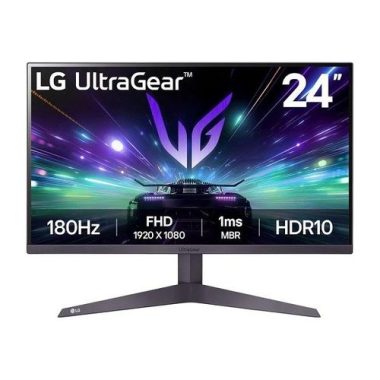
24 Inch UltraGear FHD 180Hz Gaming Monitor 1ms MBR HDR10
₦285,460.00 -

55-inch Curved 4K UHD Smart Gaming Monitor – Refurbished
₦3,453,634.00 -

32 Inch UJ59 Series 4K UHD Computer Monitor VA Panel 3840×2160 Resolution
₦674,720.00 -

57 Inch Odyssey Neo G9 G95NC Dual UHD Curved Gaming Monitor
₦3,296,652.00 -

34 Inch ViewFinity S65VC Series Ultrawide QHD Curved Monitor
₦933,700.00 -

P24v G5 24 Inch Full HD 16:9 Black LCD Monitor
₦278,580.00 -

ViewFinity S65VC Series 34 Inch Ultrawide QHD Curved Monitor
₦933,700.00 -

Legion R24e 23.8 Inch Full HD Gaming Monitor 180Hz 0.5ms Response
₦314,980.00 -

SE2725HM 27 Inch Full HD Monitor Black New
₦340,200.00 -
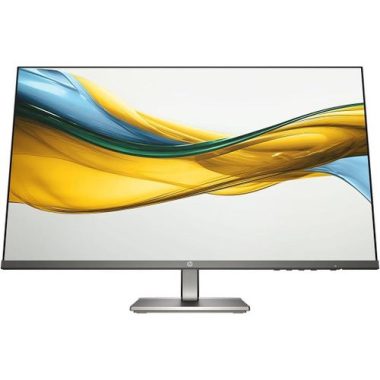
27 Inch Full HD LED Monitor 16:9 Aspect Ratio
₦427,480.00 -

Series 5 27-Inch FHD Monitor with Integrated Speakers – 527sa – Refurbished
₦432,780.00 -

Alienware AW3225QF 32-Inch 4K UHD Curved Gaming Monitor 1700R
₦3,200,235.00 -

24.5-inch Full HD 240Hz 0.5ms Gaming Monitor with 25g3zm/bk Model
₦417,320.00 -

ThinkVision T24t-20 23.8 Inch Full HD Touchscreen Monitor
₦647,580.00