




ZEBRONICS Zeb-V19Hd 18.5 Inch HD LED Monitor Glossy Black Wall Mountable
Original price was: ₦111,984.00.₦59,777.00Current price is: ₦59,777.00.
Description
About the Product 🔑
| Value for Money (4K Range) 💰 | Customers find the monitor offers good value for money, particularly in the 4K price range. |
| Display Quality 🤔 | Display quality receives mixed feedback, with some praising the picture. |
| Screen Size 🖥️ | 18.5 Inch (46.99 Cm) |
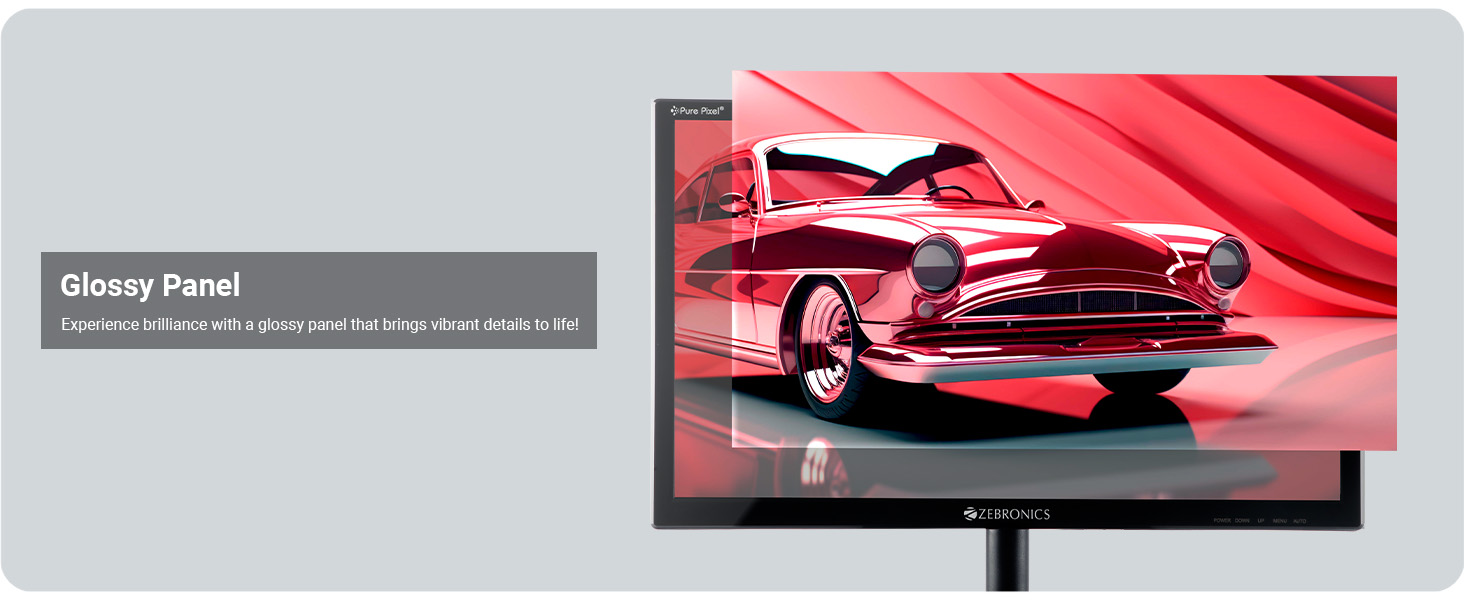
| Panel Type 🎨 | Glossy Panel |
| Design ✨ | Slim Design |
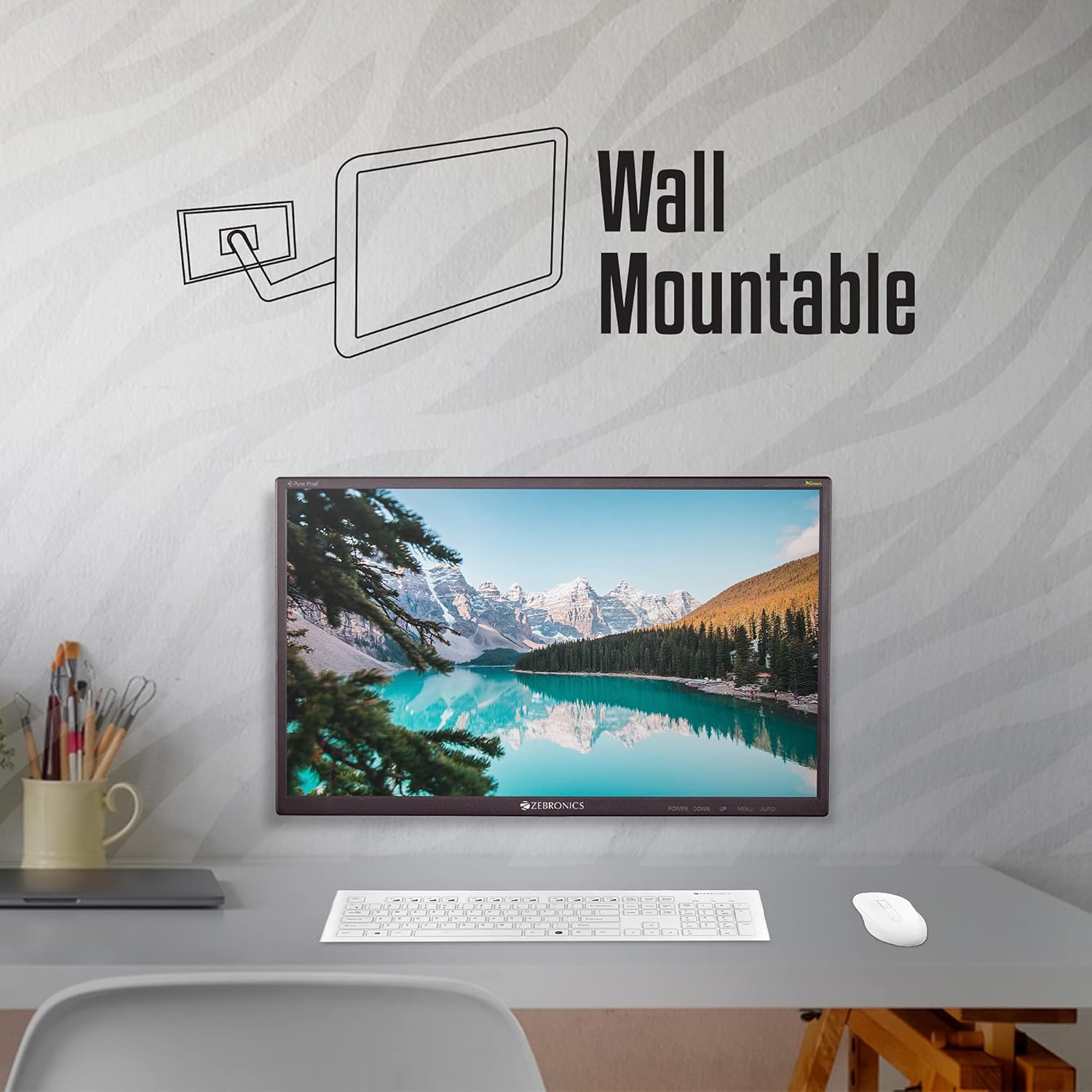
| Mountability 🖼️ | Wall Mountable |
Key Features 🔑
| Native Resolution 🖼️ | HD 1366 x 768 |
| Aspect Ratio 📏 | 16:9 |
| Colors Supported 🌈 | 16.7 Million Colors |
| Maximum Brightness 🌟 | 220cd/m² |
| Contrast Ratio 🎛️ | Dynamic Contrast Ratio 500000:1 |
| Viewing Angle 👀 | H170°/ V160° |
| Response Time ⚡ | 8 ms |
| Pixel Pitch 🎯 | 0.3 x 0.3 mm |
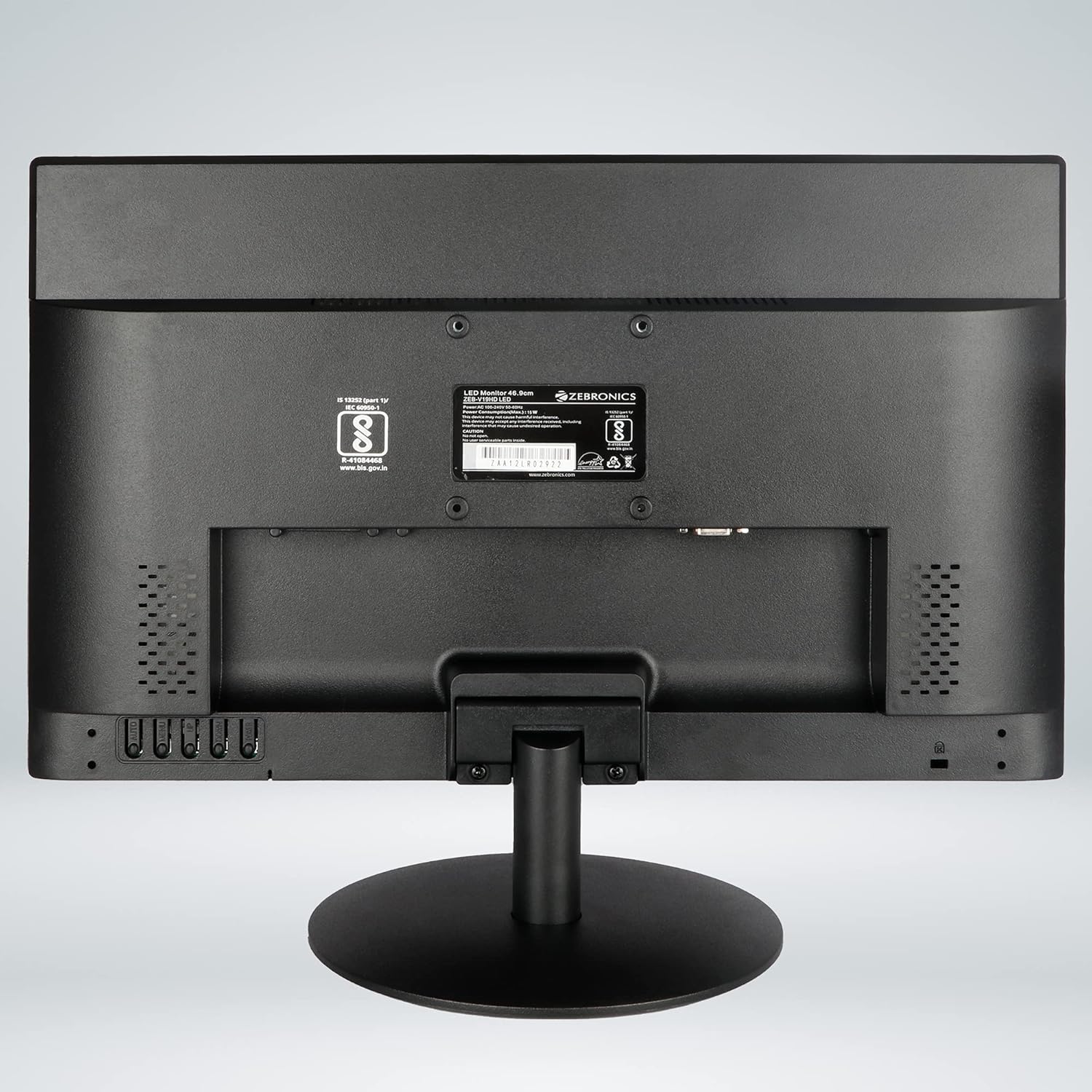
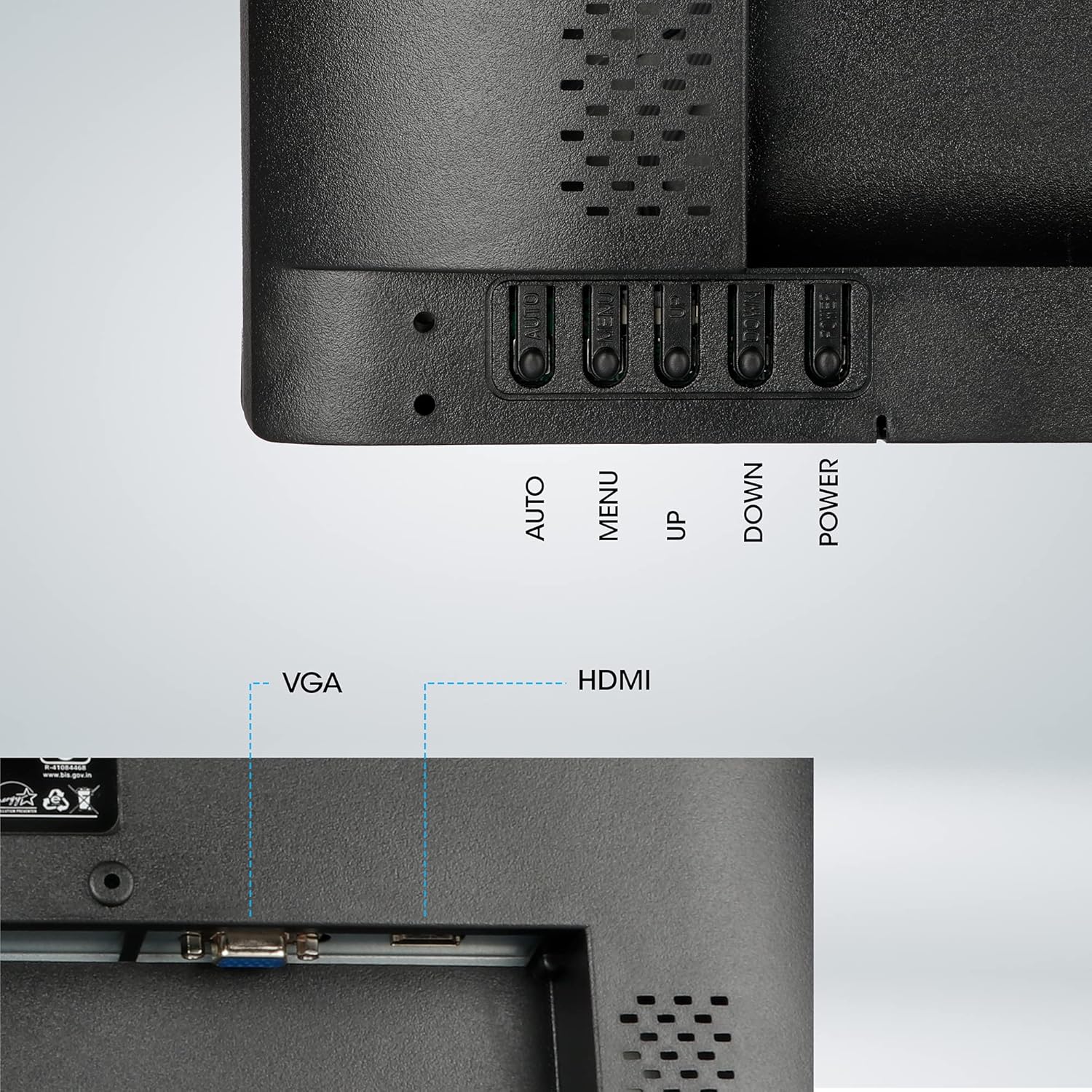
| Connectivity 🔌 | HDMI & VGA Input |
Product Specification 📱
| Brand 🏷️ | ZEBRONICS |
| Model 🔖 | ZEB-V19HD LED |
| Colour 🎨 | Black |
| Item Height 📏 | 33.5 Centimeters |
| Item Width 📏 | 43.99 Centimeters |
| Screen Size 🖥️ | 46.9 Centimetres (18.5 inches) |
| Resolution 🖼️ | 1366 x 768 Pixels |
| Product Dimensions 📦 | 2.11 x 43.99 x 33.5 cm; 2.5 kg |
| Item Weight ⚖️ | 2 kg 500 g |
| Processor Socket ⚙️ | 370 |
| Memory Technology 💾 | DDR 400 |
| HDMI Ports 🔌 | 1 |
| Included Components 🎁 | 1 Unit Power Cord, 1 Unit VGA Cable, 1 Unit Monitor, 1 Unit User Manual, 1 Unit Base |
| Country of Origin 🇨🇳 | China |
Product Details 🏷️
| ASIN 🆔 | B09GG4FT99 |
| Customer Reviews ⭐ | 3.6 out of 5 stars (4,237 ratings) |
| Best Sellers Rank 🏆 | #430 in Computers & Accessories, #4 in Monitors |
| Date First Available 🗓️ | 16 September 2021 |
| Packer 📦 | Zebronics India Private Limited |
| Importer 📍 | 13/7, Smith Road, Royapettah CHENNAI-600002 |
| Item Dimensions LxWxH 📏 | 21 x 440 x 335 Millimeters |
| Net Quantity 🔢 | 1 Count |
| Generic Name 🏷️ | Zebronics ZEB-V19HD LED Monitor 18.5inch With Supporting HDMI, VGA Input, HD 1366 x 768, 16.7M Colors, Glossy Panel, Slim Design & Wall Mountable. |
From the manufacturer



46.9cm Screen Size (18.5inch LED Display). Max. brightness 220cd/m².
46.9cm Screen Size (18.5inch LED Display) HDMI & VGA Ports for Input, Response Time: 8 ms.
HD 1366 x 768 Native resolution with 16:9 Aspect Ratio.
Supports 16.7 Million Colors.
High quality 220cd/m² Maximum Brightness.
Dynamic Contrast Ratio 500000:1.
Viewing Angle H170°/ V160°.
8ms Response Time & 0.3 x 0.3 mm Pixel Pitch Green.
Wall Mountable, Glossy Panel and Slim Design.
One year warranty carry into service center.
Full Images


Product Standout Benefits
Vibrant and Clear Display
Experience a sharp and clear picture with the 46.9cm (18.5-inch) LED Display. It offers an HD resolution of 1366 x 768 with a 16:9 Aspect Ratio, ensuring a great viewing experience.
- 16.7 Million Colors
- High quality 220cd/m² Maximum Brightness
- Dynamic Contrast Ratio 500000:1
- Viewing Angle H170°/ V160°
Fast and Responsive Performance
Enjoy smooth visuals with an 8ms Response Time, making it ideal for various uses.
- 8 ms Response Time
- 0.3 x 0.3 mm Pixel Pitch
Versatile Connectivity and Design
Connect easily with HDMI & VGA Ports. The monitor features a Glossy Panel and Slim Design, and it’s also Wall Mountable for flexible setup.
- HDMI & VGA Ports for Input
- Green Wall Mountable, Glossy Panel and Slim Design
Reliable and User-Friendly
This monitor comes with a one-year warranty, providing peace of mind. The package includes all necessary components for setup.
- One year warranty carry into service center
- Included Components: 1 Unit Base, 1 Unit Monitor, 1 Unit Power Cord, 1 Unit User Manual, 1 Unit VGA Cable
Customer Questions and Answers
Q: What are the display specifications?
A: It features a 46.9cm (18.5-inch) LED Display with an HD 1366 x 768 Native resolution and a 16:9 Aspect Ratio. It supports 16.7 Million Colors and has a maximum brightness of 220cd/m² with a dynamic contrast ratio of 500000:1. The viewing angle is H170°/ V160°.
Q: How fast is the response time?
A: The response time is 8 ms.
Q: What ports does it have?
A: It includes HDMI & VGA Ports for input.
Q: Can I mount this monitor on the wall?
A: Yes, it is wall mountable.
Q: What is the warranty period?
A: It comes with a one-year warranty to carry into a service center.
Q: What comes in the box?
A: The package includes 1 Unit Base, 1 Unit Monitor, 1 Unit Power Cord, 1 Unit User Manual, and 1 Unit VGA Cable.
Buyer’s Guide
Ready to get your new monitor set up? Here’s a quick guide to make things super easy!
Step 1: 📦 Unboxing and Setup
Carefully unbox your monitor and find the base, monitor, power cord, user manual, and VGA cable. Attach the base to the monitor as shown in the manual, and then connect the power cord.
Step 2: 🔌 Connecting to Your Device
Use the included VGA cable or a separate HDMI cable to connect the monitor to your computer or device. Plug the power cord into a power outlet.
Step 3: ✅ Power On and Verify
Turn on your computer and the monitor. You should see the display pop up. Check if the resolution and colors look as expected.
Step 4: 🛠️ Consider Wall Mounting (Optional)
If you plan to wall mount, ensure you have the correct VESA mount hardware. Refer to the user manual for specific mounting instructions.
Step 5: 🌟 Explore Accessories
To enhance your experience, consider a longer HDMI cable for better flexibility, a cleaning kit to keep the glossy screen smudge-free, or a comfortable keyboard and mouse to complete your setup.
8 reviews for ZEBRONICS Zeb-V19Hd 18.5 Inch HD LED Monitor Glossy Black Wall Mountable
Related Products
-
Sale!

ZEBSTER GV120 20 Inch HD+ LED Monitor with Dual HDMI VGA, Wall Mountable
Original price was: ₦111,984.00.₦57,155.00Current price is: ₦57,155.00. -
Sale!

GEONIX 19.5 Inch LED Monitor VGA HDMI 1600 x 900 Resolution 21W Max Power
Original price was: ₦175,985.00.₦64,607.00Current price is: ₦64,607.00. -
Sale!

Zebion 24HD 24 Inch Wide LED Monitor Black Glossy Panel HDMI VGA 1920×1200
Original price was: ₦239,985.00.₦101,177.00Current price is: ₦101,177.00. -
Sale!

iVOOMi 22-Inch LED Monitor Black 60Hz Refresh Rate
Original price was: ₦223,985.00.₦87,377.00Current price is: ₦87,377.00. -
Sale!

FRONTECH 19 Inch HD LED Monitor Black Slim Stylish Wall Mountable 16.7 Million Colors
Original price was: ₦120,001.00.₦62,537.00Current price is: ₦62,537.00. -
Sale!

ZEBSTER 19 Inch HD LED Monitor with HDMI and VGA Inputs, Black
Original price was: ₦127,984.00.₦73,370.00Current price is: ₦73,370.00. -
Sale!

Intex 20 Inch HD IPS LED Monitor 5ms Response 60Hz Anti-Glare High Brightness Realistic Colors
Original price was: ₦111,984.00.₦78,177.00Current price is: ₦78,177.00. -
Sale!
GEONIX 17 Inch LED Monitor 1280×1024 VGA HDMI 16.7M Colors 2 Year Warranty
Original price was: ₦143,985.00.₦54,027.00Current price is: ₦54,027.00. -
Sale!
Intex 21.5 Inch HD LED Monitor VA Panel 5ms Response Time 60Hz Refresh Rate Anti-Glare
Original price was: ₦103,984.00.₦102,327.00Current price is: ₦102,327.00. -
A013 24 Inch Full HD 1080p LED Monitor 75Hz Refresh Rate HDMI VGA
₦55,985.00 -
Sale!

LAPCARE 19 Inch HD Monitor 1440×900 Resolution HDMI VGA Fast Response Tilt Stand
Original price was: ₦119,984.00.₦59,777.00Current price is: ₦59,777.00. -
Sale!
ZEBSTER 19 Inch HD LED Monitor with HDMI and VGA, Black
Original price was: ₦111,984.00.₦68,977.00Current price is: ₦68,977.00. -
Sale!

Acer K202Q 19.5 Inch HD+ Black LCD Monitor with HDMI Cable, Eye Care, Tilt
Original price was: ₦128,001.00.₦114,977.00Current price is: ₦114,977.00. -
Sale!

FRONTECH 15.4 Inch HD LED Monitor Black 16.7M Colors HDMI VGA Wall Mountable Slim Design
Original price was: ₦88,001.00.₦51,865.00Current price is: ₦51,865.00. -
Sale!
Zebion 20-Inch HD LED Monitor with HDMI, VGA, 1600×900 Resolution and Wired Keyboard Mouse Combo
Original price was: ₦159,985.00.₦68,977.00Current price is: ₦68,977.00. -
Sale!

Zebion 20-Inch HD LED Monitor Black Glossy Panel 1600×900 HDMI VGA
Original price was: ₦159,985.00.₦74,727.00Current price is: ₦74,727.00. -
Sale!

Zebronics EA122 21.5 inch HD+ LED Monitor 1680×1050 16:10 Aspect Ratio 16.7M Colors
Original price was: ₦204,785.00.₦91,977.00Current price is: ₦91,977.00. -
Sale!
GEONIX 18.5 Inch HD LED Monitor VGA HDMI 1366×768 Resolution 21W 3 Year Warranty
Original price was: ₦175,985.00.₦62,997.00Current price is: ₦62,997.00. -
Sale!

FRONTECH 20 Inch HD LED Monitor Slim Stylish Design 1600×900 60Hz HDMI VGA Black
Original price was: ₦128,001.00.₦65,297.00Current price is: ₦65,297.00. -
Sale!

Zebion 15.1 inch Glossy Slim LED Monitor HD2 6ms Response HDMI VGA Wall Mountable
Original price was: ₦110,401.00.₦58,627.00Current price is: ₦58,627.00.
Amazon Customer –
dilevery was good
good quality
Placeholder –
Useless and worst product
Worst product and Zebronics support is worst than that.people who doesn’t want to waste time behind Zebronics support please don’t buy this product..the quality of the product is very bad and you will not get any support from Zebronics and Amazon won’t help saying Zebronics are premium partner.
Anurag. H –
Decent monitor at a reasonable price
Let me get straight to Point.Things to consider:>This Monitor does not come with HDMI cable.>Only VGA cable and Power Cable was provided.> There is no USB port at back.> Chromecast can be connected to HDMI port and it might work with Laptop or Mobile for screensharing.If your Chrome cast needs Power, there is no USB port in Monitor, you might have to give power supply through Power bank or Mobile Adapter, Etc.> For me Screen Sharing on Mobile worked fine but on Laptop i think Chromecast faced challenge.> If you are using it as additional Monitor, It is advisable to connect using HDMI cable for clarity. As with Chromecast i could get only 30Hertz Refresh Rate and Image Quality from Mobile or Laptop was not great. Maybe if you have 4K Chromecast or Firestick it might work more efficiently.Display Tech:> Resolution: 1280 x 800>Refresh Rate: I could get is max70 Hertz using HDMI and only 30 Hertz on Chromecast device, might be fine for all other work excluding Graphic Intensive task like Gaming or Video Editing where higher refresh rate is desired.Overall:Zebronics as a brand has created a decent product at a good price point.If you need a monitor for some regular office work this would just work fine.YouTube video works fine with good clarity.I was Looking at other options, but my office had provided this and i thought screen size would not suffice but when i got it I think it just works fine as the screen size is slightly bigger than Laptop screen size so no issue of refocusing and hence no strain on eyes.
Kathiravan S –
Just go for it
Good looking for this price rangeGo for it for cctv monitors
Somu –
Mixed Reaction
Delivered a slightly damaged product with a non functional HDMI cable. I had another cable because of which I am able to use it. Otherwise, this product is good (considering its price)
Shubham Tiwari –
Product not. Good
Product not nice
nikita –
Defective monitor, visit service centre to get it replaced
I received a defective monitor which doesn’t work. Shows no signal for a second and then turns off. There is no onsite support provided. You need to go to service centre to get it replaced (if they approve it). You might have to go twice.. once to deposit it and place replacement request and next time to collect a new and hopefully working piece.
Abhishek J. –
Dont use for long hours. Buy if don’t want to spend more.
Note the difference in images of both monitors at their minimum brightness (and contrast in middle) with black image duplicated on both.I bought This monitor (Zebronics Zeb-V16HD) to accompany my 24 inch Viewsoic 24(XG2405) Inch monitor as an additional multidisplay monitor. Zeb-V16HD LED backlight remain almost the same brightness at minimum brightness as it is at Max Brightness. The result is that the blacks are geryish and whites are piercing. I like to keep brightness low to avoid eye strain and when my eyes wander from Viewsonic to Zeb-V16HD they are strained by the blinding light of Zeb-V16HD compared to Viewsonic. While I understand that two monitors will always have different response to brightness, please see the images of both monitors at their minimum brightness with black image duplicated on both. The difference is glaring.So I agree with what many other reviewers are saying, buy it if you want to use it for CCTV etc. But for a daily driver avoid it because what you save on this monitor will be deducted from your life as eye strain (and bad image quality because of terrible blacks) every day of your life. For better quality buy from a brand that actually makes monitors has control over their manufacturing and quality rather than a brand that just orders from a manufacturer. But of course, they will be much more expensive. However, considering the price of this monitor I consider this a good deal if you don’t want to spend more.A couple of points to note.The Piece I received resolution of 1440 x 900 , a step above 1280 x 800. So that is a pleasant upgrade. But that may not be true for ever batch.Another good thing is that the monitor has setting to adjust each color individually (Red Green Blue) in addition to Brightness and Contrast. So that enabled me to set display on warm side to reduce perceived eye strain.My TataPlay HD set top box was set at 50Hz output. The monitor did not detect it. But once I changed the set top box settings to 60Hz, the monitor detected it and worked properly.