


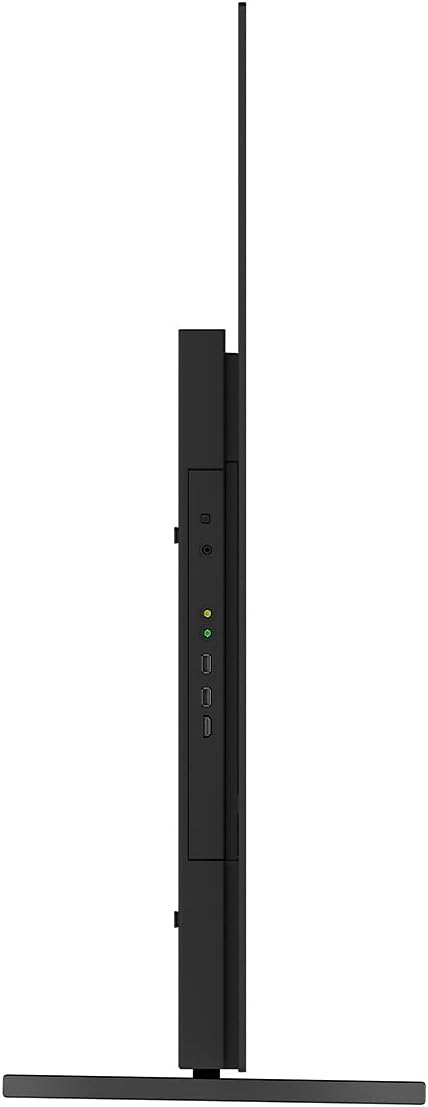


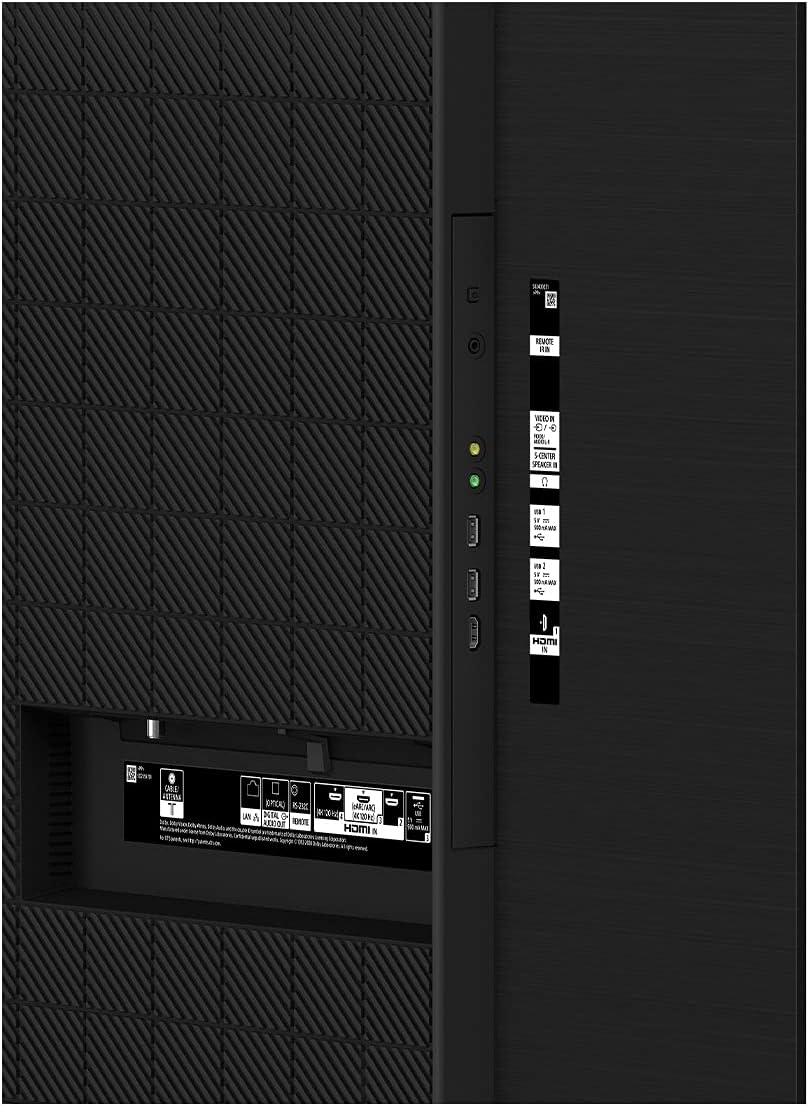


Sony A80J 55 Inch BRAVIA XR OLED 4K Smart Google TV with Dolby Vision HDR
₦4,200,199.00
Description
About the Product 🔑
| Feature ✨ | Description 🌟 |
|---|---|
| Picture Quality 🖼️ | 4K HDR OLED TV with XR Contrast |
| Smart TV Platform 📺 | Google TV |
| Picture Processing 🧠 | Cognitive Processor XR |
| Upscaling Technology ⬆️ | XR 4K Upscaling |
| Sound Technology 🔊 | Acoustic Surface Audio+ |
| Color Technology 🎨 | XR TRILUMINOS PRO |
| Contrast Technology ⚫ | XR OLED CONTRAST |
| Streaming Services 🎬 | Google TV (Netflix, Amazon Prime Video, Disney+, YouTube, Apple TV app, more) |
| Cinematic Experience 🍿 | BRAVIA CORE |
| Gaming Features 🎮 | Perfect for PlayStation 5 (4K/120fps, HDMI 2.1, low input lag 8.5ms) |
| Voice Control 🗣️ | Works with Alexa, Google Assistant |
| Apple Integration 🍎 | Apple AirPlay 2 |
| Model Year 🗓️ | 2021 Model |
Product Benefits 💡
- Enjoy premium OLED picture with contrast and color that feels deep, natural, and real.
- Experience a truly immersive sound that perfectly matches the picture on screen.
- Seamlessly browse movies and TV episodes from your favorite streaming services, all in one place.
Usage Instruction 🧾
- Connect the TV to the AC power (mains) and press the power button on the TV or the remote control.
- Press the (Quick Settings) button on the remote control, then select [Settings] — [Display & Sound] — [Picture] to make adjustments.
- If you set [Power saving] to [Low] or [High], the black level will be enhanced. Press the (Quick Settings) button on the remote control, then select [Settings] — [System] — [Power & Energy] — [Power saving] to [Off] to brighten the screen.
- Adjust [Brightness] or [Contrast] in [Picture] under [Settings].
Product Specification 📱
| Specification Name ⚙️ | Description 🌟 |
|---|---|
| Brand Name 🏷️ | Sony |
| Item Weight ⚖️ | 39.3 pounds |
| Product Dimensions 📏 | 13 x 48.38 x 28.13 inches |
| Item Model Number 🔢 | XR55A80J |
| Color Name 🎨 | Black |
| Special Features 🌟 | Screen Mirroring, Adjustable Stand Width |
| Speaker Type 🔊 | Built-In |
| Standing Screen Display Size 🖼️ | 55 Inches |
| Aspect Ratio 📐 | 16:9 |
| Voltage ⚡ | 120 Volts (AC) |
| Wattage 💡 | 336 watts |
| ASIN 🆔 | B08TKN5XTP |
| Customer Reviews ⭐ | 4.5 out of 5 stars (2,465 ratings) |
| Best Sellers Rank 🥇 | #558 in OLED TVs |
| Date First Available 📅 | April 19, 2021 |
Product Details 🏷️
- The Sony A80J OLED is a high-end OLED TV that’s part of Sony’s premium BRAVIA 4k OLED lineup, sitting below the Sony A90J OLED.
- It replaces the Sony A8H OLED from 2020, and it mostly competes with other OLED TVs, like the LG C1 OLED, the Vizio OLED 2020, and the LG A1 .
- COGNITIVE PROCESSOR XR – Revolutionary TV processing technology that understands how humans see and hear to deliver intense contrast with pure blacks, high peak brightness, and natural colors.
- XR TRILUMINOS PRO – Rediscover everything you watch with billions of accurate colors and see impressive picture quality that is natural and beautiful to the human eye.
- XR OLED CONTRAST – Feel the beauty of OLED contrast with pure blacks and lifelike brightness.
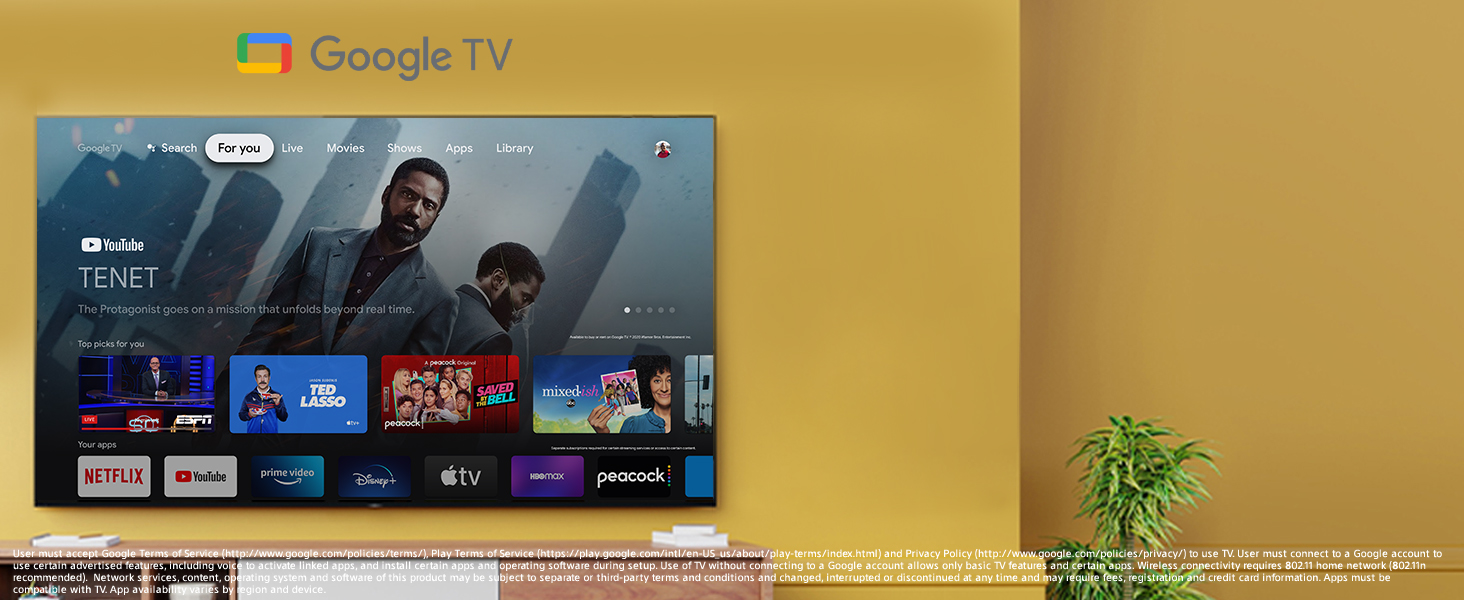
- GOOGLE TV – Seamlessly browse 700,000 plus movies and TV episodes from across your favorite streaming services, all in one place. Watch content from Netflix, Amazon Prime Video, Disney+, YouTube, the Apple TV app, and many more.
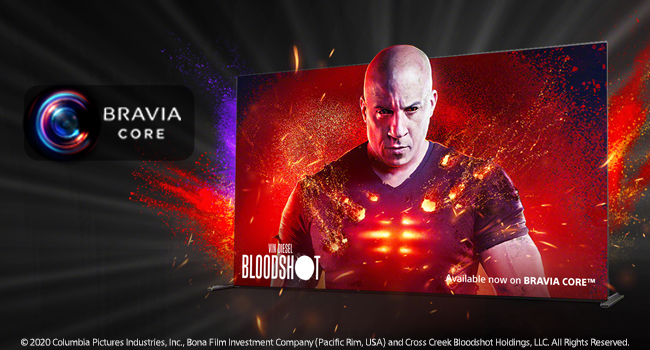
- BRAVIA CORE – Bring the cinematic experience home. Enjoy streaming high-quality movies included with BRAVIA CORE, exclusively on select Sony TVs.
- PERFECT FOR PLAYSTATION 5 – Get the most out of your gaming with BRAVIA XR TVs featuring exclusive features for the PS5 console along with 4K/120fps as specified in HDMI 2.1 and input lag as low as 8.5ms.
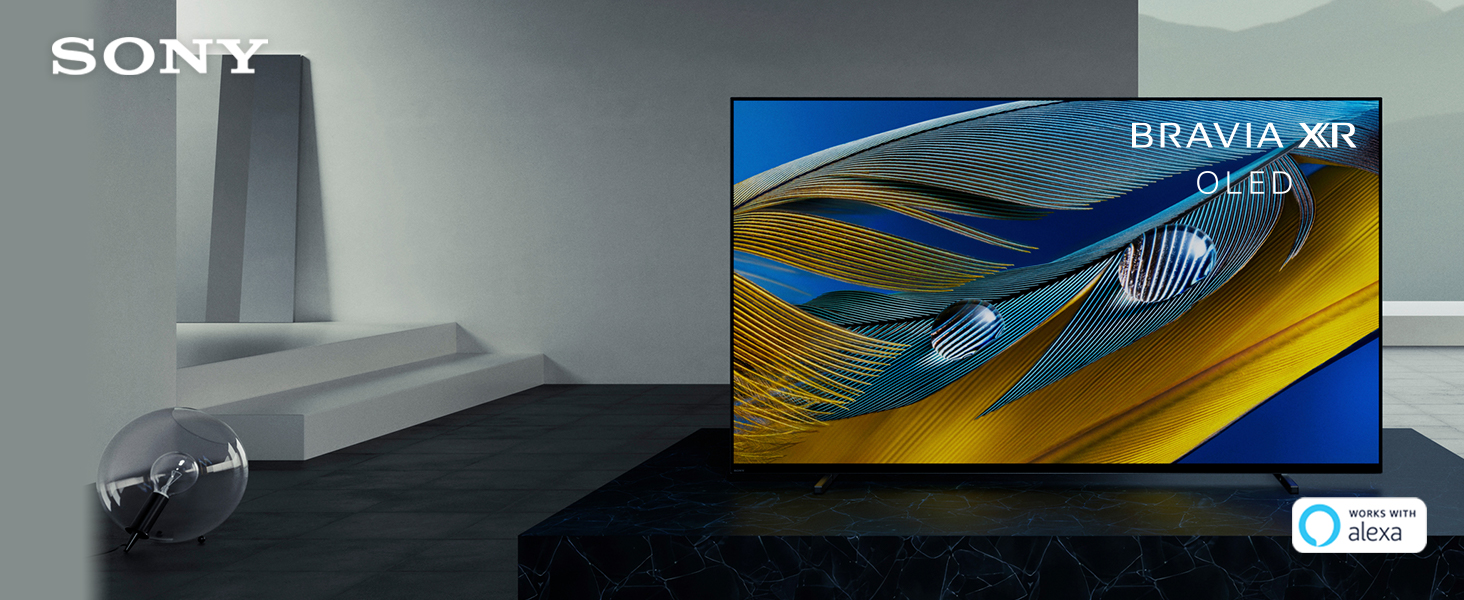
- WORKS WITH ALEXA – Through an Alexa enabled device, ask Alexa to change channels, adjust volume, and turn your TV on/off.
- GOOGLE ASSISTANT – Use your voice to easily find your favorite movies, shows, and music. Get answers on screen, control smart home devices, and more.
- APPLE AIRPLAY – Works with AirPlay 2 to easily stream content from your Apple device.
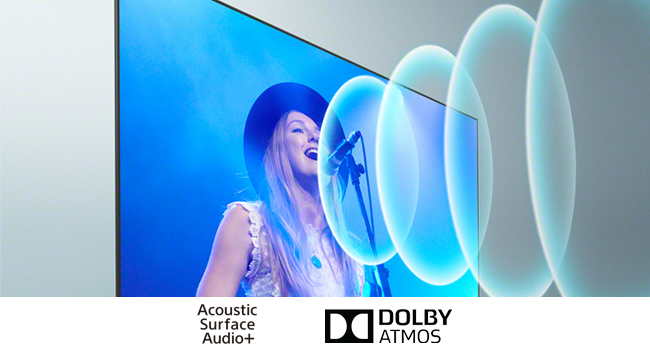
- ACOUSTIC SURFACE AUDIO+ – The screen is the speaker, perfectly matching sound with the action on screen for a truly immersive experience.
- Troubleshooting steps: No color/Dark picture/Color is not correct/Picture is too bright. Check the antenna/cable connection.
- Troubleshooting Steps: Distorted picture./The screen flickers. Check the connection and position of the antenna and peripheral devices. Check the antenna/cable connection. Keep the antenna/cable away from other connecting cables. When installing an optional device, leave some space between the device and the TV. Make sure that the antenna is connected using a high quality 75-ohm coaxial cable.
- Comment #2: screen flickers turns itself off with red blinking lights. This model is free from epidemic picture quality issues and performing quite well in the market. Our QA process does not present with the mentioned problem on our inventory.
- Amazon.com Return Policy: Amazon.com Voluntary 30-Day Return Guarantee: You can return many items you have purchased within 30 days following delivery of the item to you. Our Voluntary 30-Day Return Guarantee does not affect your legal right of withdrawal in any way. You can find out more about the exceptions and conditions here.
- Product Warranty: For warranty information about this product, please click here.
Additional Information ℹ️
- Is Discontinued By Manufacturer: Yes
- Screen Mirroring, Adjustable Stand Width
- 2,465 ratings
- 4.5 out of 5 stars
- #994,202 in Electronics
- #558 in OLED TVs
Full Images




Product Standout Benefits
Enjoy premium OLED picture with contrast and color that feels deep, natural, and real. The revolutionary Cognitive Processor XR™ optimizes thousands of on-screen elements simultaneously for a lifelike picture. Feel the action with Acoustic Surface Audio+ and experience a truly immersive sound that perfectly matches the picture on screen.
- COGNITIVE PROCESSOR XR – Revolutionary TV processing technology that understands how humans see and hear to deliver intense contrast with pure blacks, high peak brightness, and natural colors.
- XR TRILUMINOS PRO – Rediscover everything you watch with billions of accurate colors and see impressive picture quality that is natural and beautiful to the human eye.
- XR OLED CONTRAST – Feel the beauty of OLED contrast with pure blacks and lifelike brightness.
- BRAVIA CORE – Bring the cinematic experience home. Enjoy streaming high-quality movies included with BRAVIA CORE, exclusively on select Sony TVs.
- PERFECT FOR PLAYSTATION 5 – Get the most out of your gaming with BRAVIA XR TVs featuring exclusive features for the PS5 console along with 4K/120fps as specified in HDMI 2.1 and input lag as low as 8.5ms.
- ACOUSTIC SURFACE AUDIO+ – The screen is the speaker, perfectly matching sound with the action on screen for a truly immersive experience.
Customer Questions and Answers
-
Q: How do I adjust the picture quality? 🤔
A: Easy peasy! Just grab your remote, hit the (Quick Settings) button, then go to [Settings] — [Display & Sound] — [Picture] to make all your adjustments. If you find the picture too bright, you can also head to [Settings] — [Display & Sound] — [Picture] — [Brightness], and tweak the [Brightness] or [Contrast]. -
Q: My screen flickers with red blinking lights. What should I do? 💡
A: No worries! This model is performing quite well and we haven’t encountered that issue in our QA process with our inventory. Let’s double-check a few things to see if it helps! Make sure your antenna and peripheral devices are connected properly and positioned well. Keep antenna/cables away from other connecting cables. When installing an optional device, leave some space between it and the TV. Also, ensure the antenna is connected using a high-quality 75-ohm coaxial cable. -
Q: How can I make the picture brighter if it’s too dark? 🌟
A: We’ve got you covered! If you notice the black level is enhanced, it might be due to the [Power saving] setting. Just press the (Quick Settings) button on your remote, select [Settings] — [System] — [Power & Energy] — [Power saving], and change it to [Off] to brighten up the screen. -
Q: Is this TV good for gaming, especially with a PS5? 🔥
A: Absolutely! This TV is perfect for PlayStation 5 gaming. It’s designed to give you the best gaming experience with exclusive features for the PS5 console, including 4K/120fps as specified in HDMI 2.1 and an input lag as low as 8.5ms. Get ready for some amazing gameplay!
Related Products
-

LG 77-Inch evo G4 Series 4K Smart OLED TV Flat Screen with Magic Remote and Alexa Built-in 2024 Model
₦36,500.00 -

Sony Bravia XR 77 Inch 4K HDR OLED Google TV with 2 Year Amber Protection Plan
₦3,499,699.00 -

Panasonic 65-inch Z95 4K UHD OLED Smart Fire TV Bundle with HTB200 Soundbar and 4 Year Protection Plan
₦2,852,983.00 -

Sony BRAVIA XR A80J 65 Inch OLED 4K Smart Google TV Renewed
₦3,516,496.00 -

Sony XR55A95L 55 Inch QD-OLED 4K UHD Smart Google TV with 4 Year Amber Protection Plan
₦2,935,096.00 -

Sony BRAVIA 8 II 55-inch QD OLED 4K Smart Google TV Renewed
₦3,219,499.00 -
Sony 65-Inch 4K OLED BRAVIA 8 Smart TV with PlayStation 5 Disc Edition Console (Slim)
₦3,358,198.00 -

Sony XR55A95L 55 Inch QD-OLED 4K Smart TV Bundle with JBL BAR-1000 7.1.4ch Soundbar
₦3,597,698.00 -

Sony BRAVIA 8 II 65 Inch 4K QD OLED Smart Google TV with XR Processor 120Hz for PS5
₦4,903,486.00 -

77 Inch IMAX Enhanced 2024 Sony Bravia OLED 4K HDR Google TV with Austere 4-Outlet Power Strip
₦3,655,210.00 -

Sony BRAVIA XR A95L 65 Inch QD-OLED 4K HDR Smart TV 2023 Bundle 2x HDMI Cables Protection
₦4,060,099.00 -

Sony XR55A95L 55″ QD-OLED 4K UHD Smart Google TV with AI Upscaling.
₦3,331,579.00 -

Sony 55 Inch 4K OLED Smart Google TV XR55A95K Dolby Vision HDR 2022
₦3,919,999.00 -

Sony BRAVIA XR A95L 65 Inch QD-OLED 4K HDR Smart TV with Google TV 2023 (Renewed)
₦4,202,986.00 -

Sony BRAVIA 8 77 Inch 4K HDR Smart OLED TV 2024 Model with 2 Year Protection
₦3,919,999.00 -

Sony 77 Inch IMAX Enhanced Bravia OLED 4K HDR Google TV with 2.5m Premium 4K HDR HDMI Cable (2024)
₦1,120,786.00 -

Samsung 77-Inch OLED 4K Smart TV Vision AI, 2025 Model, Contour Design, Color Booster Pro
₦4,200,184.00 -

Sony 77 Inch K77XR80 IMAX Enhanced Bravia OLED 4K HDR Google TV 2024 with Austere 7S-PS4-US1 4-Outlet Power Omniport USB
₦3,502,486.00 -

Sony 65 Inch QD-OLED 4K HDR Smart Google TV 2023 with 2 HDMI Cables and 50 Month Protection Pack
₦4,060,099.00 -

LG 77-Inch OLED evo C4 Series 4K Smart TV Flat Screen with Magic Remote
₦36,500.00
Reviews
There are no reviews yet.