





Smart TV Replacement Voice Remote Control for AMZ Fire TV Stick 4K Max
₦11,193.99
Description
About the Product 🔑
| Feature 🌟 | Details 📝 |
|---|---|
| Product Type 📺 | Replacement Voice Remote 🗣️ |
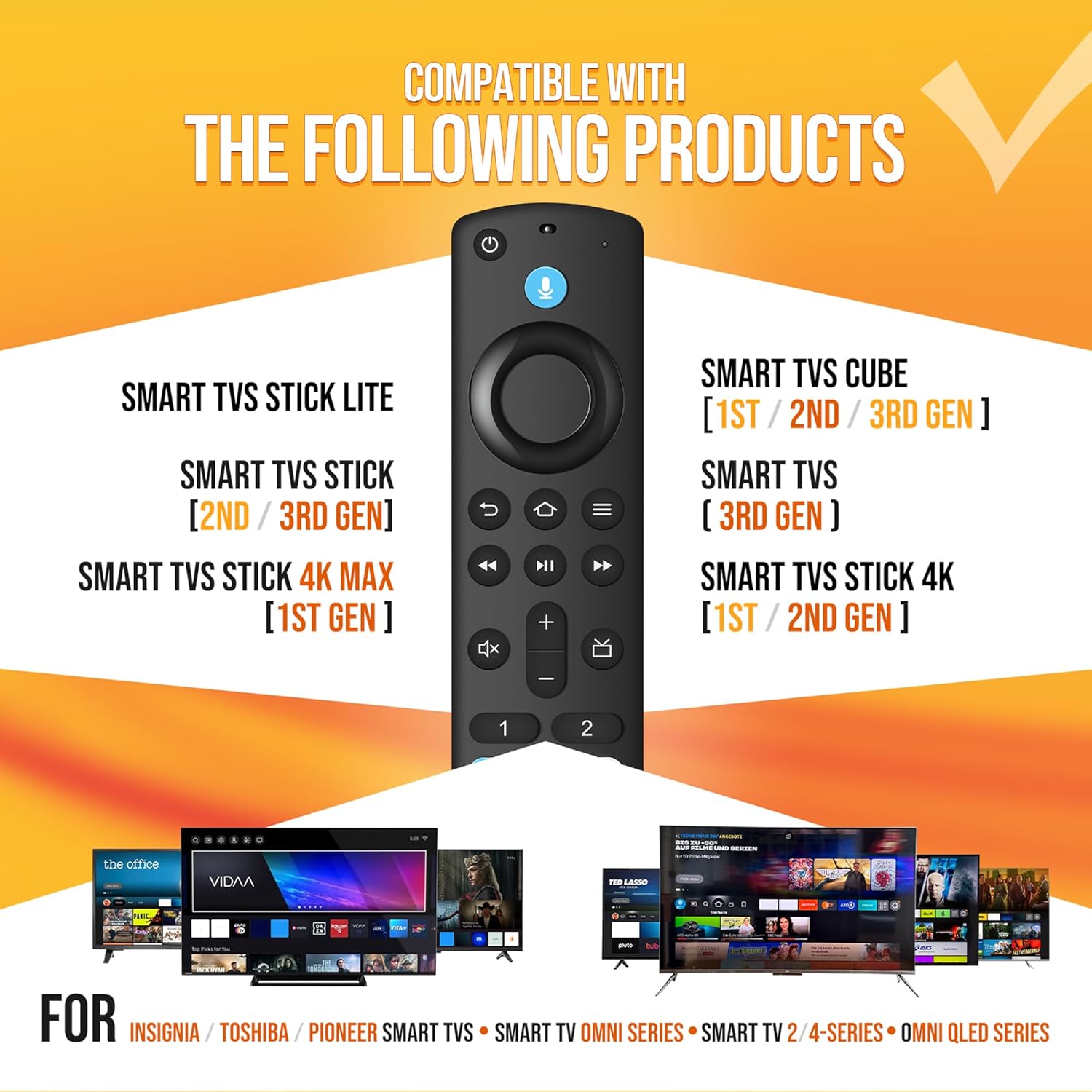
| Compatibility (AMZ) 🎯 | TV Stick (4k, 2nd Gen, 3rd Gen, Life), TV Cube (1st Gen, 2nd Gen, 3rd Gen) 📦 |
| Compatibility (Other) ✨ | Insignia, Toshiba, Pioneer Smart TVs (Voice Commands) 👍 |
| Specific Fit 📱 | Omni Mini-LED Series, Omni Series, 4-Series 🌟 |
| Not Applicable 🚫 | Smart TVs (1st and 2nd Gen), Smart TVs Stick (1st Gen), Smart TVs Edition smart TVs ❌ |
| Voice Functionality 🗣️ | Yes ✅ |
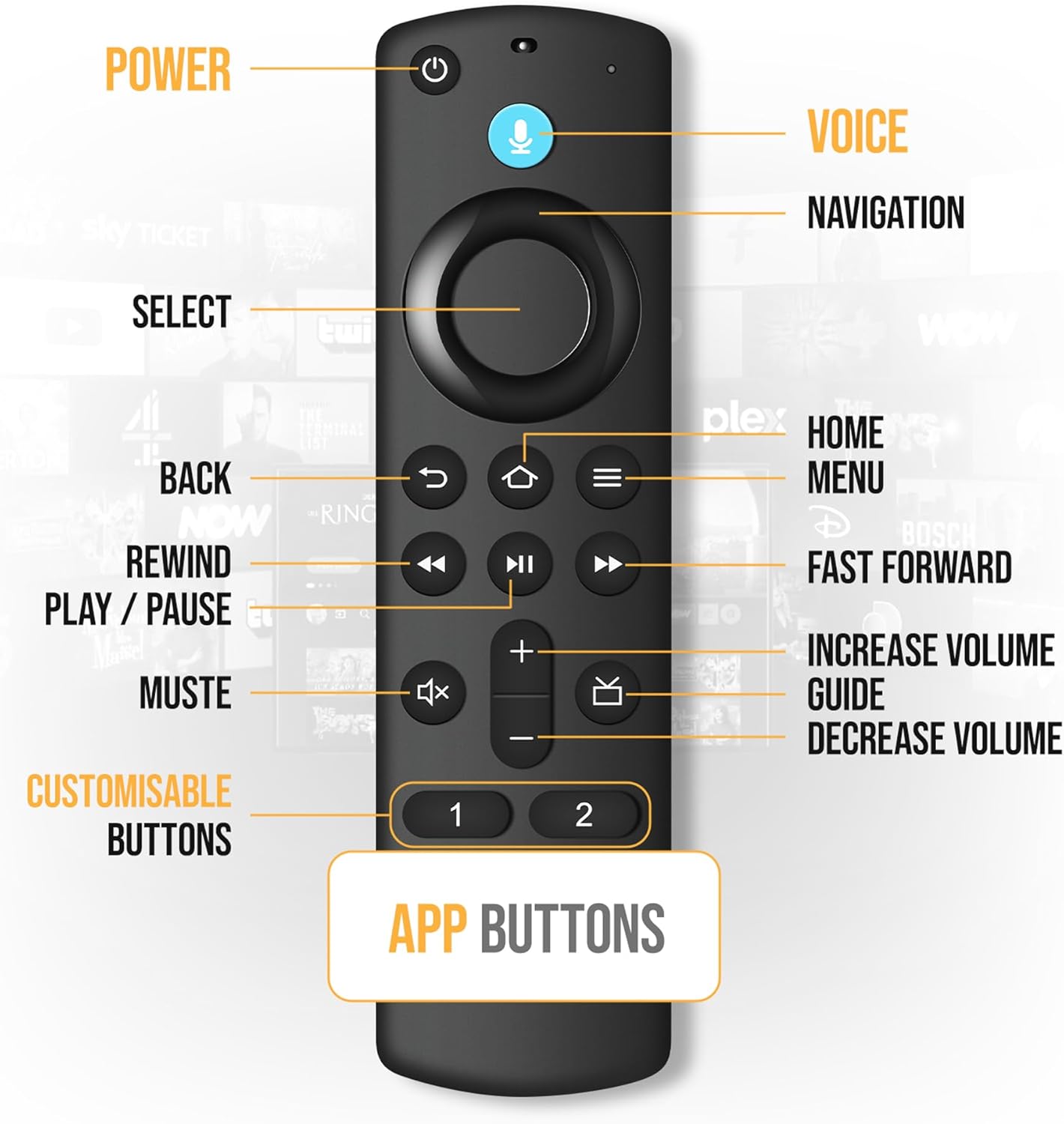
| Playback Controls ▶️ | Standard 👍 |
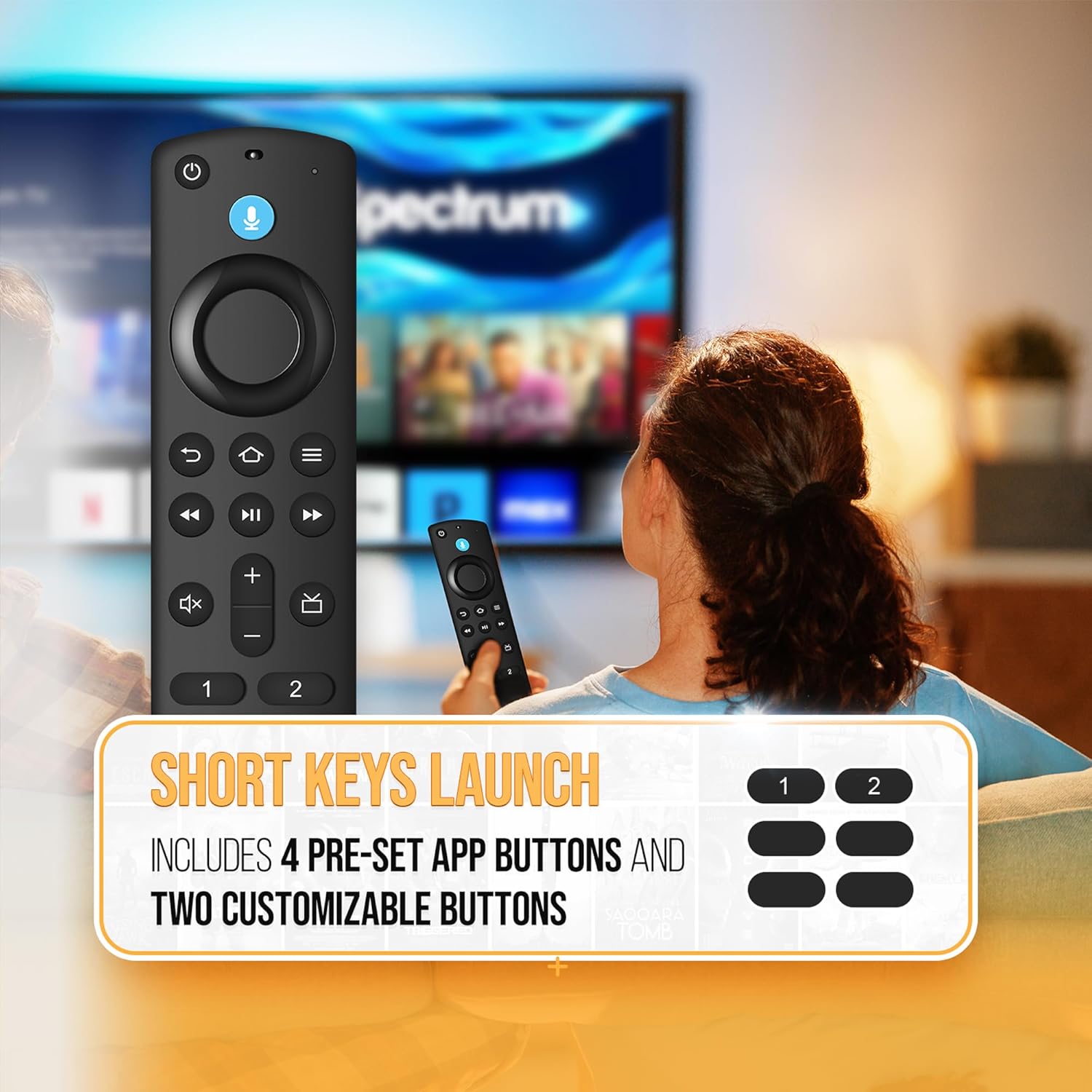
| Shortcut Buttons 🖲️ | 4 Pre-set App Buttons ➕ 2 Customizable Buttons ⚙️ |
Usage Instruction 🧾
- Step 1: 🏠 Press the Home button for about 10-15 seconds until the LED indicator starts to rapidly flash.
- Step 2: ⏱️ Wait about 30-60 seconds for the remote to automatically pair with your device (LED Flash indicates Pairing mode).
- Step 3: 🗣️ Press the voice button and speak your command to easily use voice instructions.
- Step 4: 📺 Quickly find your favorite shows, open apps, or adjust the volume.
- Step 5: ⚙️ Create your own shortcuts to favorite channels and apps using the customizable buttons.
Product Specification 📱
| Specification ⚙️ | Description ✨ |
|---|---|
| Remote Type 🗣️ | Voice Replacement 🔄 |
| Voice Control 🎤 | Yes ✅ |
| App Buttons 🗂️ | 4 Pre-set + 2 Customizable 🔢 |
| Pairing Method 🔗 | Home Button Press & Flash ⚡ |
| Compatibility Range 🌐 | Wide Range 👍 |
Product Details 🏷️
About this item: Introducing the New Replacement Voice Remote Control (2nd GEN), designed for seamless compatibility with a range of AMZ TV devices, including the TV Cube (2nd Gen), TV Stick (2nd Gen), TV Stick 4K, and more. This remote is not compatible with the 1st Gen TV models or TV Edition. Experience effortless navigation with standard playback controls that allow you to quickly find your favorite shows, open apps, adjust the volume, and more through the remote control.
Applicable Streaming Device: This Smart tv voice remote replacement is compatible with various smart devices, TVs Stick (2nd / 3rd Gen), TVs Stick Lite, TV Stick HD, TVs Stick 4K Max (1st / 2nd Gen), TVs Stick 4K (1st / 2nd Gen), TVs Cube (1st / 2nd / 3rd Gen), Smart TVs (3rd Gen). Also compatible with select Insignia, Toshiba, Pioneer smart TV models.
Not Compatible: This Smart tv voice remote replacement not compatible with Smart TVs (1st and 2nd Gen), Smart TVs Stick (1st Gen), or Smart TVs Edition smart TVs, if your product doesn’t work, please send your message to us, we must give you the best solution in the end.
Voice Control: Press the button and speak your command to easily use voice instructions. The operation is simple and direct, allowing you to quickly find your favorite shows, open apps, adjust the volume, and more through the remote control.
Shortcut Buttons: Includes 4 pre-set app buttons for quick access to popular channels and two customizable buttons – Create your own shortcuts to favorite channels and apps.
Easy to Pairing: Press the Home button about 10-15 seconds until the LED indicator starts to rapidly flash, then waiting about 30-60 seconds (Entering Pairing mode, LED Flash), then your remote will automatically pair with your device. No complicated setup required.

Full Images


Product Standout Benefits
This replacement remote is designed to be your go-to for navigating your smart TV experience with ease. It’s built for seamless compatibility with a wide range of Smart TVs devices, making finding your favorite shows and movies simpler than ever.
- 🌟 Wide Compatibility: This replacement remote is compatible with a variety of Smart TVs devices including Smart TVs Cube (1st / 2nd / 3rd Gen), Smart TVs Stick 4K Max (1st Gen), Smart TVs Stick 4K Max (2nd Gen), Smart TVs Stick 4K (1st / 2nd Gen), Smart TVs Stick (2nd / 3rd Gen), Smart TVs Stick Lite, Smart TVs (3rd Gen), and compatible Insignia-Toshiba-Pioneer-Smart-TVs.
- ✨ Effortless Content Discovery: Easily find your favorite content by simply asking. Press a button or use your voice to search for movies, music, or whatever you’re in the mood for.
- 🚀 Quick App Access: Enjoy quick access to your favorite content with preset 4 app button shortcuts.
- 🔧 Simple Pairing Process: Pairing is straightforward. Just press and hold the Home button for 10-15 seconds until the LED flashes rapidly. Wait about 30-60 seconds for it to enter pairing mode, and the remote will automatically pair with your device.
Customer Questions and Answers
Q: How do I get this remote to work with my TV? 🤔
A: Getting it set up is super easy! You just need to pair it first. Simply press and hold the Home button for about 10-15 seconds until the little light flashes really fast. Then, just wait around 30-60 seconds while it’s in pairing mode, and your remote should connect to your device all by itself.
Q: What devices does this remote work with? 📺
A: This remote is compatible with tons of Smart TVs stuff like the Smart TVs Cube (all generations), Smart TVs Stick 4K Max (both generations), Smart TVs Stick 4K (both generations), Smart TVs Stick (newer generations), Smart TVs Stick Lite, Smart TVs (3rd Gen), and also works with Insignia, Toshiba, Pioneer, and other Smart TVs.
Q: What if my voice remote isn’t working correctly? 🗣️
A: If you’re having trouble with the voice remote, try resetting it! This usually helps get it back to working perfectly.
Q: Can I connect this remote to more than one device at a time? 🔗
A: It’s best to make sure your remote control isn’t connected to more than 6 devices. Keeping it to fewer connections helps ensure it works smoothly.
Q: I have an older remote. Anything I should do before pairing this new one? 💡
A: Yep, make sure you take out all the batteries from your old remote control completely. This helps avoid any issues when you’re setting up the new one.
Related Products
-

3rd Generation Replacement Voice Remote for TV Cube, Fire TV Stick Lite 4K Max, Toshiba Smart TVs
₦11,193.99 -

Samsung Smart TV Replacement Voice Remote with Solar Charging, 2021-2025 Models, 2-Year Warranty
₦56,025.99 -

Hisense TV Remote Universal Replacement for 4K LED HD UHD Smart Models
₦12,538.95 -

Sony RM-ANP109 Replacement Remote Control for TV Audio Projector AV Sound Bar Wireless Subwoofer
₦26,604.99 -

Samsung BN59-01455A Voice Solar Remote Control Replacement for NEO QLED 4K TVs Black
₦45,644.58 -

Gvirtue RMF-TX500U Universal Remote Control for Sony Smart TVs 4K UHD HDR LED OLED
₦18,198.99 -

Philips Android 4K Ultra HD Smart LED TV Replacement Remote Control BT800 for NH800UP RF402A-V14 Netflix Vudu YouTube Included Batteries (No Voice)
₦11,474.19 -

Solar Rechargeable Replacement Remote for Samsung Smart TV Voice Bluetooth 2018-2025 Models
₦50,421.99 -

Voice Remote Control for Element Westinghouse 43GSR4100KN 2017 Series TVs
₦55,899.90 -

Solar Voice Remote BN59-01432A for Samsung Neo QLED 8K HDR Smart TVs Black
₦40,390.83 -

LG OLED QNED NanoCell Smart TV Replacement Remote Control AKB75855501 with Voice & Pointer
₦56,025.99 -

Roku 50-Inch 4K UHD Smart TV with HDR, Dolby Audio, Voice Remote, Bluetooth, AUX HDMI Cable, Streaming Kit, and 1-Year Protection Plan
₦462,259.95 -

New Replacement Remote for TCL Google Smart 4K UHD HDR LED QLED TVs
₦13,995.99 -

Sony RMF-TX800U Voice Remote Replacement for All 2019-2024 Sony 4K UHD Smart TVs
₦27,991.98 -

LG AN-MR20GA Replacement Voice Magic Remote for Smart OLED QNED TVs
₦28,005.99 -

RMF-TX500U Voice Replacement Remote for Sony Bravia TVs KD-75X75CH XBR-55A8H XBR-55X950G Series
₦18,100.92 -

LG AKB76037601 Smart TV Remote Control for LED OLED UHD HDR WebOS Models
₦11,193.99 -

One For All Universal Replacement Remote for Sony TVs – Black, LCD/LED/OLED/Plasma Compatible, URC4812 Model
₦35,010.99 -
Rechargeable Solar Cell Bluetooth Voice Remote Replacement for Samsung Smart TVs 2018-2025
₦61,573.95 -

Sony Bravia LCD LED HD Smart TV Replacement Remote Control RMT-TX100U with Netflix Button, No Voice, New Condition
₦13,995.99
Reviews
There are no reviews yet.