
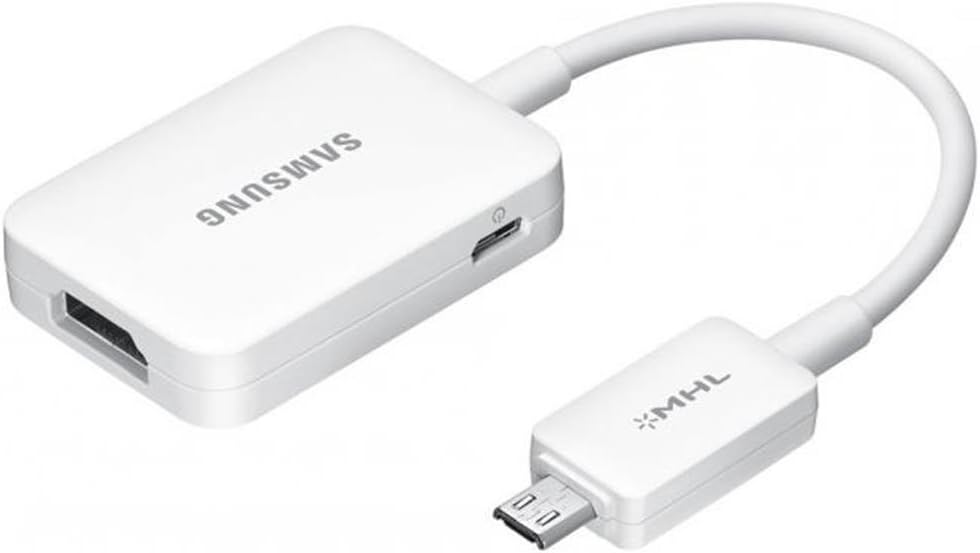
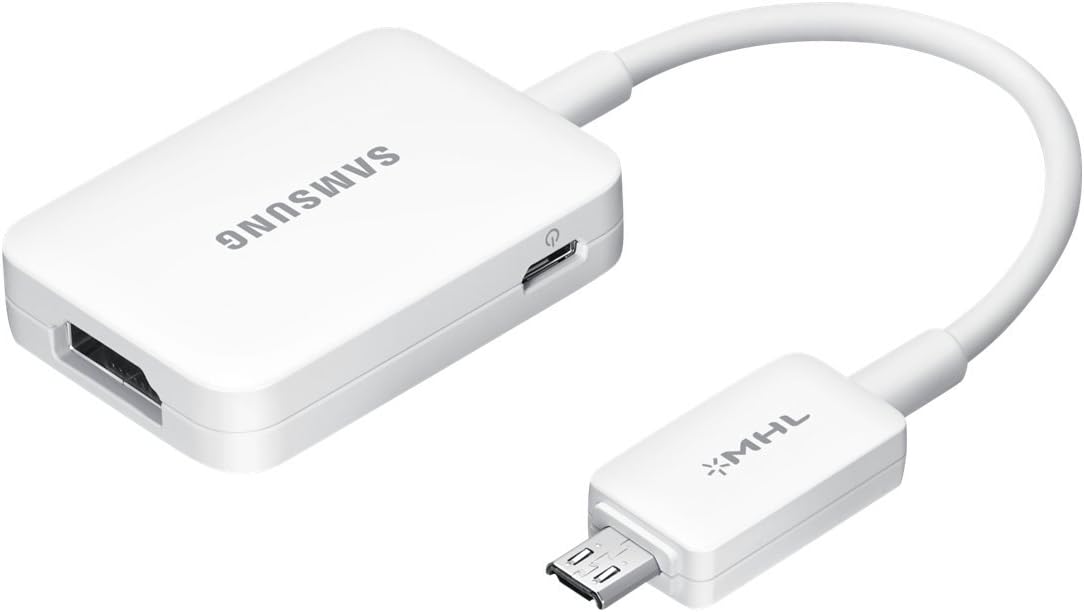


Samsung Open Box MHL 2.0 to HDMI HDTV Adapter for Samsung Galaxy Devices
₦65,062.44
Description
About the Product 🔑
| Feature ⭐ | Description 📝 |
|---|---|
| Product Description 📺 | Samsung MHL 2.0 micro-USB-to-HDMI HDTV Adapter lets you connect your Galaxy phone or Galaxy Tab 3 to your HDTV or HD monitor. It enables you to mirror your phone/tablet’s screen on your TV and also lets you watch videos and view photo Gallery that is store in your phone. supports HD signals up to 1080p. |
| Availability 📦 | Samsung Open Box MHL 2.0 HDTV Adapter |
| Offers Available 💰 | No featured offers available. |
| Usage Clarity 💡 | Easy to use. |
| Power Requirement 🔌 | Some phones require an additional power supply to the MHL Adapter. |
| MHL 2.0 Compatibility ✅ | MHL 2.0 devices (the Samsung Galaxy S 4, Galaxy S 4 Active and Galaxy Note 3) do NOT require the additional power supply. |
| Power Connection Recommendation ⚡ | You may want to connect a power supply to keep your phone powered during usage in case it runs low on battery. |
| HD Signal Support 📶 | Supports HD signals up to 1080p. |
| Screen Mirroring 📱 | Enables you to mirror your phone/tablet’s screen on your TV. |
| Video & Photo Viewing 📸 | Lets you watch videos and view photo Gallery that is stored in your phone. |
| Direct Connection Capabilities 🔗 | The Samsung Smart Adapter will connect directly to your MHL-Enabled Samsung mobile phone with a Micro USB input to create an HDMI docking station. |
| Compatibility Note ⚠️ | Not compatible with Samsung Tab A, Galaxy S 6 or Galaxy Note 5. |
Product Specification 📱
| Specification Name ⚙️ | Description 📝 |
|---|---|
| Brand ⭐ | SAMSUNG |
| Item Model Number 🏷️ | ET-H10FAUWEGWW |
| Item Weight ⚖️ | 1.41 ounces |
| Product Dimensions 📏 | 5.71 x 0.79 x 2.76 inches |
| Item Dimensions (LxWxH) 📐 | 5.71 x 0.79 x 2.76 inches |
| Color 🎨 | !!without CE! |
| Manufacturer 🏭 | Samsung |
| ASIN 🆔 | B00BTCPQ5C |
| Discontinued By Manufacturer 🚫 | No |
| Date First Available 🗓️ | March 14, 2013 |
Usage Instruction 🛠️
Step 1: 🔌 Connect the micro-USB end of the adapter into your phone or Tab.
Step 2: 🔗 Connect a standard HDMI cable (not included) to the other end of the adapter.
Step 3: 📺 Connect the HDMI cable to your HDTV or HD Monitor.
Step 4: ⚡ If needed, use your existing phone charger to provide additional power to the MHL Adapter.
Step 5: 📱 Power on your phone and the adapter to mirror your screen.
Product Benefits 💡
- Supports HD signals up to 1080p.
- Mirrors your phone/tablet’s screen on your TV.
- Enables watching videos and viewing photos stored on your phone.
- Connects directly to MHL-Enabled Samsung mobile phones.
Product Details 🏷️
-
Technical Details ⚙️
- Brand: SAMSUNG ⭐
- Item model number: ET-H10FAUWEGWW 🆔
- Item Weight: 1.41 ounces ⚖️
- Product Dimensions: 5.71 x 0.79 x 2.76 inches 📏
- Item Dimensions LxWxH: 5.71 x 0.79 x 2.76 inches 📐
- Color: !!without CE! 🎨
- Manufacturer: Samsung 🏭
- ASIN: B00BTCPQ5C 🆔
- Is Discontinued By Manufacturer: No 🚫
- Date First Available: March 14, 2013 🗓️
-
Additional Information ℹ️
- Customer Reviews: 4.0 out of 5 stars ⭐ (1,828 ratings) 📊
- Best Sellers Rank: #11,536 in HDMI Cables 🏆
-
Warranty & Support 🤝
- Amazon.com Return Policy: You may return any new computer purchased from Amazon.com that is “dead on arrival,” arrives in damaged condition, or is still in unopened boxes, for a full refund within 30 days of purchase. Amazon.com reserves the right to test “dead on arrival” returns and impose a customer fee equal to 15 percent of the product sales price if the customer misrepresents the condition of the product. Any returned computer that is damaged through customer misuse, is missing parts, or is in unsellable condition due to customer tampering will result in the customer being charged a higher restocking fee based on the condition of the product. Amazon.com will not accept returns of any desktop or notebook computer more than 30 days after you receive the shipment. New, used, and refurbished products purchased from Marketplace vendors are subject to the returns policy of the individual vendor.
- Product Warranty: For warranty information about this product, please click here 🔗
Full Images
Product Standout Benefits
Connect your MHL-Enabled phone to your high definition TV or Computer Monitor.
- Supports HD signals up to 1080p.
- Connect directly to your MHL-enabled mobile phone with an 11-pin microUSB input to create an HDMI docking station.
- Then, connect a standard HDMI cable for easy connectivity to home theater or monitor.
- The adapter also needs to be connected to a power source via the microUSB port on the adapter itself.
Customer Questions and Answers
-
Q: How do I use this product? 🤔
Just connect your MHL-enabled phone to the adapter using the 11-pin microUSB input, then plug in a standard HDMI cable to your TV or monitor. Make sure to connect a power source to the adapter’s microUSB port too!
-
Q: What do I need to make this work? 🔗
You’ll need a standard HDMI cable and a microUSB charging cable, as these are sold separately.
-
Q: What kind of picture quality can I expect? 🌟
You can enjoy HD signals up to 1080p!
-
Q: What’s included in the package? 🎁
You’ll get the HDTV Adapter with an 11-pin connector.
Related Products
-

VAKABOX HD 1080P USB to HDMI Mirroring Adapter Cable for iPhone and Android Smartphones
₦33,609.99 -
6-Foot USB-C to HDMI 4K Video Adapter Cable for iPhone 16/15, Samsung, Moto, Laptops
₦16,797.99 -
Sale!

Audiobox 13.3 Inch HDTV with Built-in DVD Player and HDMI, USB, Car Cord Adapter, Compact Size
Original price was: ₦238,155.99.₦196,125.99Current price is: ₦196,125.99. -
6.6ft Apple MFi Certified Lightning to HDMI Cable Adapter 1080P for iPhone and iPad
₦19,599.99 -

CYBERTECH 2-Meter MHL Micro USB to HDMI Adapter Cable for Samsung Galaxy Tab 3 8.0 10.1
₦14,416.29 -
Sale!

TIMBOOTECH 5G 4K@30Hz Wireless HDMI Display Adapter Blue for Screen Mirroring from Mobile and PC to TV
Original price was: ₦126,075.99.₦112,065.99Current price is: ₦112,065.99. -

8K HDMI Adapter for iPhone 16 Plus, USB-C Thunderbolt 4 Converter, 4320p 240-60Hz Display
₦22,401.99 -
Apple MFi Certified USB C to HDMI Adapter 4K@60Hz 100W Fast Charge for iPhone 15/16
₦19,599.99 -

iShare Wireless HDMI Display Adapter for iPhone iPad, 33FT HD Streaming Mirroring, Black
₦39,213.99 -
iPhone 16 8K 4K HDMI Adapter USB-C Thunderbolt 3/4 Converter Smart Digital Display 4320p
₦22,401.99 -

1080P Smartphone to TV Mirroring Adapter HDMI Projection Cable
₦25,203.99 -
Apple iPhone 15 Plus USB-C 8K HDMI Adapter Thunderbolt 3/4 Converter 4320p Display
₦22,401.99 -

iPhone to HDMI Adapter MFi Certified 6.6ft Red Sync Screen Connector for HDTV
₦9.99 -
8K 4K HDMI Adapter for iPhone 15 Pro USB-C Thunderbolt 3/4 Converter 4320p 240-60Hz
₦22,401.99 -

1080P Lightning to HDMI Adapter Digital AV Converter MFi Certified for iPhone 14 Pro Max iPad
₦26,604.99 -

HDMI 8K/4K Adapter for iPhone SE 2 USB-C Thunderbolt 3/4 Converter Smart 4320p Display
₦22,401.99 -

SmartSee MiraScreen 1080P Wireless HDMI Display Adapter for Tablets and Smartphones
₦33,595.98 -

Samsung Galaxy J4/J6/A6/A8 Plus 2018 HDMI Dongle AV Adapter Cable to HD TV
₦22,948.38 -
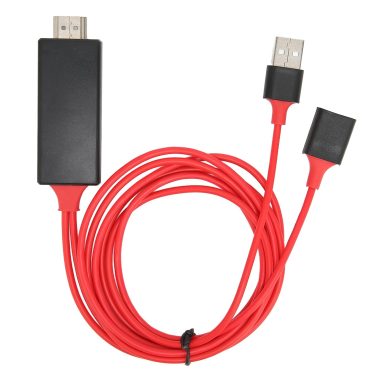
1080P Smartphone to HDMI Projector Mirroring Adapter Cable for Android and iOS iPhones Red
₦24,727.65 -

4K Wireless HDMI Display Dongle Adapter Plug & Play 2.4G 5G Miracast Airplay
₦67,233.99
Reviews
There are no reviews yet.