

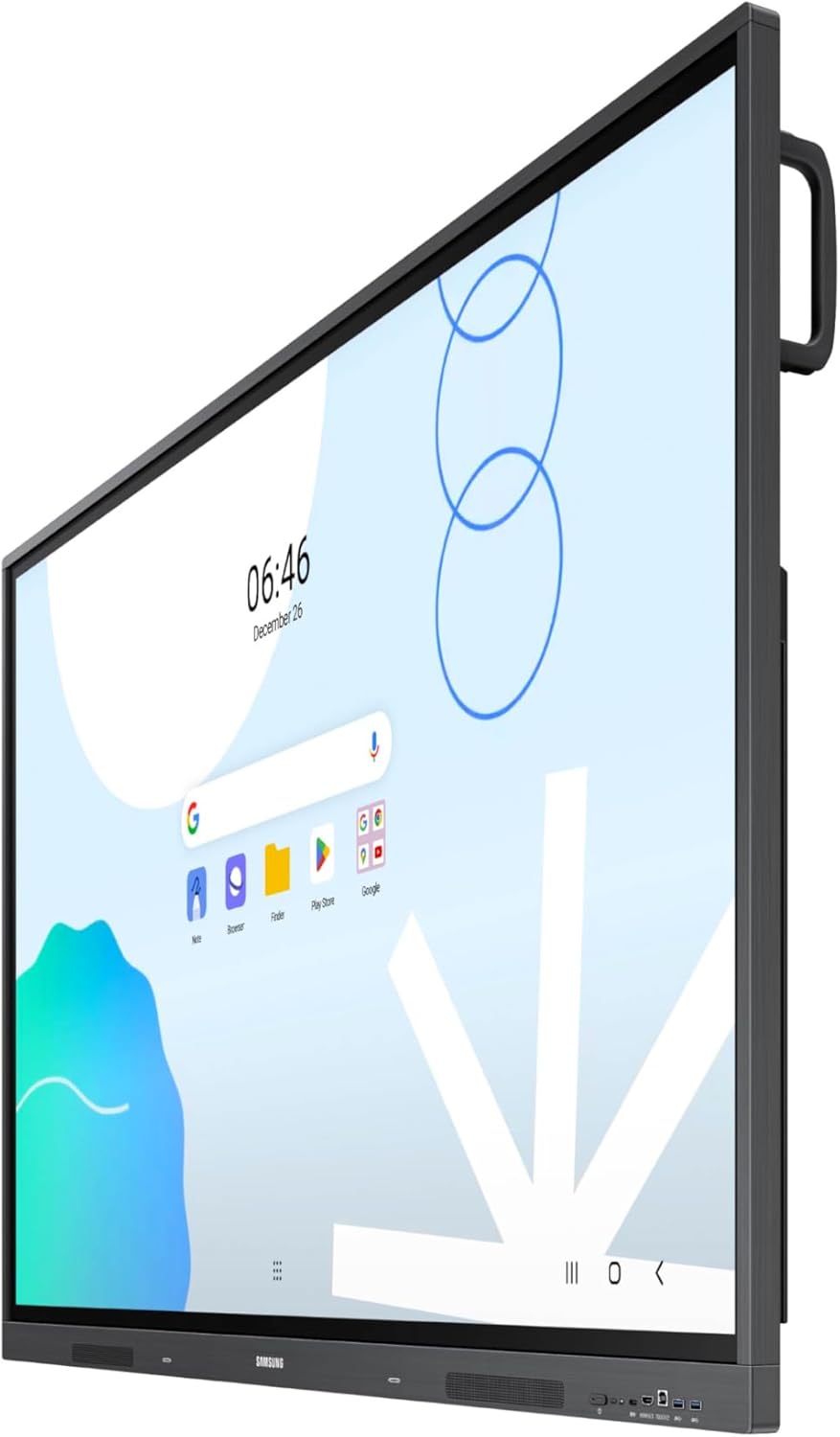
Samsung 65-inch Interactive Display, EDLA Certified for Google, Multi-Touch, Dual Pen, USB-C, OPS Slot
₦35,235.00
Description
About the Product 🔑
| ✨ Dual Pen Function | 📝 Switch pens without changing settings. |
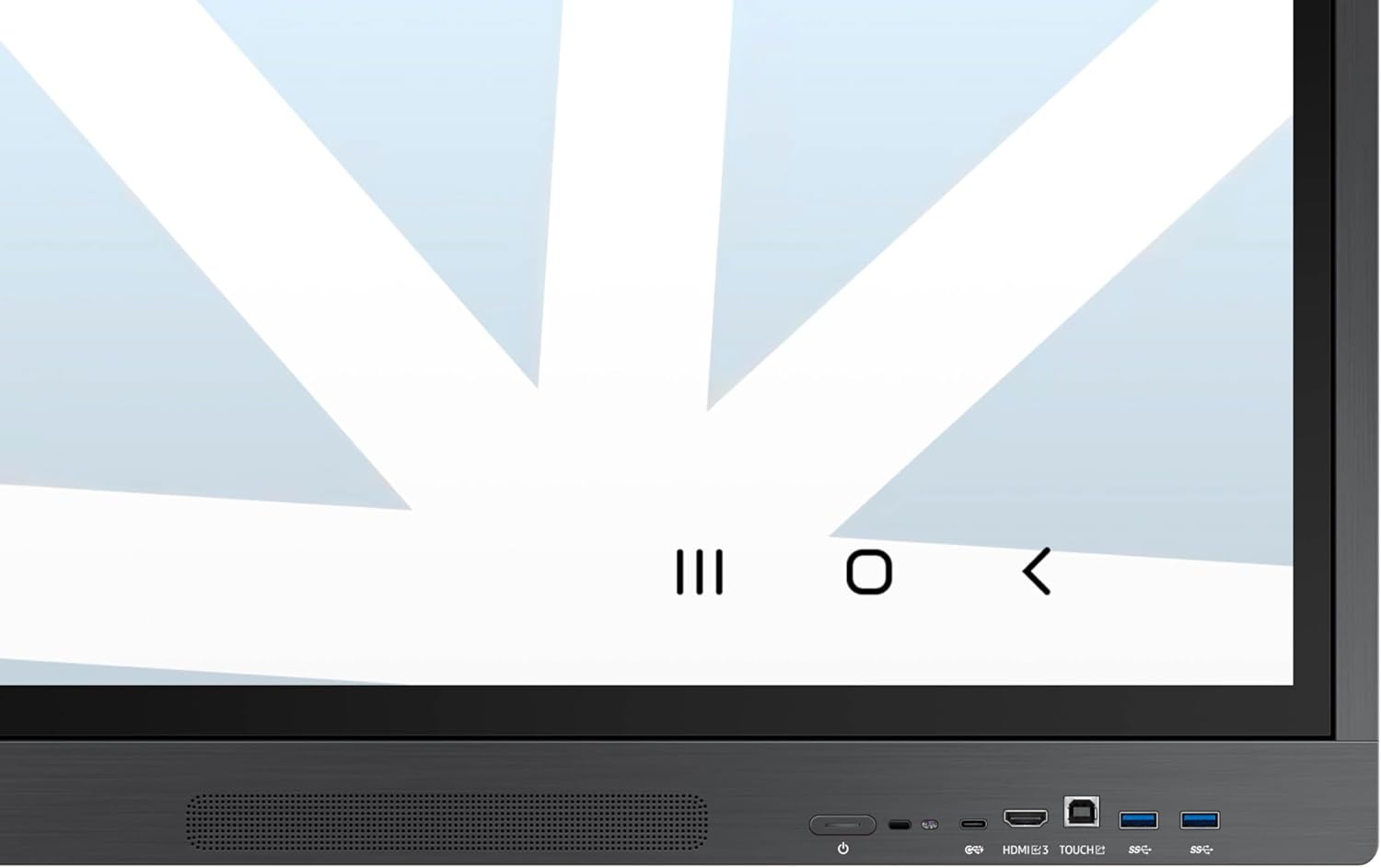
| 🔌 3-in-1 USB-C Port | ⚡ Screen mirroring, touch control, and external device charging (max. 65W). |
| 📺 HDMI-Out Function | 💡 Delivers interactive lessons. |
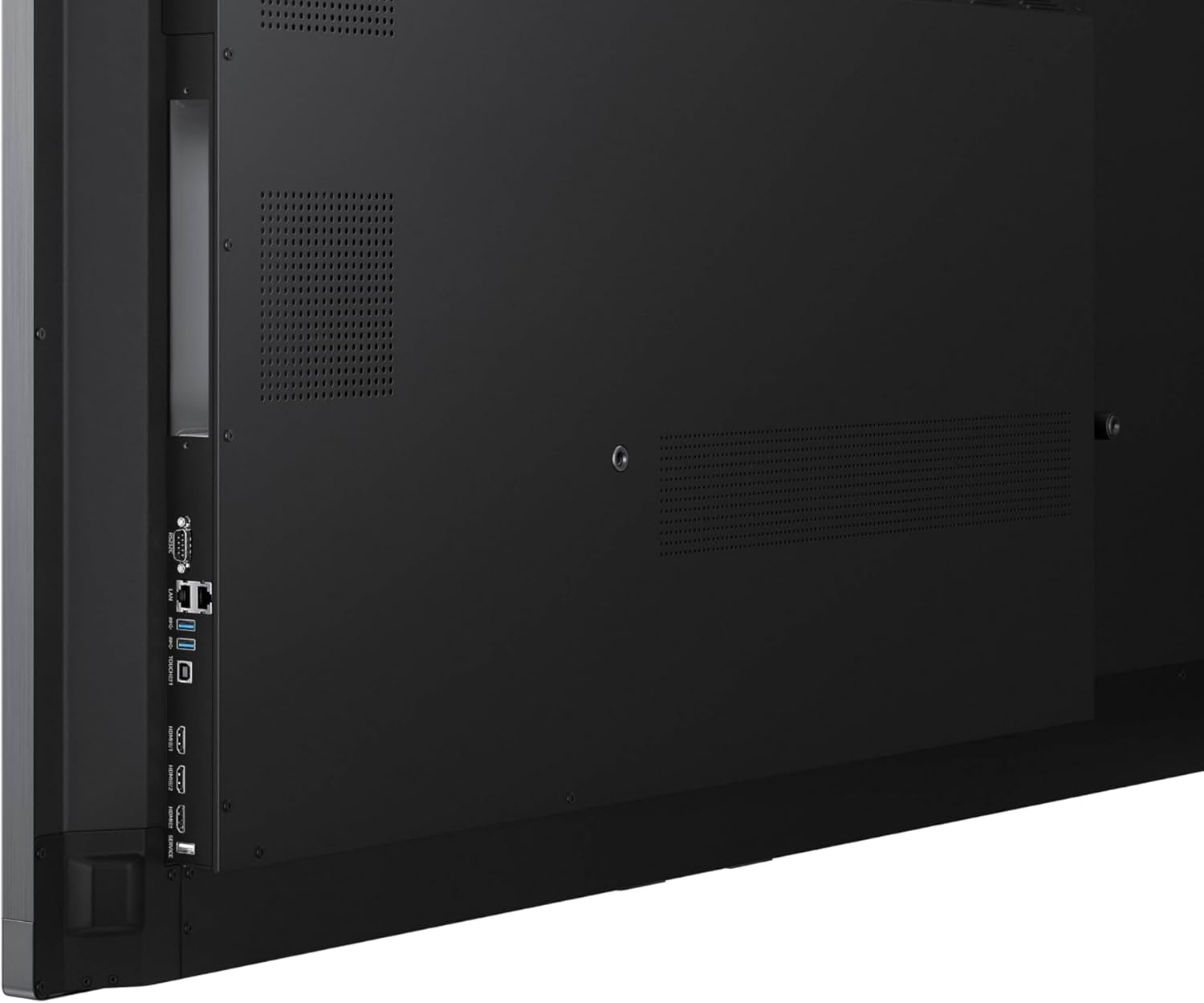
| 🖥️ OPS Slot | 🔄 Transforms into a Windows device, eliminating the need for an extra PC. |
| 📊 Samsung WA65D 65″ UHD 4K Touchscreen Commercial Monitor | 🌟 400 nits bright, interactive display. |
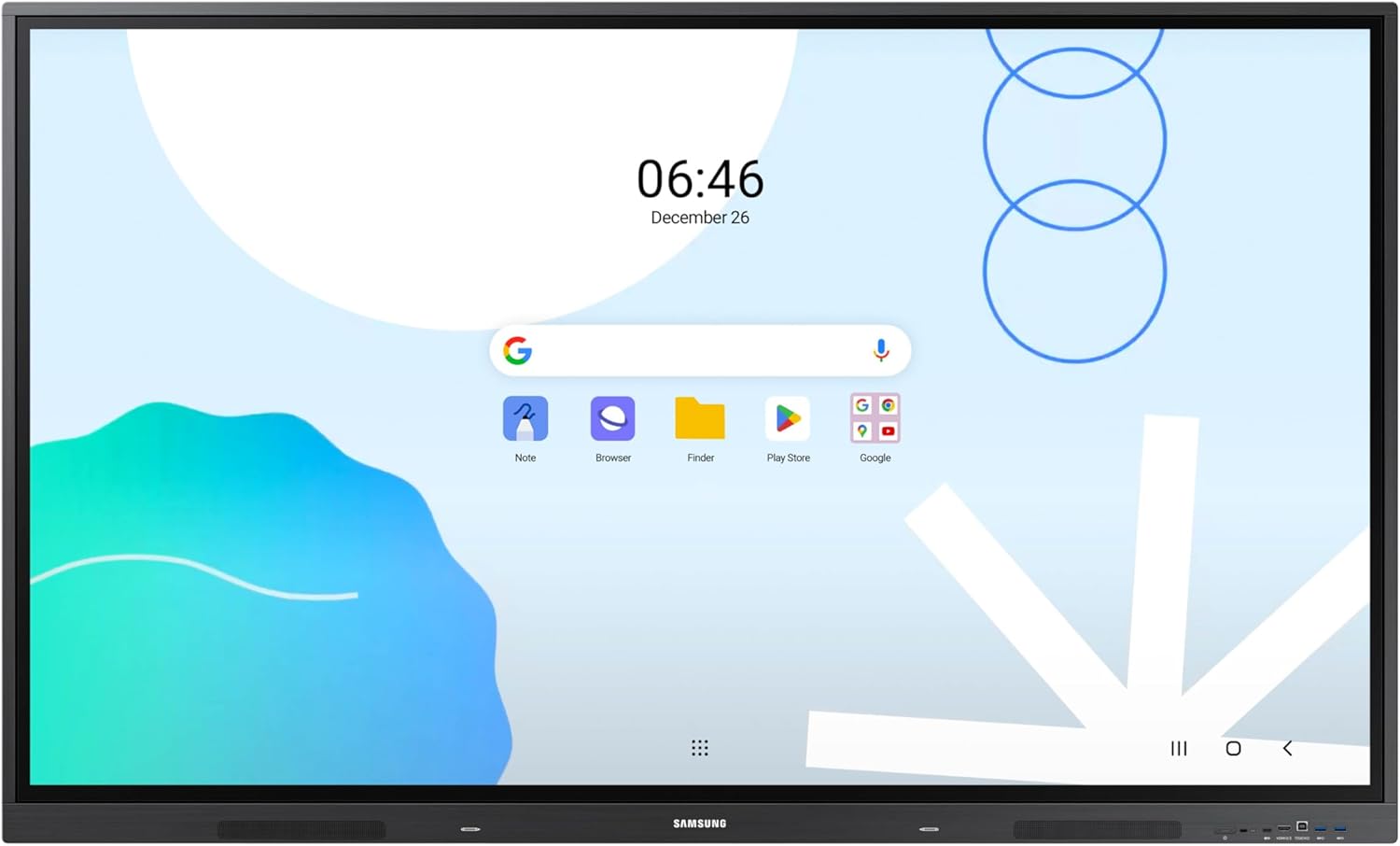
| 🤖 Android Operating System | 📱 Easy of use in educational applications. |
| 🏆 Google EDLA Certification | ⚙️ Advanced functionality for Google services. |
| 🔗 Connectivity | 🔌 HDMI, USB-C, VGA, and OPS inputs. |
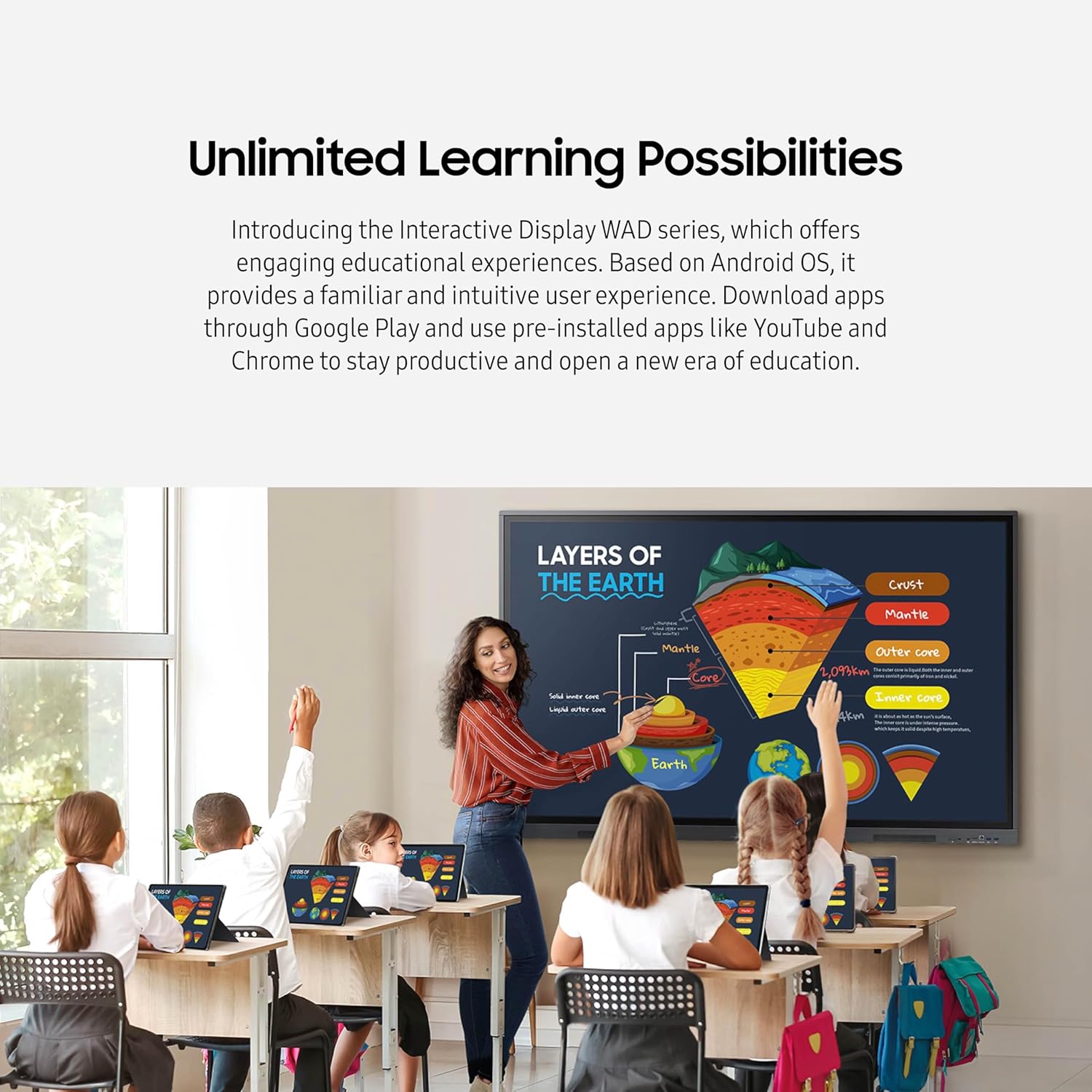
| 📚 Unlimited Learning Possibilities | 🚀 Engaging educational experiences. |
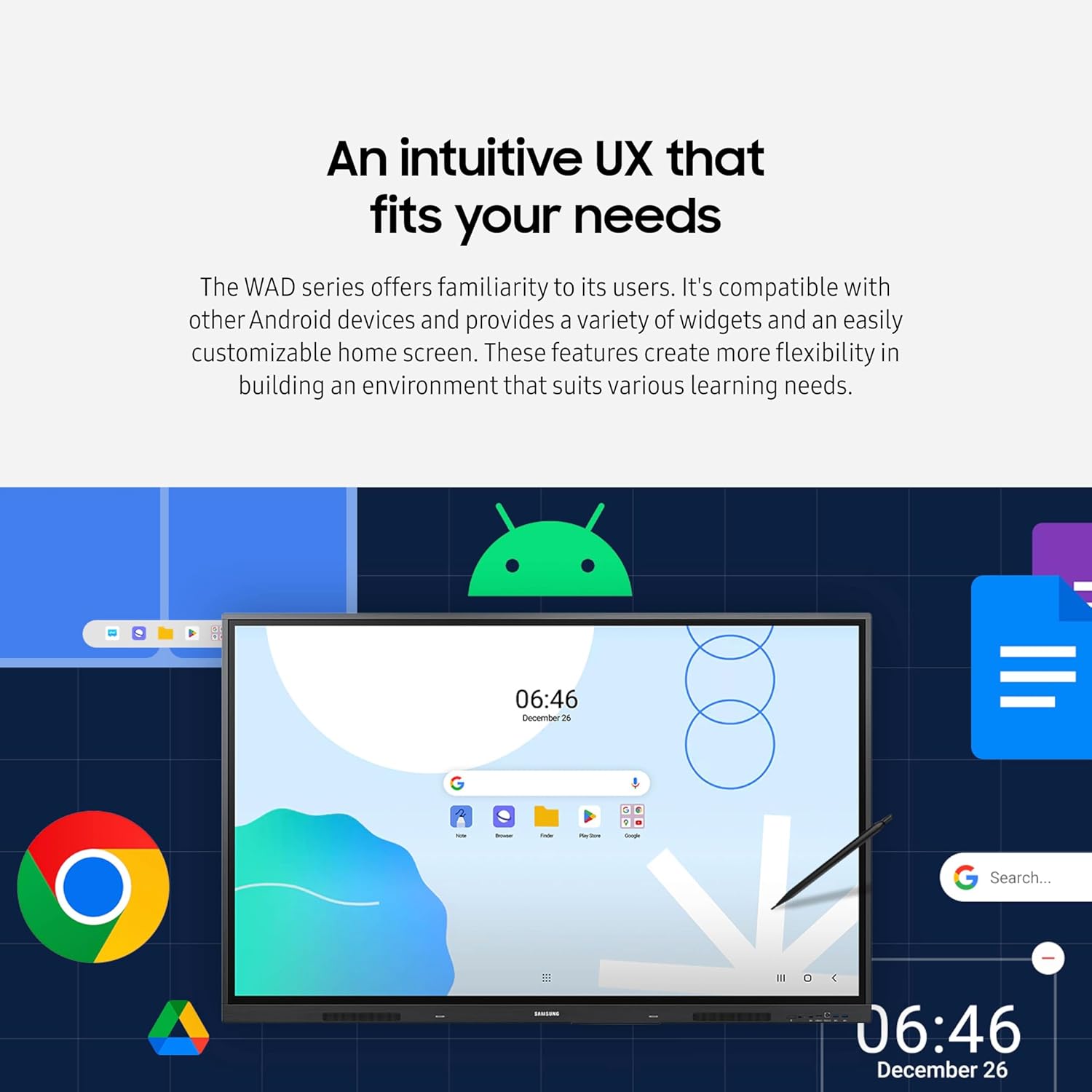
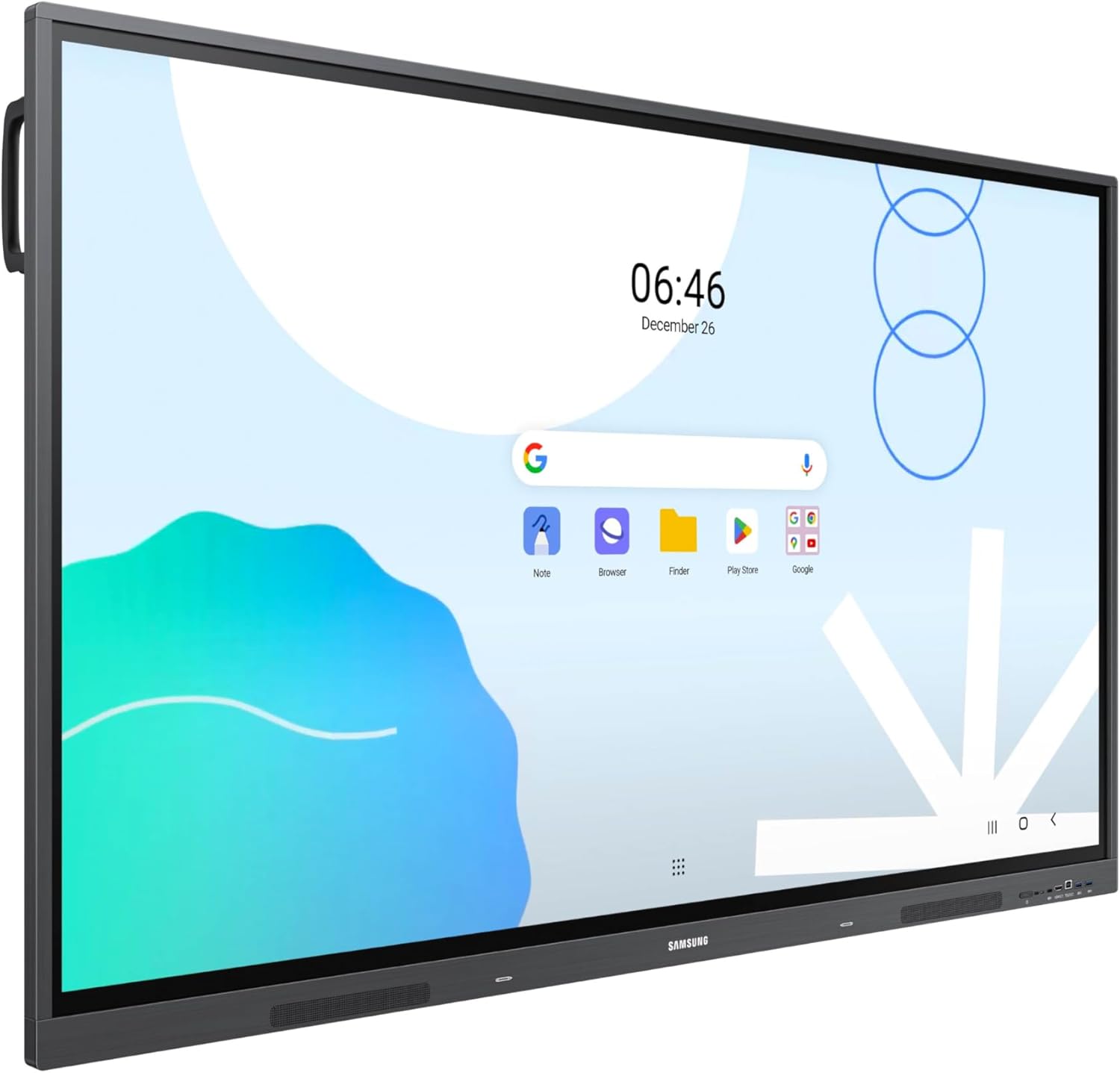
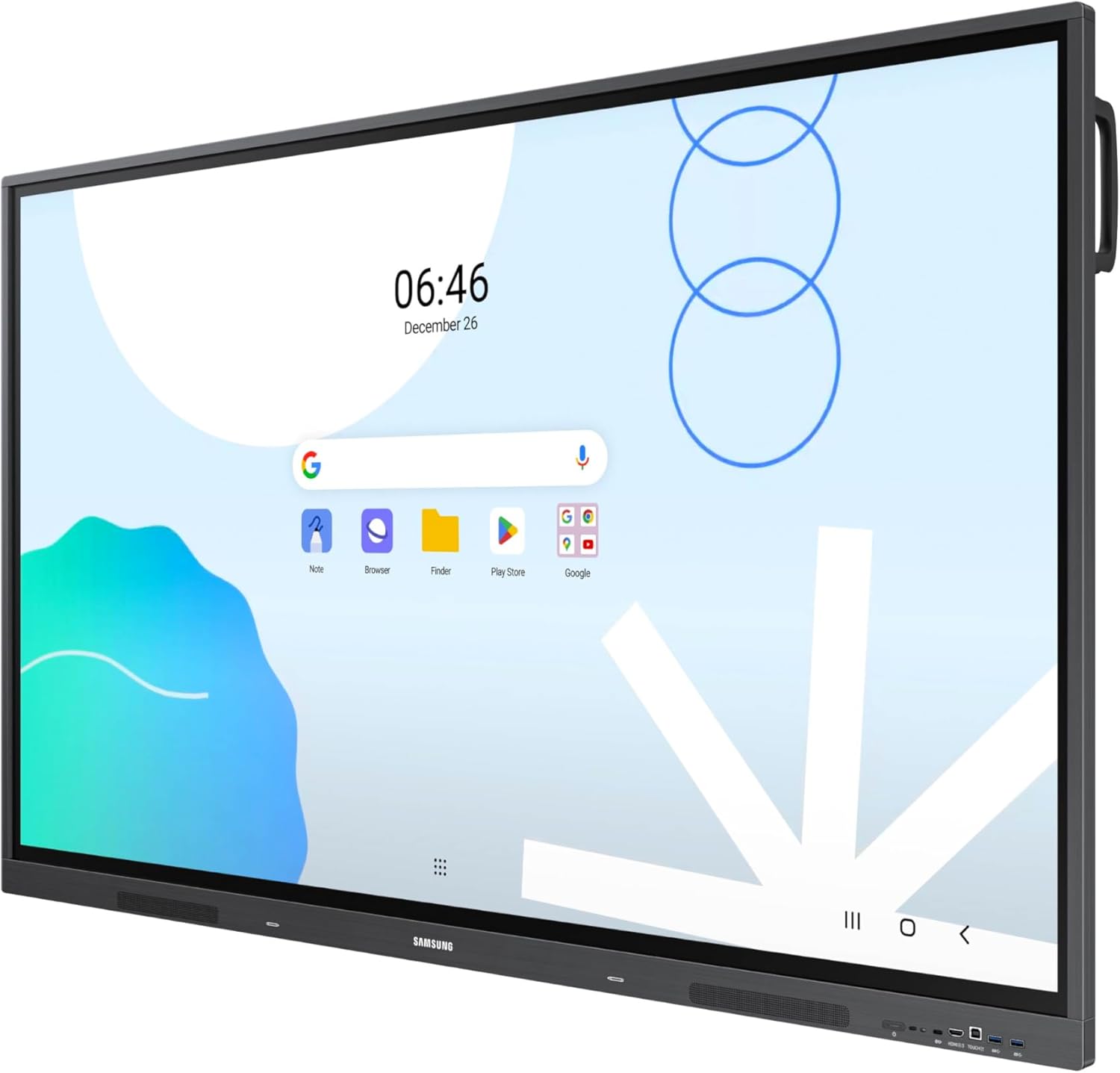
| 🏠 Intuitive UX | 🏠 Compatible with Android devices, customizable home screen. |
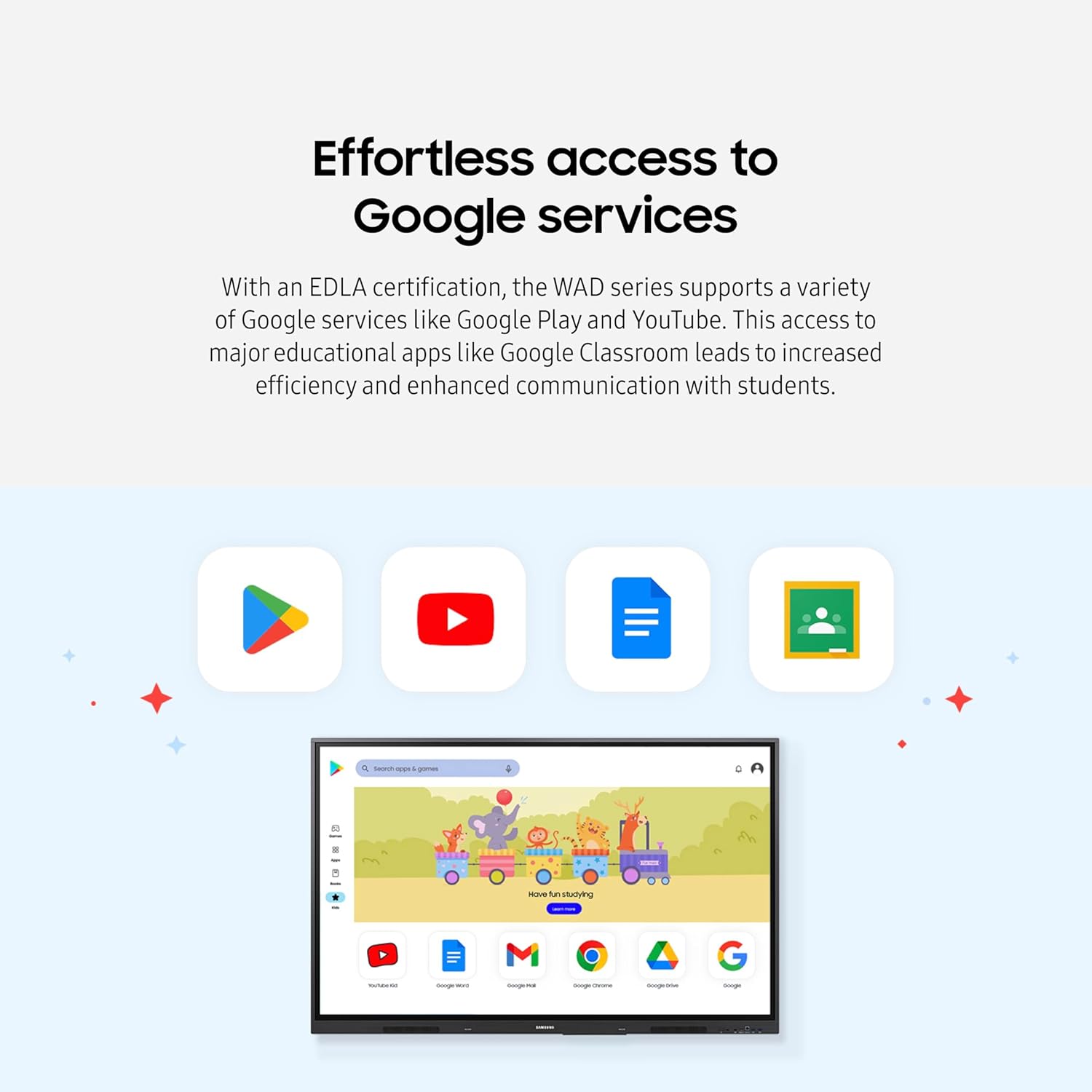
| ✅ Effortless Access to Google Services | ➡️ Supports Google Play, YouTube, and Google Classroom. |
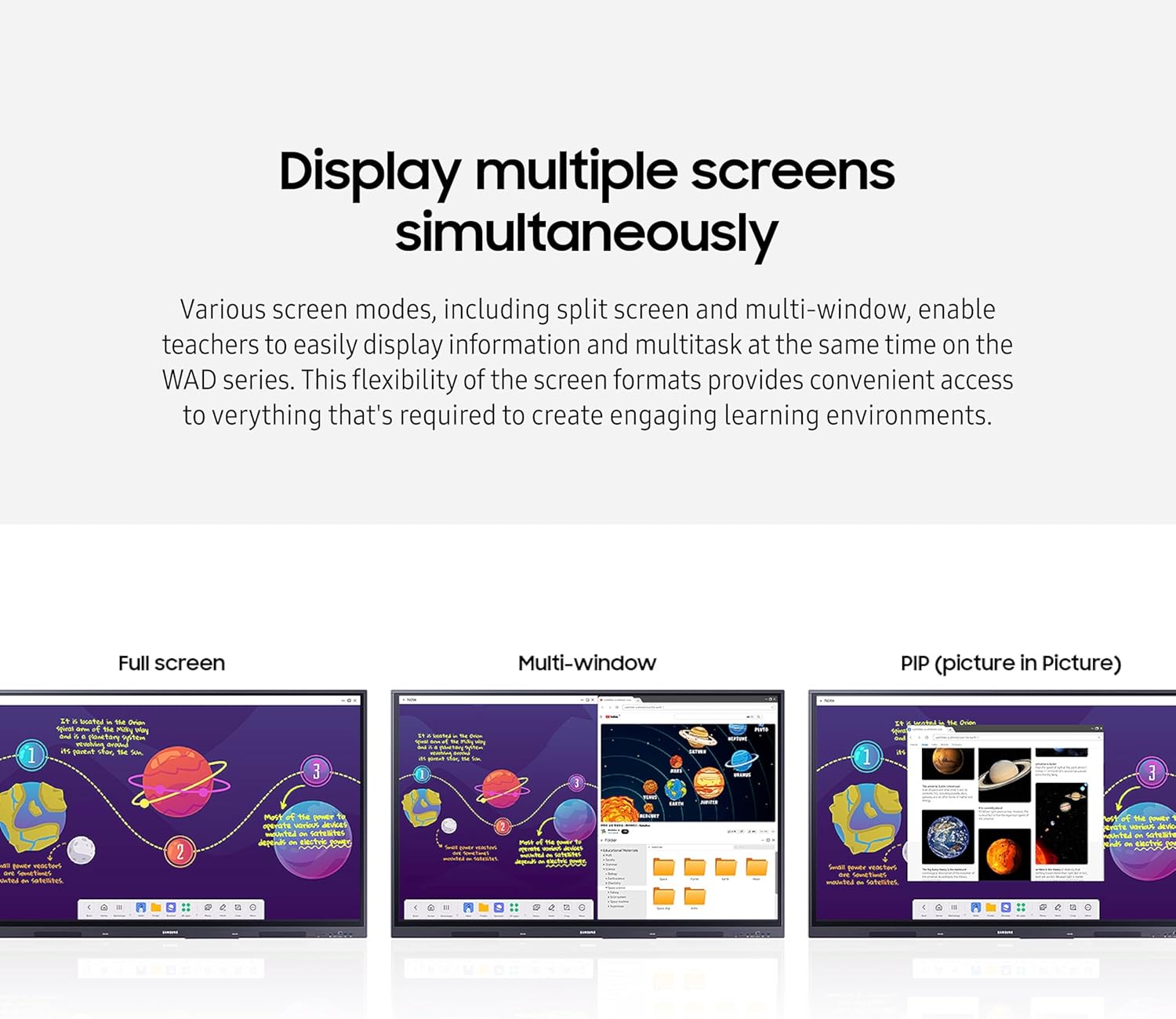
| 📱 Display Multiple Screens Simultaneously | ↔️ Split screen and multi-window modes. |
| 📶 Smart, Wireless Sharing | 🔗 Screen mirroring for up to nine devices (iOS, Mac, Windows, Android, Chrome OS). |
| 👆 Best-in-Class Multi-Touch | ✍️ Up to 40 simultaneous touchpoints. |
| ☁️ Seamless Management | 🛠️ Device management solution for remote settings and application optimization. |
Product Benefits 💡
- Engaging educational experiences.
- Familiar and intuitive user experience.
- Access to a variety of widgets and a customizable home screen.
- Support for a variety of Google services like Google Play, YouTube, and Google Classroom.
- Teachers can easily display information and multitask at the same time.
- Increased student engagement through screen mirroring.
- Multiple users can write on the whiteboard at the same time.
- Effortless switching between two different colors.
- Enhanced connectivity with screen mirroring, touch control, and external device charging.
- Eliminates the need for an extra PC or additional devices.
- Optimizes the remote management of whiteboard settings and applications.
Usage Instruction 🛠️
- Step 1: 🔌 Connect the interactive display to power.
- Step 2: 💡 Turn on the display by pressing the power button.
- Step 3: ⚙️ Follow the on-screen prompts for initial setup.
- Step 4: 🌐 Connect to Wi-Fi for internet access and Google services.
- Step 5: ✍️ Use the dual pen function for interactive lessons and writing.
- Step 6: 🔗 Connect your devices via HDMI, USB-C, VGA, or OPS for content sharing.
Product Specification 📱
| Display Size | 65″ 📺 |
| Resolution | UHD 4K 🌟 |
| Brightness | 400 nits 💡 |
| Operating System | Android 🤖 |
| Certification | Google EDLA 🏆 |
| Connectivity | HDMI, USB-C, VGA, OPS 🔌 |
| Touch Points | Up to 40 👆 |
| USB-C Charging | Max. 65W ⚡ |
| Wireless Sharing | Up to 9 Devices 📶 |
| Pen Function | Dual Pen 🖊️🖊️ |
Product Details 🏷️
- Convenient features include the dual pen function, 3-in-1 USB-C Port, HDMI-Out function that delivers interactive lessons, and an OPS slot that eliminates the need for an extra device.
- The OPS slot in the WAD series can transform the interactive display into a Windows device, eliminating the need for an extra PC or devices. Users will have access to all the features and functionalities they are familiar with from a standard computer, directly on the display.
- The Samsung WA65D 65″ UHD 4K Touchscreen Commercial Monitor is a 400 nits bright, interactive display featuring an Android operating system and Google EDLA certification for advanced functionality and ease of use in educational applications. This durable monitor can be connected to devices via HDMI, USB-C, VGA, and OPS inputs, and provides to hundreds of apps and wireless screen sharing …
- Samsung 65” WAD Interactive Display, EDLA Certification for Google Services Access, Multi-Touch Capabilities, Dual Pen Function, 3-in-1 USB-C Port, OPS Slot, LH65WADWLGCXZA
- UNLIMITED LEARNING POSSIBILITIES: Introducing the Interactive Display WAD series, which offers engaging educational experiences. Based on Android OS, it provides a familiar and intuitive user experience.
- AN INTUITIVE UX THAT FITS YOUR NEEDS: The WAD series offers familiarity to its users. It’s compatible with other Android devices and provides a variety of widgets and an easily customizable home screen.
- EFFORTLESS ACCESS TO GOOGLE SERVICES: With an EDLA certification, the WAD series supports a variety of Google services like Google Play, YouTube, and Google Classroom.
- DISPLAY MULTIPLE SCREENS SIMULTANEOUSLY: Various screen modes, including split screen and multi-window, enable teachers to easily display information and multitask at the same time on the WAD series.
- SMART, WIRELESS SHARING ON MULTIPLE DEVICES: The WAD series supports screen mirroring for up to nine devices, increasing student engagement. It can be used on iOS, Mac, Windows, Android, or Chrome OS.
- BETTER INTERACTION WITH BEST-IN-CLASS MULTI-TOUCH: Multiple users can write on the whiteboard at the same time with the display’s advanced multi-touch capabilities. Up to 40 simultaneous touchpoints are possible.
- SWITCH PENS WITHOUT CHANGING SETTINGS: The dual pen function enables the use of two different writing tools with no downtime. With the double-sided nib applied, users can effortlessly switch between two different colors on the front and back side.
- CONVENIENT CONNECTIVITY WITH USB-C: Connectivity is enhanced with the 3-in-1 USB-C port, enabling screen mirroring, touch control, and external device charging (max. 65W).
- USE YOUR FAVORITE OS FOR UNCOMPLICATED LEARNING: The OPS slot in the WAD series can transform the interactive display into a Windows device, eliminating the need for an extra PC or additional devices.¹
- SEAMLESS MANAGEMENT, EFFICIENT OPERATIONS: The WAD series provides a device management solution² essential for advanced educational environments. This solution optimizes the remote management of whiteboard settings and applications.
Full Images


Product Standout Benefits
The Interactive Display WAD series offers engaging educational experiences, built on the familiar Android OS for an intuitive user experience.
AN INTUITIVE UX THAT FITS YOUR NEEDS
- The WAD series offers familiarity to its users.
- It’s compatible with other Android devices and provides a variety of widgets and an easily customizable home screen.
EFFORTLESS ACCESS TO GOOGLE SERVICES
- With an EDLA certification, the WAD series supports a variety of Google services like Google Play, YouTube, and Google Classroom.
DISPLAY MULTIPLE SCREENS SIMULTANEOUSLY
- Various screen modes, including split screen and multi-window, enable teachers to easily display information and multitask at the same time on the WAD series.
SMART, WIRELESS SHARING ON MULTIPLE DEVICES
- The WAD series supports screen mirroring for up to nine devices, increasing student engagement.
- It can be used on iOS, Mac, Windows, Android, or Chrome OS.
BETTER INTERACTION WITH BEST-IN-CLASS MULTI-TOUCH
- Multiple users can write on the whiteboard at the same time with the display’s advanced multi-touch capabilities.
- Up to 40 simultaneous touchpoints are possible.
SWITCH PENS WITHOUT CHANGING SETTINGS
- The dual pen function enables the use of two different writing tools with no downtime.
- With the double-sided nib applied, users can effortlessly switch between two different colors on the front and back side.
CONVENIENT CONNECTIVITY WITH USB-C
- Connectivity is enhanced with the 3-in-1 USB-C port, enabling screen mirroring, touch control, and external device charging (max. 65W).
USE YOUR FAVORITE OS FOR UNCOMPLICATED LEARNING
- The OPS slot in the WAD series can transform the interactive display into a Windows device, eliminating the need for an extra PC or additional devices.
SEAMLESS MANAGEMENT, EFFICIENT OPERATIONS
- The WAD series provides a device management solution essential for advanced educational environments.
- This solution optimizes the remote management of whiteboard settings and applications.
Customer Questions and Answers
Q: How do I use this product? 🤔
A: It’s super easy to use! It’s based on Android OS, so it feels familiar and intuitive. You can customize your home screen with widgets and access Google services like Google Play, YouTube, and Google Classroom effortlessly. Plus, you can display multiple screens at once, and share wirelessly from up to nine devices. You can even write on the whiteboard with multiple people at the same time, and switch between pens without missing a beat!
Q: Is it good for displaying information in a classroom? 🌿
A: Absolutely! It’s designed for engaging educational experiences. You can display multiple screens simultaneously using split screen and multi-window modes, making it easy to show information and multitask. It also supports screen mirroring from up to nine devices, and has advanced multi-touch capabilities so multiple users can write on the whiteboard at the same time.
Q: How can I connect my devices? 🔗
A: You’ve got plenty of options! The 3-in-1 USB-C port is super convenient for screen mirroring, touch control, and even charging your external device up to 65W. It also supports screen mirroring for iOS, Mac, Windows, Android, or Chrome OS devices. And if you want to use Windows, the OPS slot can transform it into a Windows device, so you don’t need an extra PC!
Q: How can I manage the device? 🧼
A: We’ve got you covered with seamless management! The WAD series offers a device management solution that’s perfect for advanced educational environments. It helps you optimize the remote management of whiteboard settings and applications. You can choose between a cloud-based solution or an on-premise option to fit your needs.
Q: What are the display capabilities? 🌟
A: It’s a stunning 65-inch display with a sharp 3840×2160 screen resolution. It supports up to 40 simultaneous touchpoints, and you can display multiple screens at once with split screen and multi-window modes.
Q: Can I use my own operating system? 🖥️
A: For sure! The OPS slot in the WAD series lets you turn the interactive display into a Windows device, so you can use your favorite OS without needing an extra PC.
Related Products
-

LG 27LQ600S-WU 27 Inch Full HD IPS LED TV Monitor White
₦416,060.00 -

14 Inch Portable Monitor Laptop Screen Extender Full HD 1080P IPS USB-C HDMI Dual Speakers
₦259.99 -

VisionOwl 15.6 Inch Portable Monitor FHD 1080P USB-C Computer Display with Cover Stand
₦139.99 -

15.6 Inch FHD 1080P IPS Detachable Laptop Screen Extender for Laptops 13-17.3″
₦199.99 -

SANSUI 22 Inch IPS FHD 1080P Computer Monitor 75Hz with HDMI VGA Ports and Eye Care
₦105,075.00 -

17.3 Inch FHD 1080P Portable Monitor 144Hz, HDR IPS Panel, USB-C HDMI, Ultra-Slim with Smart Cover & Speakers
₦109.99 -
Samsung 43 Inch QM43R-T 4K UHD 3840×2160 60Hz Commercial LCD Display Black
₦31,785.00 -

UPERFECT 17.3 Inch 4K Portable Monitor 500 Nits 100% AdobeRGB HDR IPS
₦713,980.00 -

ASUS ZenScreen 16-inch Full HD IPS Portable Monitor with Dual USB-C and Mini-HDMI
₦199,980.00 -

HP EliteDisplay E24 G4 24-Inch IPS FHD Monitor with HDMI, DisplayPort and USB-C Adapter
₦334,839.00 -

15.6 Inch FHD 1080P Portable IPS Travel Monitor with Smart Cover and Speakers
₦57.99 -

ZSCMALLS 15.6 Inch 1080P FHD HDR IPS Portable Monitor with Smart Cover Speakers Grey Metallic Casing
₦49.99 -

InnoView 15.6 Inch 1080P Triple Portable Laptop Monitor Extender 90/180 Degree Black
₦379,980.00 -

14-Inch 2.5K HDR 400cd/m² Eye-Care Portable Monitor with 100% sRGB for Laptops, Mac, PC, and Phones
₦143,760.00 -

LG StanbyMe 27-Inch 1080p Portable Touchscreen Monitor 27ART10AKPL, 2022 Model, Black (Renewed)
₦1,565,600.00 -

15.6 Inch FHD 1080P IPS Travel Monitor Ultra-Slim Portable Gaming Display with Smart Cover and Dual Speakers
₦85.99 -

ViewSonic VP1656 15.6 Inch 1080p Portable IPS Monitor 40W USB C Pantone Calibrated
₦339.99 -

14.1″ FHD IPS HDR Portable Touchscreen Travel Monitor Dual Speakers Kickstand HDMI USB C
₦129,980.00 -

KYY 15.6 Inch FHD 1080P Portable USB C HDMI Gaming Monitor Ultra-Slim IPS Display with Smart Cover Speakers
₦87.99 -

LG 27-Inch FHD IPS Smart Monitor with webOS 23 HDR10 and Dual Speakers Pink
₦219.99
Reviews
There are no reviews yet.