


Samsung 34 Inch Ultra-WQHD Monitor Eye Care Sleek Design Fast Delivery
Original price was: ₦495,314.99.₦330,204.99Current price is: ₦330,204.99.
Description
About the Product 🔑
| Feature 🌟 | Description ✨ |
| Display Size 🖥️ | 34″ Ultrawide |
| Aspect Ratio 📏 | 21:9 |
| Resolution 🖼️ | WQHD 3440 x 1440 |
| Refresh Rate ⚡ | 100 Hz |
| Response Time 💨 | 5 ms (GtG) |
| Contrast Ratio ⚖️ | 3000:1 |
| Brightness 🔆 | 300 nits |
| Color Depth 🌈 | 1.07 Billion Colors |
| HDR Support 🌟 | HDR10 |
| Color Coverage 🎨 | 72% NTSC |
| Multi-Screen Features 🎛️ | PbP and PiP Support |
| Curvature 〰️ | 1000R |
| Connectivity 🔌 | USB Type-C, LAN Port |
| Eye Care Technology 👓 | TUV-certified Intelligent |
Usage Instruction 🛠️
- Step 1: 🔌 Connect the monitor to your computer using HDMI or DisplayPort.
- Step 2: 💡 Power on the monitor using the power button.
- Step 3: ⚙️ Navigate the on-screen menu to adjust settings like resolution, refresh rate, and HDR.
- Step 4: 🖱️ Configure PbP/PiP if you plan to use two separate inputs simultaneously.
- Step 5: 👓 Activate TUV-certified Intelligent Eye Care for reduced eyestrain.
Product Specification 📱
| Specification Name 🏷️ | Description ✨ |
| Panel Type 🖥️ | VA |
| Screen Size 📏 | 34 inches |
| Resolution 🖼️ | Ultra-WQHD (3440 x 1440) |
| Aspect Ratio 📐 | 21:9 |
| Refresh Rate ⚡ | 100 Hz |
| Response Time 💨 | 5 ms (GtG) |
| Contrast Ratio ⚖️ | 3000:1 |
| Brightness 🔆 | 300 nits |
| Color Support 🌈 | 1.07 Billion Colors |
| HDR Standard 🌟 | HDR10 |
| Color Gamut 🎨 | 72% NTSC |
| Curvature 〰️ | 1000R |
| Connectivity 🔌 | USB Type-C, LAN Port |
| Eye Care 👓 | TUV Certified |
| Multi-Screen 🎛️ | PBP/PIP |
Product Details 🏷️
| Detail 🌟 | Information ✨ |
| Screen Size | 34″ |
| Resolution | WQHD 3440 x 1440 |
| Refresh Rate | 100 Hz |
| Aspect Ratio | 21:9 |
| Panel Type | VA |
| HDR Support | HDR10 |
| Curvature | 1000R |
| Features | FreeSync, PBP/PIP Support, Intelligent Eye Care |
| Connectivity | USB Type-C, LAN Port |
| Color Gamut | 72% NTSC |
| Brightness | 300 nits |
| Static Contrast Ratio | 3000:1 |
| Response Time | 5 ms (GtG) |
| Color Depth | 1.07 Billion Colors |
| Supported Ports | HDMI | DisplayPort |
Full Images
















Product Standout Benefits
DO MORE ON ONE SCREEN
See every detail on the wider display featuring a 21:9 aspect ratio; Ultra WQHD provides the simplest way to maximize screen real estate and experience truly seamless multitasking on just one screen.
ENJOY A BILLION COLORS W/ INCREDIBLE DEPTH
With HDR10 that displays over 1 billion colors compared to 16.7 million for typical SDR technology, dark colors are darker and the brightest are even brighter; Content is experienced as the creator intended.
CARE FOR YOUR EYES DAY and NIGHT
- An ambient light sensor on the monitor detects lighting in your workstation and automatically adjusts brightness.
- Eye Saver Mode minimizes excessive blue light.
- Flicker Free relieves eye strain.
SEE CONTENT SMOOTHER, EVEN GAMING
A faster than average refresh rate updates the image on screen more often every second; 100Hz refresh rate reduces lag and motion blur when playing games, watching videos, or working on design projects.
STAY IN SYNC WITH THE ACTION
AMD Radeon FreeSync keeps the refresh rate of your monitor and graphics card in sync to reduce image tearing for a superfluid entertainment experience; Watch movies and play games without interruptions.
EXPAND YOUR VIEW, ENHANCE YOUR FOCUS
Minimal bezel brings maximum concentration; The virtually bezel free screen shows you the full picture and looks almost gapless when used in a dual monitor setup so you can see more at once with no distractions.
Customer Questions and Answers
Q: How do I use this product?
A: The Samsung 34″ ViewFinity S50GC offers a wider workspace featuring a 21:9 ratio and lifelike detail with Ultra-WQHD resolution. AMD FreeSync™ and 100Hz refresh rate allow an ultra-smooth user experience.
Q: Is it good for multitasking?
A: Absolutely! Ultra WQHD provides the simplest way to maximize screen real estate and experience truly seamless multitasking on just one screen.
Q: How do I take care of it?
A: To avoid eyestrain, the TUV-certified Intelligent Eye Care automatically adjusts brightness. Eye Saver Mode minimizes excessive blue light, and Flicker Free relieves eye strain.
Q: Can I use this with multiple sources?
A: Yes! With PBP, view input from 2 simultaneous sources at native resolution, so you can review 2 projects or run 2 programs. Use PIP to resize a 2nd source and work on 1 task while monitoring another.
Q: Is it good for gaming and watching videos?
A: Yes! A faster than average refresh rate updates the image on screen more often every second; 100Hz refresh rate reduces lag and motion blur when playing games, watching videos, or working on design projects. AMD Radeon FreeSync keeps the refresh rate of your monitor and graphics card in sync to reduce image tearing for a superfluid entertainment experience.
Q: What connectivity options are available?
A: It comes with 2 x HDMI 2.2 INPUTS plus 1 x DISPLAYPORT 1.2 INPUTS.
Buyer’s Guide
Step 1: 📦 Review the Features & Benefits
Check out the wider display with a 21:9 aspect ratio and Ultra WQHD resolution for maximized screen real estate and seamless multitasking. Explore the HDR10 for a billion colors and incredible depth, and understand how the Intelligent Eye Care helps with eye strain.
Step 2: 📝 Read the FAQs
Go through the FAQs to learn about its multitasking capabilities, eye care features, and connectivity options.
Step 3: 🎨 Choose Your Configuration
While specific options like size or color aren’t detailed, consider how the 34-inch ultrawide format will fit your workspace and needs.
Step 4: 🛒 Add to Cart & Checkout
Add the Samsung 34″ ViewFinity S50GC to your cart and proceed with the simple checkout process.
Step 5: 📦 Upon Delivery
Verify it’s the correct product, check for any damage during transit, and ensure all included components are present.
Step 6: 🛠️ Consider Adding Accessories or Related Products
Look into additional accessories such as a monitor arm for ergonomic adjustment, a high-quality display cable for optimal performance, or a USB hub to expand connectivity if needed.
Related Products
-

Samsung 34-Inch SJ55W Ultrawide WQHD 1440p Gaming Monitor Black
₦634,000.00 -
19-Inch 1440×900 LED Computer Monitor with Dual Speakers HDMI VGA VESA Black
₦125,980.00 -
Samsung 18 Inch Charcoal Gray LCD Monitor 1280×1024 Resolution 60hz Refresh Rate
₦1,924,240.00 -
LG 34″ Curved Ultrawide UW-QHD Webcam LED Monitor 21:9 Textured Black
₦739,900.00 -
LG 24″ Full HD IPS Monitor 3-Side Borderless Radeon FreeSync Dual HDMI Black
₦368,000.00 -
Sale!
HP P204V 19.5 Inch HD+ LCD Monitor 1600×900 60Hz Black with HDMI and VGA
Original price was: ₦8,040.00.₦6,450.00Current price is: ₦6,450.00. -

LG 27 Inch 4K UHD IPS Computer Monitor HDR10 DCI-P3 90% USB-C White
₦299.99 -
Sale!

HP V20 19.5 Inch HD+ 1600×900 Anti-Glare Monitor with HDMI and VGA, 5ms Response Time
Original price was: ₦7,888.00.₦7,299.00Current price is: ₦7,299.00. -
Sale!

27 Inch Curved Full HD 1080P Frameless Gaming Monitor 1800R Black
Original price was: ₦123.99.₦117.79Current price is: ₦117.79. -
ASUS ROG Strix XG27UCS 27 Inch 4K 160Hz Fast IPS Gaming Monitor 1ms USB-C HDR400
₦939,980.00 -
Sale!

HP P204V 19.5-inch HD+ Monitor 1600×900 with HDMI and VGA Ports
Original price was: ₦13,080.00.₦7,130.00Current price is: ₦7,130.00. -
LG 32GN650-B 32 Inch QHD Gaming Monitor 165Hz 1ms MBR Black
₦598,000.00 -

LG 27-Inch 4K UHD HDR10 IPS Ultrafine Monitor White, Reader Mode Flicker Safe
₦498,000.00 -
Sale!
LG 19.5 Inch HD Ready LED Monitor Black VGA HDMI Flicker Safe Reader Mode 3 Year Warranty
Original price was: ₦9,900.00.₦5,499.00Current price is: ₦5,499.00. -

LG 27 inch FHD Computer Monitor 100Hz 5ms Reader Mode Tilt Stand Speakers Black
₦333,980.00 -
Sale!
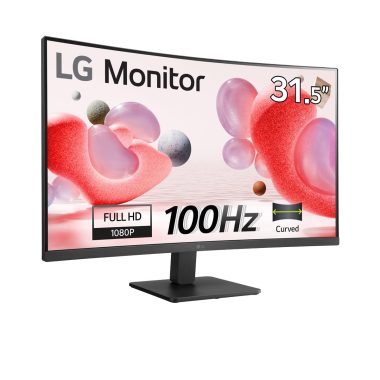
LG 32-inch Full HD Curved Monitor 100Hz VA Panel HDMI Reader Mode Black
Original price was: ₦20,000.00.₦13,499.00Current price is: ₦13,499.00. -

SAMSUNG ViewFinity S80A 27-Inch 4K UHD Monitor, HDR10, Eye Care, Height Adjustable Stand, Black
₦660,000.00 -

LG 27-inch 4K UHD Smart Monitor with USB-C 65W PD and webOS 23 White
₦636,700.00 -

Samsung 27 Inch Full HD Curved Monitor LC27F391FHNXZA Display
₦359,980.00 -

LG 32 Inch FHD Curved VA Monitor 100Hz 5ms AMD FreeSync Black Stabilizer Reader Mode Flicker Safe with 5ave HDMI Cable
₦259.99
Reviews
There are no reviews yet.