
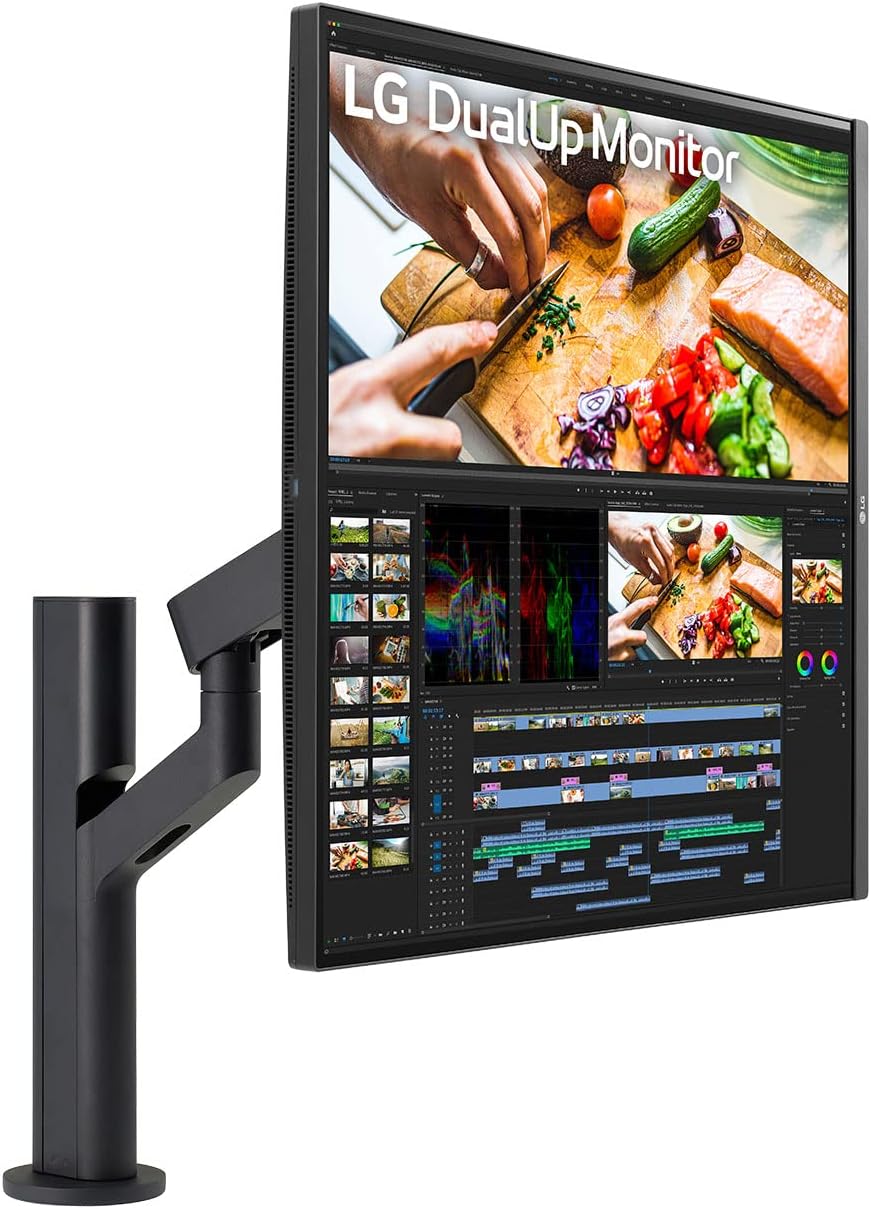
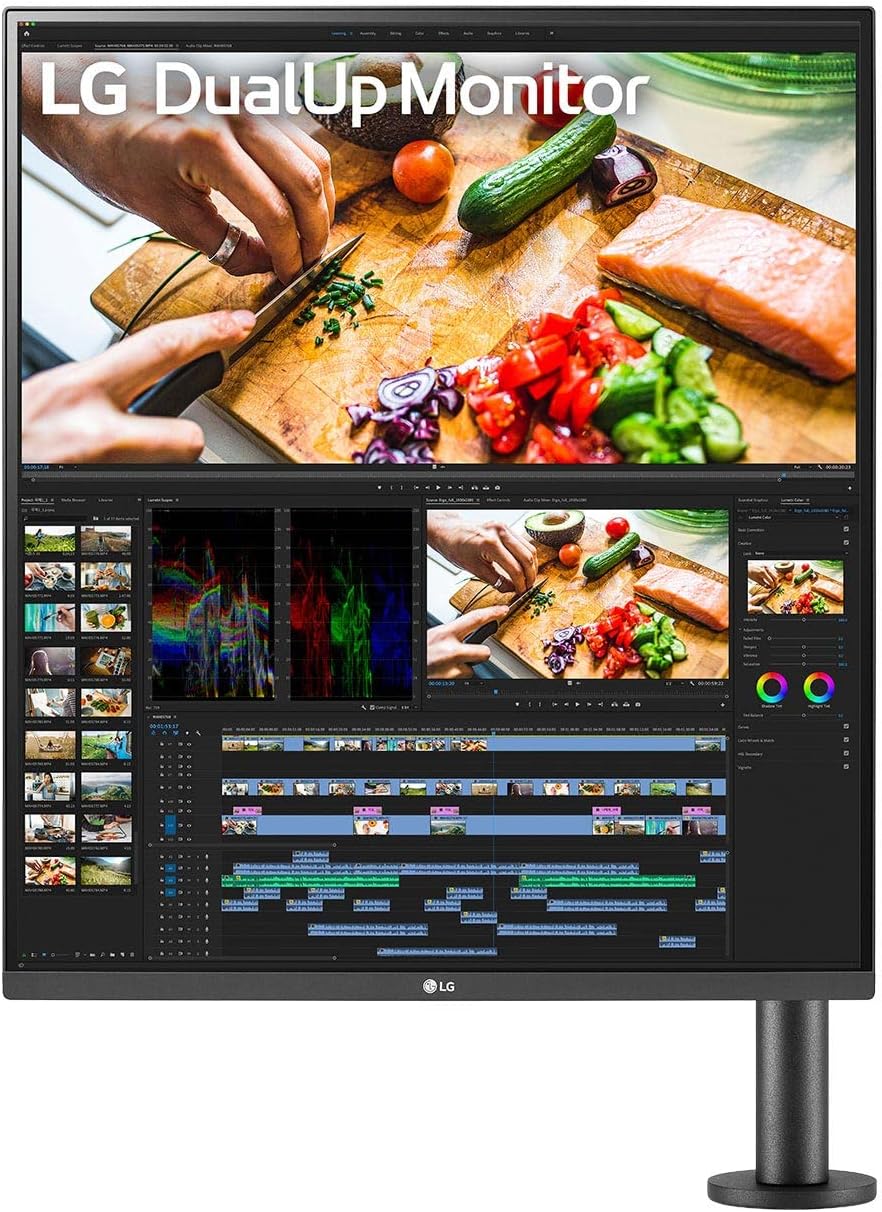
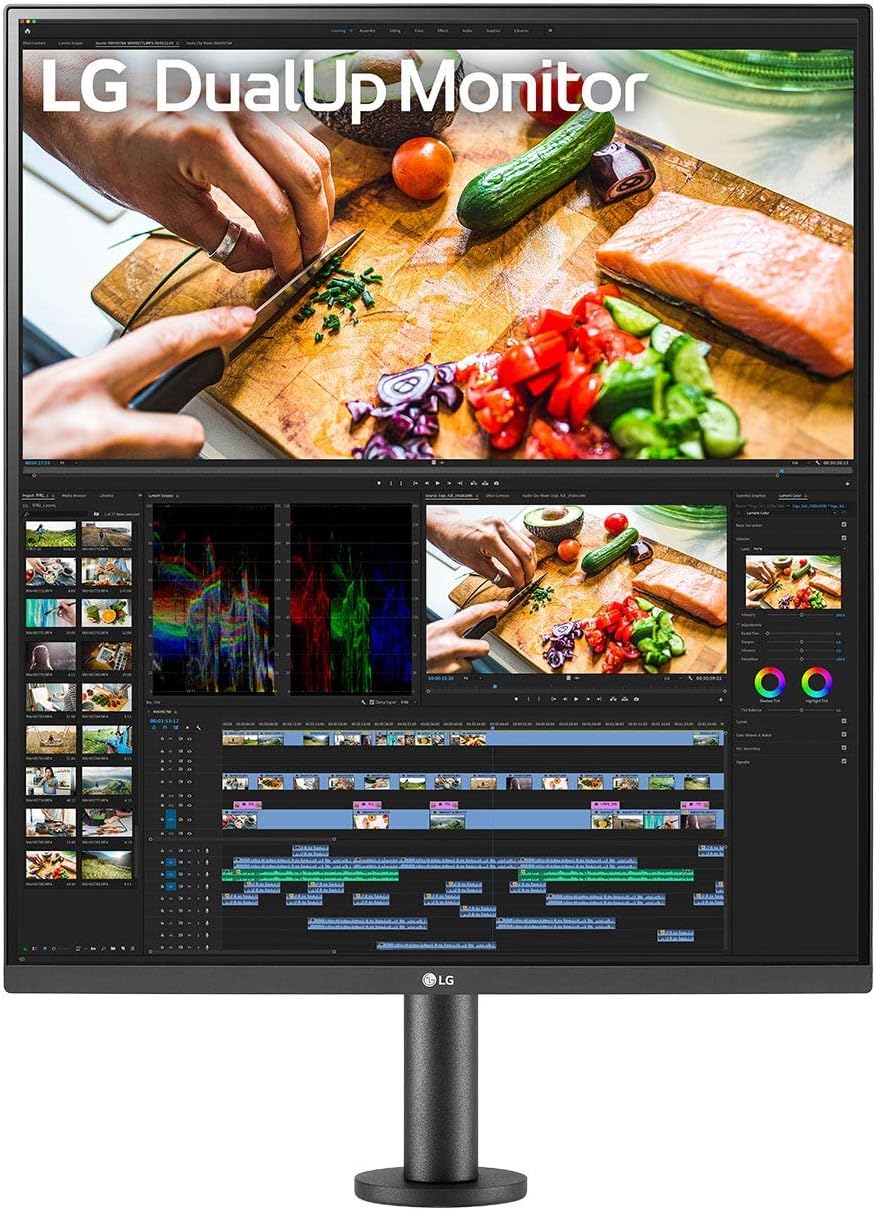
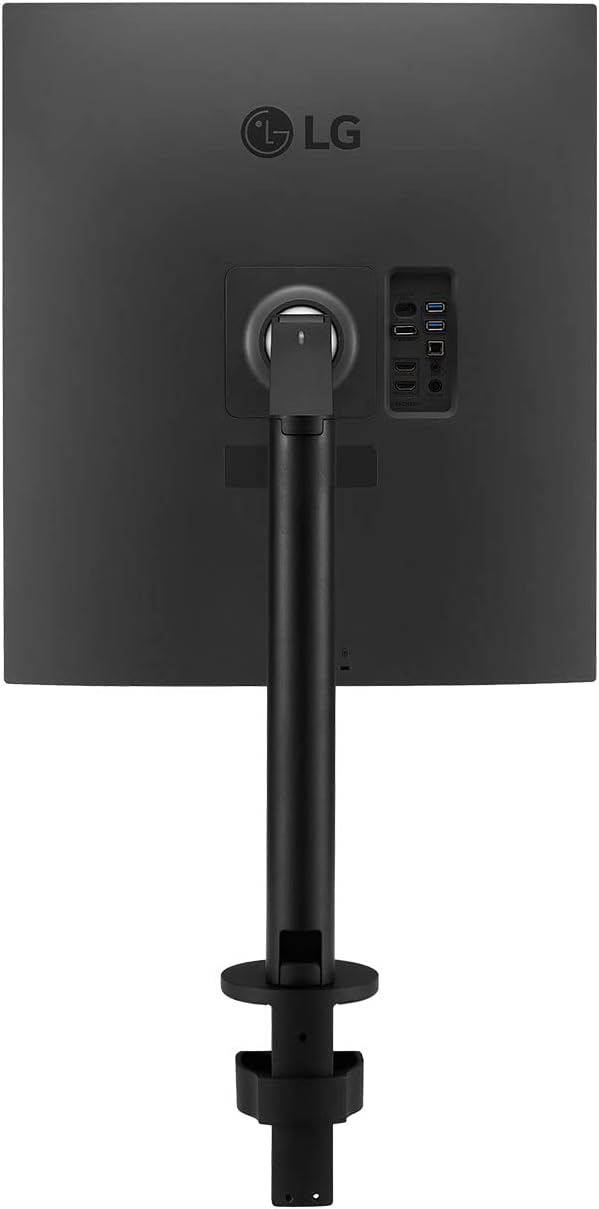
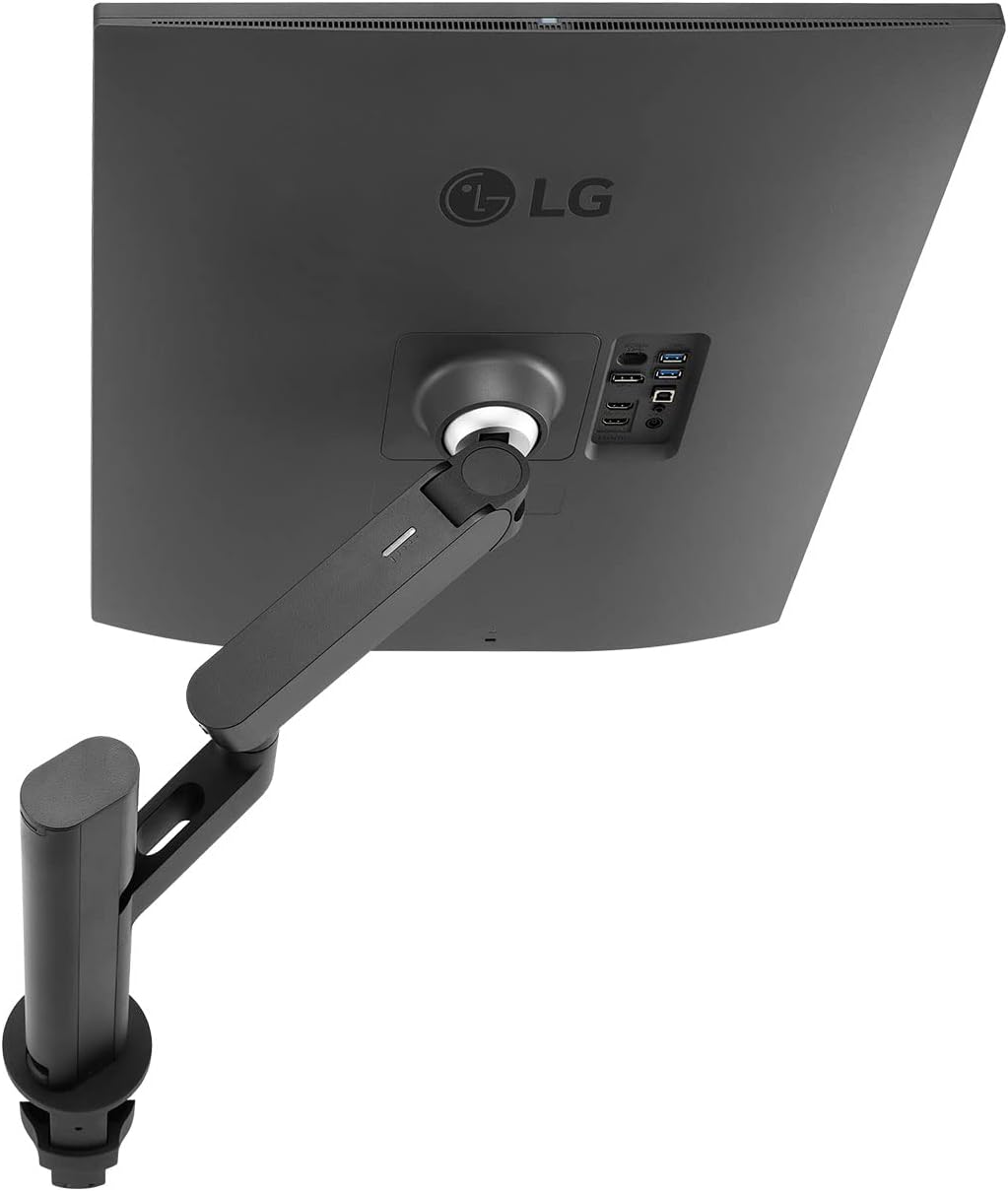
LG 28-inch SDQHD Nano IPS DualUp Monitor with Ergo Stand and 90W USB-C – Black
₦1,359,980.00
Description
About the Product 🔑
| Feature ⭐ | Description ✅ |
|---|---|
| Display Type 🖥️ | 28″ DualUp SDQHD Nano IPS Display |
| Resolution 🖼️ | 2560 x 2880 |
| Color Coverage 🎨 | DCI-P3 98% (Typ.) |
| HDR Support 🌟 | HDR10 |
| Stand Type ⚙️ | Ergo Stand |
| Connectivity 🔌 | USB Type-C (90W PD) |
| Aspect Ratio 📏 | 16:18 stacked setup |
| Productivity Feature 📈 | Free up desk space and multitask more efficiently |
| Color Vibrancy ✨ | Brings brilliant color to life |
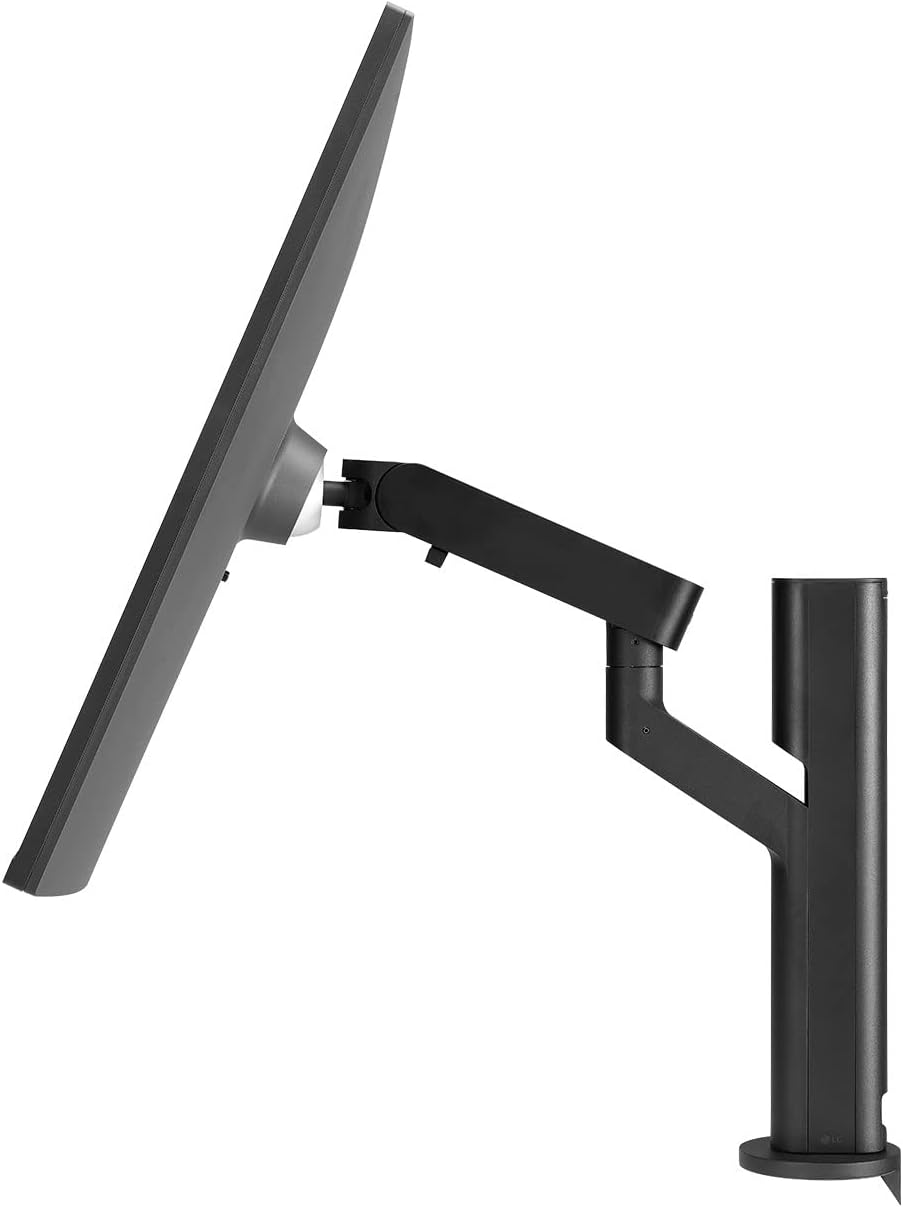
| Ergonomic Adjustment 🧘 | Forward or backwards, swiveling, rotating, tilting and more |
| Power Delivery ⚡ | Up to 90W power delivery via USB Type-C |
| Ambient Light Sensor 💡 | Adjusts screen brightness based on lighting conditions |
| Multi-Computer Management 🖥️↔️🖥️ | Picture-by-Picture (PBP) & Built-in Keyboard, Video Monitor and Mouse (KVM) |
| Desk Organization 🧹 | Clutter-free desk setup with compact Ergo Stand design |
| Easy Installation 🛠️ | C-Clamp & Grommet and One Click Mount |
Usage Instruction 🧾
- Discover the 28-inch 16:18 DualUp Monitor that features USB Type-C™ and SDQHD Nano IPS Display.
- Tap into the flexibility of the Ergo Stand to configure and optimize your setup for improved productivity.
- Buy LG 28″ (27.6″ Viewable) 60 Hz Nano IPS SDQHD 16:18 DualUp Monitor with Ergo Stand and USB Type-C 5 ms (GtG at Faster) Flat Panel 28MQ780-B.
Product Specification 📱
| Specification ⚙️ | Description 📏 |
|---|---|
| Screen Display Size 🖥️ | 28 Inches |
| Screen Resolution 🖼️ | 2560 x 2880 |
| Max Screen Resolution ⬆️ | 2560 x 2880 |
| Brand 🏷️ | LG |
| Series 🗂️ | LG28MQ780B |
| Item Model Number 🆔 | 28MQ780-B.AUS |
| Item Weight ⚖️ | 19.8 pounds |
| Product Dimensions (LxWxH) 📐 | 18.2 x 18.9 x 33.2 inches |
| Color 🎨 | Black |
| Power Source ⚡ | AC |
| Voltage ⚡ | 240 Volts |
| Manufacturer 🏭 | LG |
| ASIN 🔢 | B09XTD5C7H |
| Date First Available 📅 | April 13, 2022 |
Product Details 🏷️
Product Description
- 28MQ780-B.AUS 28” SDQHD 16:18 DualUp Monitor with Ergo Stand & USB Type-C™.
- 28″ DualUp SDQHD (2560 x 2880) Nano IPS Display with Ergo Stand – Free up desk space and multitask more efficiently with a new, 16:18 aspect ratio stacked setup that swivels, freeing up your desk without giving up the screen space of a double monitor.
- DCI-P3 98% (Typ.) with HDR10 – Explore HDR content the way it was meant to be seen with DCI-P3 98%**—an elevated color spectrum that brings brilliant color to life.
- Ergonomic Stand with C-Clamp – Adjust the monitor by moving it forward or backwards, swiveling, rotating, tilting and more. Tap into the flexibility of the Ergo Stand to configure and optimize your setup for improved productivity.
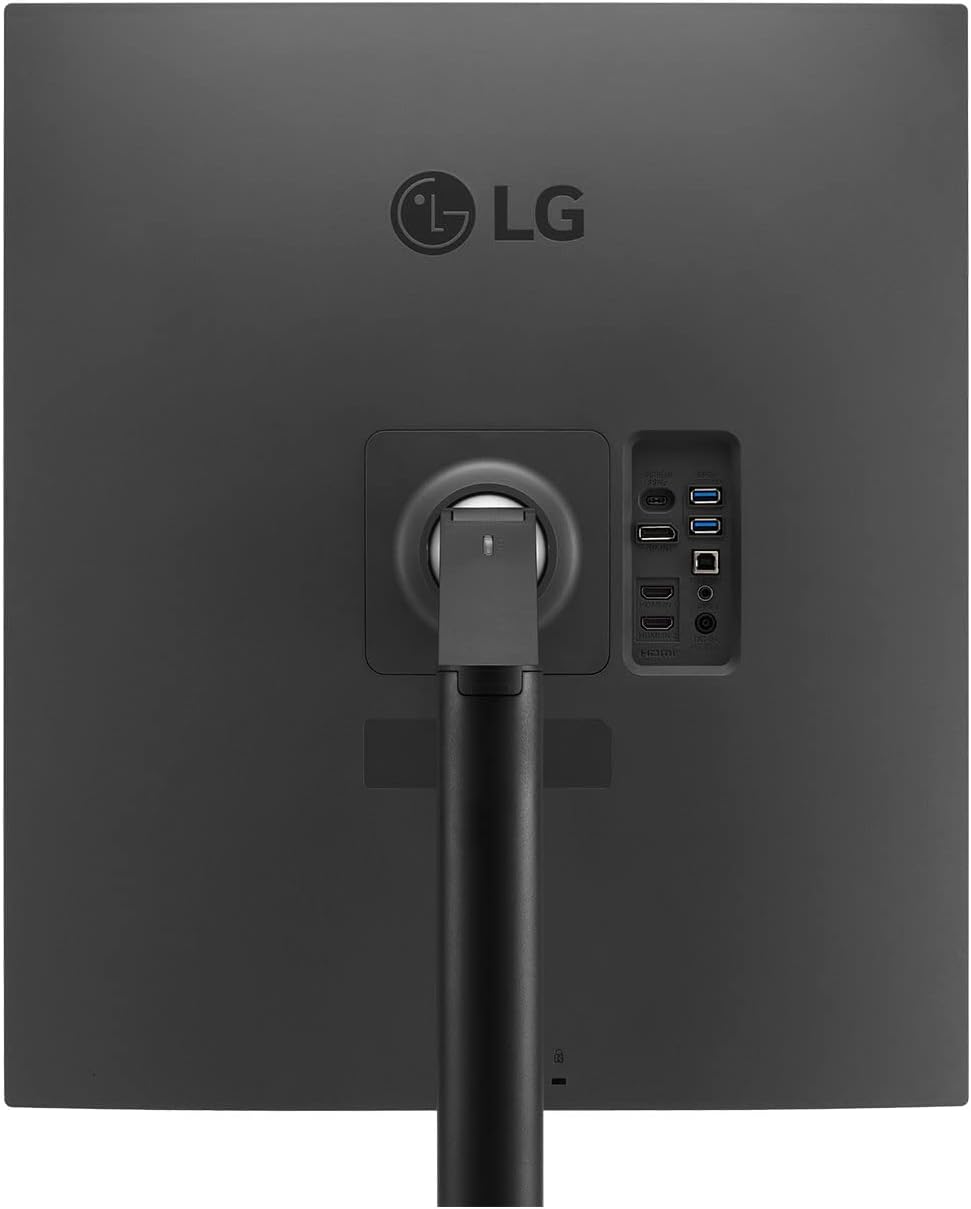
- USB Type-C (90W PD) – Seamlessly connect to external devices or charge your laptop with the convenience of USB Type-C with up to 90W power delivery.
- Ambient Light Sensor – The ambient light sensor makes the screen brighter in bright lighting conditions and decreases the brightness in darker lighting conditions so it is always easy to view information.
- Picture-by-Picture (PBP) & Built-in Keyboard, Video Monitor and Mouse (KVM) – With the PBP feature you can display content from two different computers on the monitor and use the KVM feature to manage the content with a single keyboard and mouse.
- One Source Picture by Picture – By connecting your laptop to the LG DualUp monitor via the HDMI DisplayPort and USB Type C, you can easily control both displays without using software or shortcut keys.
- Clutter-Free Desk Setup – The Ergo Stand’s compact design takes up very little desk surface, helping users achieve a clutter-free environment. Also, the C-Clamp & Grommet and One Click Mount make it easy to install.
Warranty & Support
- Amazon.com Return Policy: You may return any new computer purchased from Amazon.com that is “dead on arrival,” arrives in damaged condition, or is still in unopened boxes, for a full refund within 30 days of purchase. Amazon.com reserves the right to test “dead on arrival” returns and impose a customer fee equal to 15 percent of the product sales price if the customer misrepresents the condition of the product. Any returned computer that is damaged through customer misuse, is missing parts, or is in unsellable condition due to customer tampering will result in the customer being charged a higher restocking fee based on the condition of the product. Amazon.com will not accept returns of any desktop or notebook computer more than 30 days after you receive the shipment. New, used, and refurbished products purchased from Marketplace vendors are subject to the returns policy of the individual vendor.
Customer Reviews
- 4.4 out of 5 stars ⭐⭐⭐⭐
- 579 ratings
Best Sellers Rank
- #70,481 in Electronics
- #1,851 in Computer Monitors
Full Images


Product Standout Benefits
Explore HDR content the way it was meant to be seen with DCI-P3 98%—an elevated color spectrum that brings brilliant color to life.
- 28″ DualUp SDQHD (2560 x 2880) Nano IPS Display with Ergo Stand – Free up desk space and multitask more efficiently with a new, 16:18 aspect ratio stacked setup that swivels, freeing up your desk without giving up the screen space of a double monitor.
- Ergonomic Stand with C-Clamp – Adjust the monitor by moving it forward or backwards, swiveling, rotating, tilting and more. Tap into the flexibility of the Ergo Stand to configure and optimize your setup for improved productivity.
- USB Type-C (90W PD) – Seamlessly connect to external devices or charge your laptop with the convenience of USB Type-C with up to 90W power delivery.
- Ambient Light Sensor – The ambient light sensor makes the screen brighter in bright lighting conditions and decreases the brightness in darker lighting conditions so it is always easy to view information.
- Picture-by-Picture (PBP) & Built-in Keyboard, Video Monitor and Mouse (KVM) – With the PBP feature you can display content from two different computers on the monitor and use the KVM feature to manage the content with a single keyboard and mouse.
- One Source Picture by Picture – By connecting your laptop to the LG DualUp monitor via the HDMI DisplayPort and USB Type C, you can easily control both displays without using software or shortcut keys.
- Clutter-Free Desk Setup – The Ergo Stand’s compact design takes up very little desk surface, helping users achieve a clutter-free environment. Also, the C-Clamp & Grommet and One Click Mount make it easy to install.
Customer Questions and Answers
-
Q: How do I multitask efficiently? 🤔
A: Free up desk space and multitask more efficiently with a new, 16:18 aspect ratio stacked setup that swivels, freeing up your desk without giving up the screen space of a double monitor. -
Q: How can I optimize my setup for improved productivity? 💡
A: Tap into the flexibility of the Ergo Stand to configure and optimize your setup for improved productivity. Adjust the monitor by moving it forward or backwards, swiveling, rotating, tilting and more. -
Q: How can I connect external devices or charge my laptop? 🔌
A: Seamlessly connect to external devices or charge your laptop with the convenience of USB Type-C with up to 90W power delivery. -
Q: How do I ensure the screen is always easy to view? 👁️
A: The ambient light sensor makes the screen brighter in bright lighting conditions and decreases the brightness in darker lighting conditions so it is always easy to view information. -
Q: Can I manage content from two different computers? 💻💻
A: With the PBP feature you can display content from two different computers on the monitor and use the KVM feature to manage the content with a single keyboard and mouse. -
Q: How do I control both displays without using software or shortcut keys? 🖱️
A: By connecting your laptop to the LG DualUp monitor via the HDMI DisplayPort and USB Type C, you can easily control both displays without using software or shortcut keys.
Related Products
-
Sale!

Acer 21.5″ Full HD IPS Ultra Slim 6.6mm Monitor with HDMI Cable Black
Original price was: ₦12,000.00.₦8,651.00Current price is: ₦8,651.00. -
Sale!
BAZPUR MART® 7-inch Mini HDMI LCD Monitor Display for PC Mainstream Systems
Original price was: ₦13,690.50.₦9,127.00Current price is: ₦9,127.00. -
Sale!
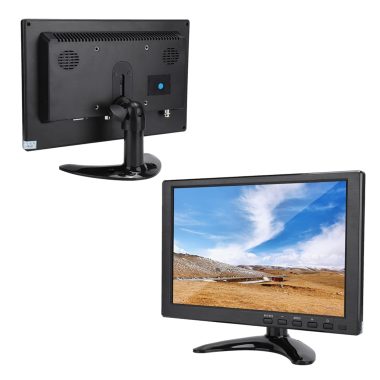
10.1 Inch HD TFT LCD Color Monitor with Built-in Speaker, Black – BNC, AVI, VGA, HDMI Input for Car, PC, DVD, TV
Original price was: ₦12,690.00.₦6,780.00Current price is: ₦6,780.00. -
Sale!

Teamgee 14.3 Inch FHD 1080P IPS Laptop Screen Extender Monitor for 13-17 Inch Laptops
Original price was: ₦249.99.₦189.99Current price is: ₦189.99. -
Sale!

Foxin 21.5 Inch FHD Elite Series LED Monitor IPS Panel 100Hz 1ms 16.7M Colors
Original price was: ₦14,999.00.₦5,900.00Current price is: ₦5,900.00. -
Sale!

Sceptre 24-inch Full HD 165Hz FreeSync Gaming Monitor Machine Black 2020
Original price was: ₦215,940.00.₦107.97Current price is: ₦107.97. -

17 Inch Square Monitor 1280×1024 45% sRGB 5:4 Aspect Ratio 75Hz VESA Mountable VGA HDMI
₦69.90 -

LG 27 Inch FHD IPS Monitor 100Hz 5ms AMD FreeSync Premium Black with HDMI Cable
₦179.99 -
Sale!

Philips 193V5Lsb2 19 Inch HD TFT/LCD Monitor Black 5ms VGA FreeSync
Original price was: ₦9,990.00.₦7,170.00Current price is: ₦7,170.00. -

LG 27-inch FHD IPS Monitor 100Hz 5ms AMD FreeSync Premium 3-Side Borderless Black with HDMI Cable
₦179.99 -
Sale!

Lenovo D19-10 18.5 Inch HD LED Monitor Raven Black 72% Color Gamut
Original price was: ₦11,990.00.₦5,799.00Current price is: ₦5,799.00. -

ASUS 23.8 inch Full HD 1080P IPS 100Hz Eye Care Monitor VU249HFI-W White
₦132.99 -
Sale!

Asus VS207DF 19.5-Inch Black LCD Monitor, Single Pack
Original price was: ₦25,990.00.₦8,988.00Current price is: ₦8,988.00. -
Sale!

Acer V176L 17-inch Square 1280×1024 SXGA LED Monitor, 250 Nits, 5ms, TCO Certified Black
Original price was: ₦13,300.00.₦8,509.00Current price is: ₦8,509.00. -
Sale!

FRONTECH 22-inch Full HD 1080p LED Monitor with 100Hz Refresh Rate Slim Stylish White
Original price was: ₦10,000.00.₦5,229.00Current price is: ₦5,229.00. -
Sale!

HP P204V 19.5 Inch HD LED Monitor Black 1600 x 900 Resolution
Original price was: ₦9,999.00.₦6,700.00Current price is: ₦6,700.00. -
Sale!

Acer EK220Q 21.5 Inch Full HD VA LED Monitor 100Hz Refresh 1ms VRB Black
Original price was: ₦7,699.00.₦5,399.00Current price is: ₦5,399.00. -
Sale!

Zebronics 18.5 Inch HD Slim Monitor Anti Glare Plug and Play Built-in Power Supply VGA Wall Mount
Original price was: ₦7,999.00.₦5,999.00Current price is: ₦5,999.00. -
Sale!

Zebronics Zeb-A20HD 19.5 Inch HD LED Monitor Black Slim Glossy 1600×900 HDMI VGA Dual Input Wall Mountable
Original price was: ₦8,999.00.₦5,890.00Current price is: ₦5,890.00. -

17 Inch Square Full HD 1280×1024 Touchscreen Monitor 10 Point USB HDMI VESA
₦31,653.87
Reviews
There are no reviews yet.