


4-Port Gamecube Controller Adapter for Switch OLED PC Wii U with 6FT Cable Turbo Vibration
₦12.99
Description
About the Product 🔑
| Feature ⭐ | Description ✅ |
|---|---|
| Gamecube Adapter for Switch | Play multiple games like “Super Smash Bros”, “Super Mario”, “Kirby” |
| Gamecube Adapter for Wii U | Enter ssb game by wii u remote control; Supports ssb on wii u |
| Gamecube Adapter for PC | Compatible with some emulators (e.g., Dolphin) and games |
| Real 4 Ports | Up to eight GameCube controllers can be used simultaneously |
| Emulator Support | Supports the GC/Wii Emulator Dolphin |
| Vibration Feedback | Built-in Vibration Feedback with no delays |
| Controller Compatibility | Supports 4 Gamecube controllers or 4 GameCube Wavebird wireless controllers |
| Plug and Play | No lag and no drive install needed |
| Cable Length | 6 FT (1.8M) cable for comfortable play |
| Turbo Mode | Supports turbo for A, B, X, Y, L, R, Z, START buttons |
| Turbo Function | Hold button and press Turbo to start/stop |
| PC Vibration | Plug in two USBs for vibration feedback on PC mode |
| Platform Support | Nintendo Switch, Switch OLED, Switch 2, PC, and Wii U |
| Wii U Game Support | Only supports “Greet Melee Smash Brothers X” on Wii U |
| PC Input Mode | Supports D-input; does not support X-input |
Product Specification 📱
| Specification ⚙️ | Description 📏 |
|---|---|
| Package Dimensions | 5.39 x 5.31 x 1.61 inches 📦 |
| Item Weight | 5.9 ounces ⚖️ |
| ASIN | B09PDPD77H 🆔 |
| Item model number | PURBHE 🏷️ |
| Customer Reviews | 4.2 out of 5 stars ⭐⭐⭐⭐ |
| Best Sellers Rank | #8,567 in Video Games, #44 in GameCube Accessories 🏆 |
| Date First Available | December 29, 2021 🗓️ |
| Manufacturer | SHENZHEN YUNFEI DIANZI YOUXIANGONGSI 🏭 |
Usage Instruction 🧾
- Switch/OLED/Switch 2 Mode: Set the change button on the side to NS mode.
- PC Mode: Set the change button on the side to PC mode. Plug in two USBs for vibration feedback.
- Wii U Mode: Set the change button on the side to Wii U mode. Enter the game by Wii U remote control.
- Turbo Function: Hold down the desired button (A, B, X, Y, L, R, Z, START) and then press the Turbo button to start or stop the turbo function. ⚙️
Product Details 🏷️
Share happiness in a better way. We want your life to be filled with happiness and love. Play the game in a better way. Share the joy with family and friends. As a reliable seller on Amazon. We attach great importance to the customer’s buying experience. Satisfy every customer with better technology and service. Charge for your device faster, safety and steady. 45W Fast Charging for Steam Deck.


Charge for your device faster, safety and steady

45W Fast Charging for Steam Deck
Our products
Gamecube Controller Adapter-The switch gamecube adapter support nintendo switch and switch oled and new switch 2, compatible with PC and Wii U. Before play Please set up NS or PC mode, change button is loacated on the side.(For Wii U platform: only one game of “Greet Melee Smash Brothers X” is supported)
Support 4 Of Gamecube Controllers:This Gamecube adapter with 4 ports support plug into 4 gamecube controllers or 4 GameCube Wavebird wireless controller at a time.Just plug and then play your games. No lag and no drive install need.
Extra Long Of Gamecube Adapter-This Gamecube controller adapter with 6 FT(1.8M) cable allowing you and your family/friends to play games comfortably on the sofa. Keep your eyes away from the screen to prevent screen radiation.
Vibration Feedback and Turbo Mode:This Gamecube support vibration feedback and turbo mode.Turbo mode:Turbo keys support buttons including (A.B.X.Y.L.R.Z.START);Start or turn off the turbo function: hold down the button that needs to be accelerated, then press the Turbo to start Turbo mode. Press again to close Turbo function.Pluging the two usb into your console if you need the vibration feedback on the PC mode
About Gamecube Adapter:This Gamecube adapter for Switch:you can play multiple games, such as “Super Smash Bros” “Super Mario” “Kirby” etc;This gamecube adapter for wii u:you need enter ssb game by wii u remote control and only support ssb on wii u.This Gamecube adapter for pc:Compatible with some PC emulator(ffor example:Dolphin)and games(Not All).D-input is supported, Do not support the X-input


Full Images





Product Standout Benefits
This Gamecube controller adapter is designed to enhance your gaming experience across multiple platforms. It offers seamless connectivity and supports up to four Gamecube controllers simultaneously, making it perfect for multiplayer fun.
- Nintendo Switch and Switch OLED Compatibility: Works with Nintendo Switch and Switch OLED consoles, offering a familiar and comfortable controller option.
- PC and Wii U Support: Also compatible with PC, supporting emulators like Dolphin, and with Wii U for specific titles.
- Supports 4 Gamecube Controllers: Connect up to four Gamecube controllers or Wavebird wireless controllers at once.
- Plug and Play: No need for additional drivers; simply plug in and start playing.
- Extra Long Cable: Features a 6 FT (1.8M) cable for comfortable gaming distances from the screen.
- Vibration Feedback and Turbo Mode: Offers vibration feedback (on PC mode with two USB connections) and a Turbo mode for customizable button acceleration.
Customer Questions and Answers
Q: How do I set up the adapter for different platforms? 🤔
A: Just plug it in and set up your NS or PC mode! The change button is right there on the side.
Q: Can I use this with my friends? 🤝
A: Totally! This adapter supports plugging in up to 4 Gamecube controllers, so you and your friends can jump into games together.
Q: Will I experience lag when using this adapter? ⏳
A: Nope, no lag here! Just plug it in and play your games.
Q: Is the cable long enough for couch gaming? 🛋️
A: You bet! It comes with a 6 FT (1.8M) cable, so you and your family or friends can play comfortably from the sofa.
Q: How do I turn on or off the Turbo mode? 💨
A: To start or turn off Turbo mode, hold down the button you want to accelerate and then press the Turbo button. Press it again to close the Turbo function.
Q: Can I get vibration feedback when using it with my PC? 💻
A: Yes, you can! Just plug in both USBs to your console when you’re in PC mode to get that vibration feedback.
Related Products
-

Wireless Display Dongle for TV Streaming, Supports Airplay Miracast DLNA, DVI Adapter Receiver
₦36,500.00 -
Sale!

Stratus Duo Game Controller for Windows, Chromebook, Android, VR 1200mAh
Original price was: ₦63,640.00.₦31.82Current price is: ₦31.82. -

10FT MFi Certified Lightning to HDMI Adapter Cable for iPhone to TV 1080P Digital AV Sync Screen Connector
₦23.99 -

8Bitdo NEOGEO Wireless Controller Kyo Kusanagi Edition for Windows Android NEOGEO mini Classic Click Joystick
₦69,980.00 -
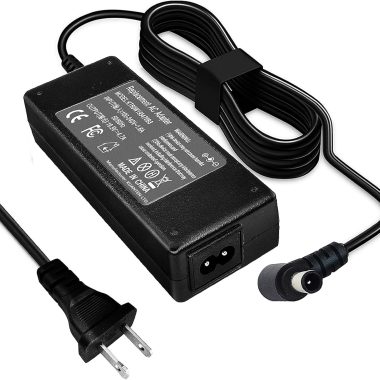
19.5V Power Supply Cord for Sony Bravia LCD TVs KDL Series Models
₦21,673.47 -
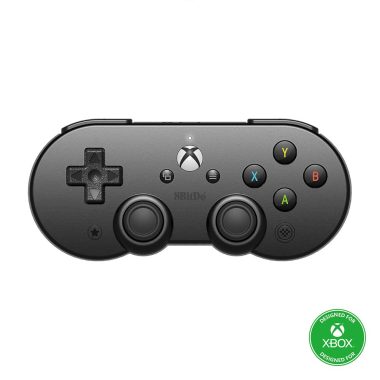
8Bitdo Sn30 Pro Bluetooth Controller for Android Mobile and Xbox Cloud Gaming
₦79,980.00 -

SmartSee 1080P HD Wireless WiFi Display Adapter for iPhone, iPad, Android, Windows to HDTV/Monitor
₦24.99 -
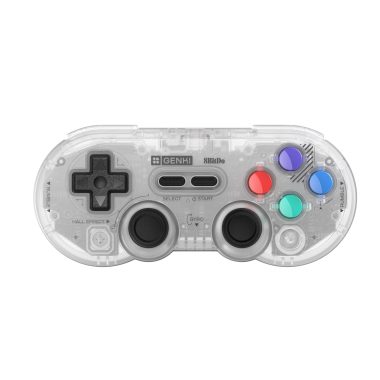
GENKI x 8BitDo PocketPro Portable Wireless Game Controller 128GB Hall Effect Joysticks Rumble Gyro USB-C
₦49.99 -
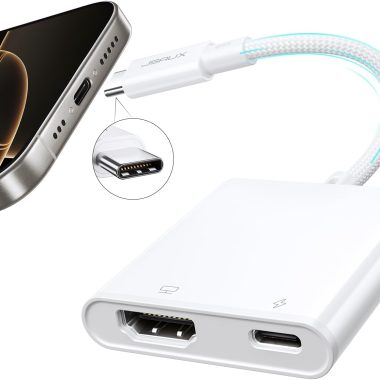
JSAUX 2-in-1 USB C to HDMI Adapter 4K 100W PD Charge for iPhone 16/15 Pro Max, MacBook, Samsung S24
₦7.99 -
Sale!

Elgato Stream Deck MK.2 Studio Controller 15 Macro Keys for Mac and PC
Original price was: ₦259,980.00.₦129.99Current price is: ₦129.99. -

4K Wireless HDMI Display Adapter Miracast Dongle Plug and Play 5.8G for Smartphone PC to TV
₦47.97 -

4K Wireless HDMI Display Adapter for Phone Tablet Laptop to HDTV, 1080P WiFi Streaming Receiver
₦29.99 -

Xbox 360 E Power Supply Brick AC Adapter Charger 100-240V New Cooling System
₦42.59 -

Mcbazel Wireless USB 2.0 Gaming Receiver Adapter for Xbox 360 PC Laptop – Black
₦32.99 -

Portable Wireless HDMI Display Dongle Adapter Stream Media from Smartphone Laptop to HDTV
₦85.99 -

T POWER 19V AC DC Adapter Power Supply for Sony Speakers and LG Projector
₦45.99 -

T POWER AC DC Adapter Charger for Sony Bravia W600B 24-48 Inch TVs Power Supply Cord
₦14.99 -

8BitDo Wireless USB Adapter 2 for Switch Windows Mac Pi with Xbox PS5 Pro Controller Support Brown
₦19.99 -

Genuine Microsoft Xbox 360 Slim AC Adapter Power Supply 100-127V
₦22.74 -
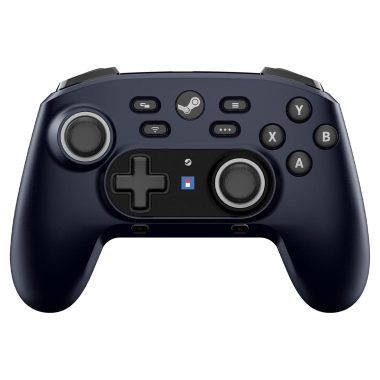
HORI Wireless HORIPAD for Steam Midnight Black Pro Controller with Large Capacity Battery
₦119,980.00
Reviews
There are no reviews yet.