
2-Laptop USB C KVM Switch 4K 60Hz Dual Monitor Sharing with 4 USB3.0 Ports 100W PD
₦159.99
Description
About the Product 🔑
| Feature 🌟 | Description ✨ |
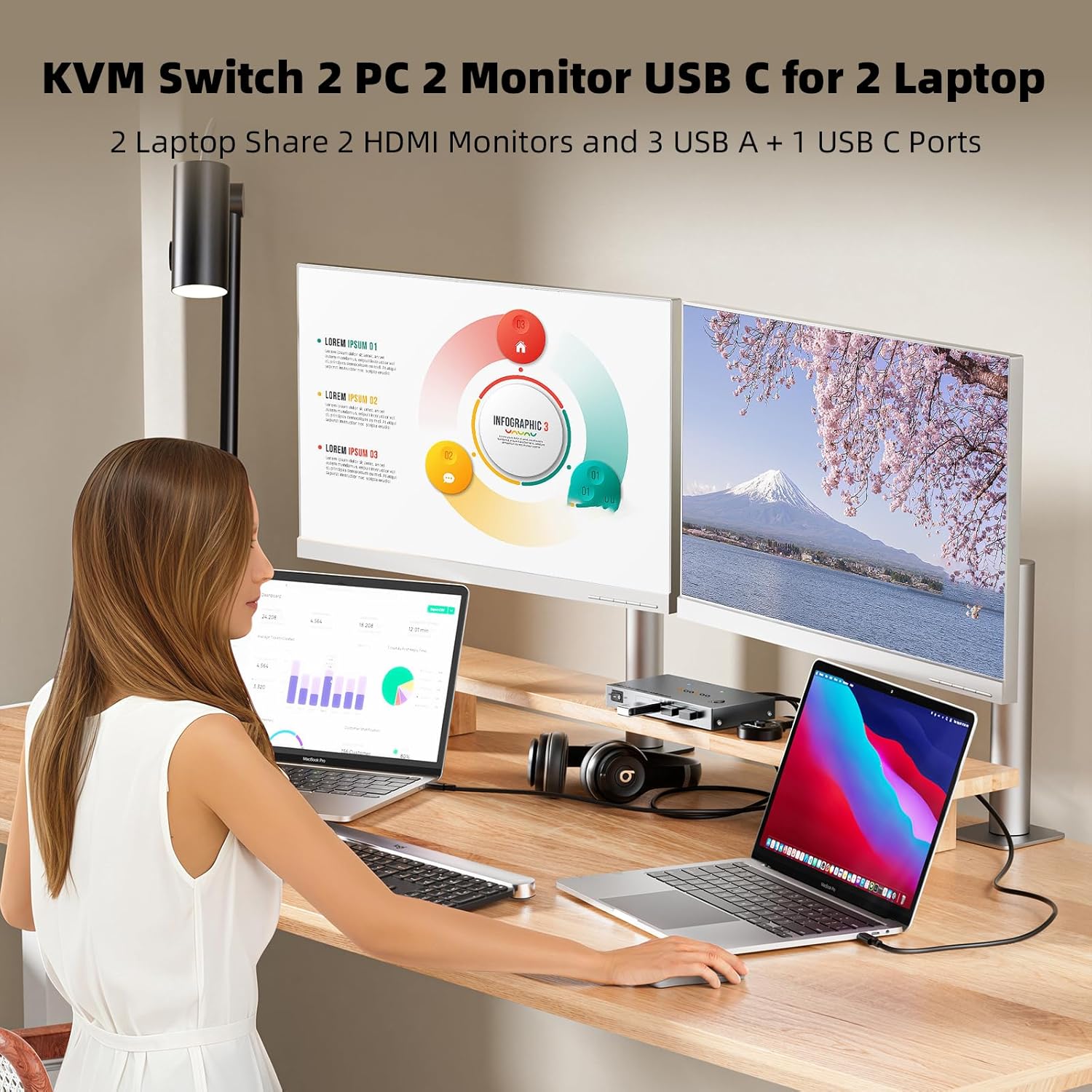
| Dual Monitor KVM 🖥️ | Connects 2 computers (1 laptop + 1 desktop) and 2 monitors. |
| Input Ports 🔌 | 1x USB-C (MST), DP+HDMI. |
| Output Ports 📺 | 2x HDMI. |
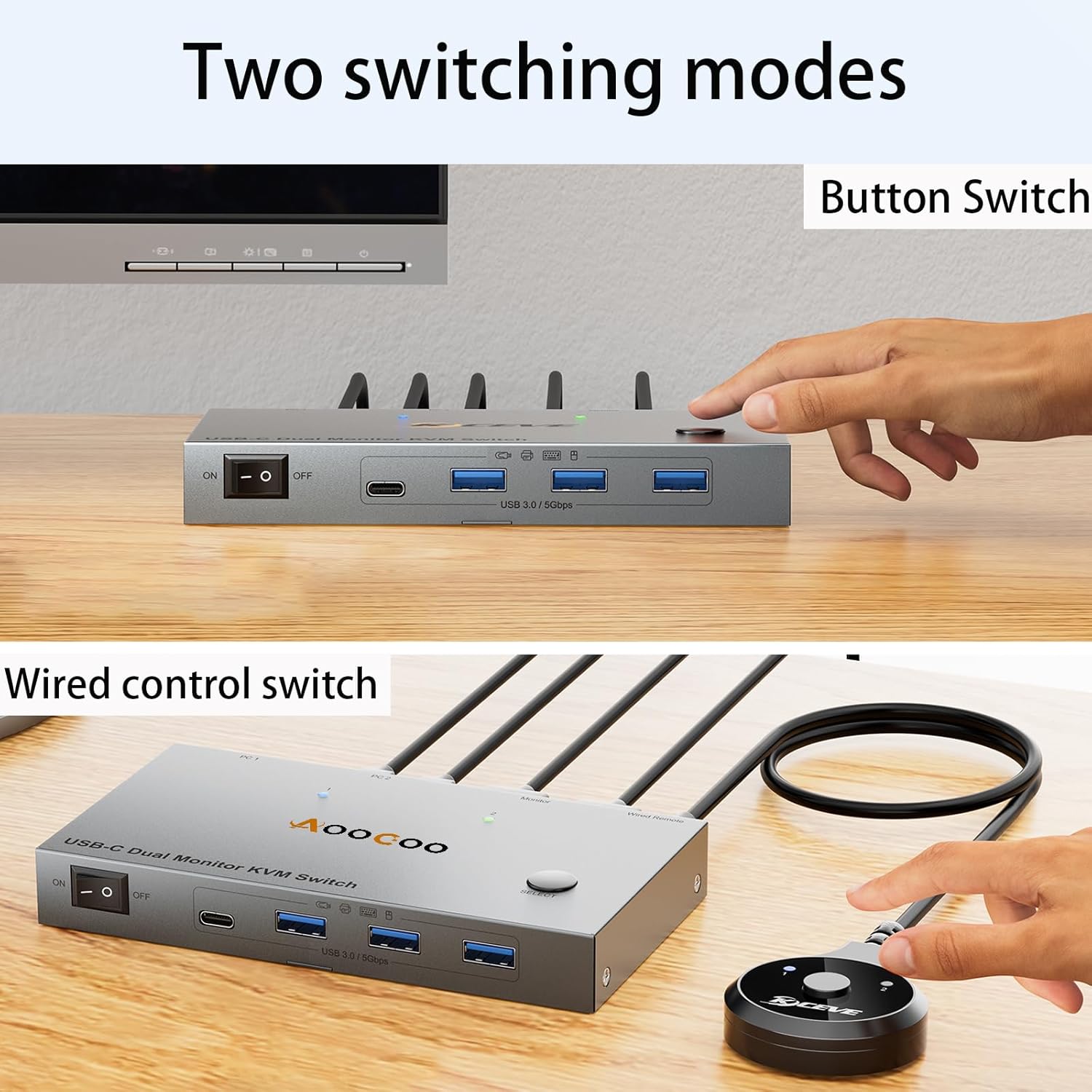
| Switching Methods ↔️ | Selection button or desktop extension button. |
| Productivity Boost 🚀 | Seamlessly switch between work desk and personal laptop. |
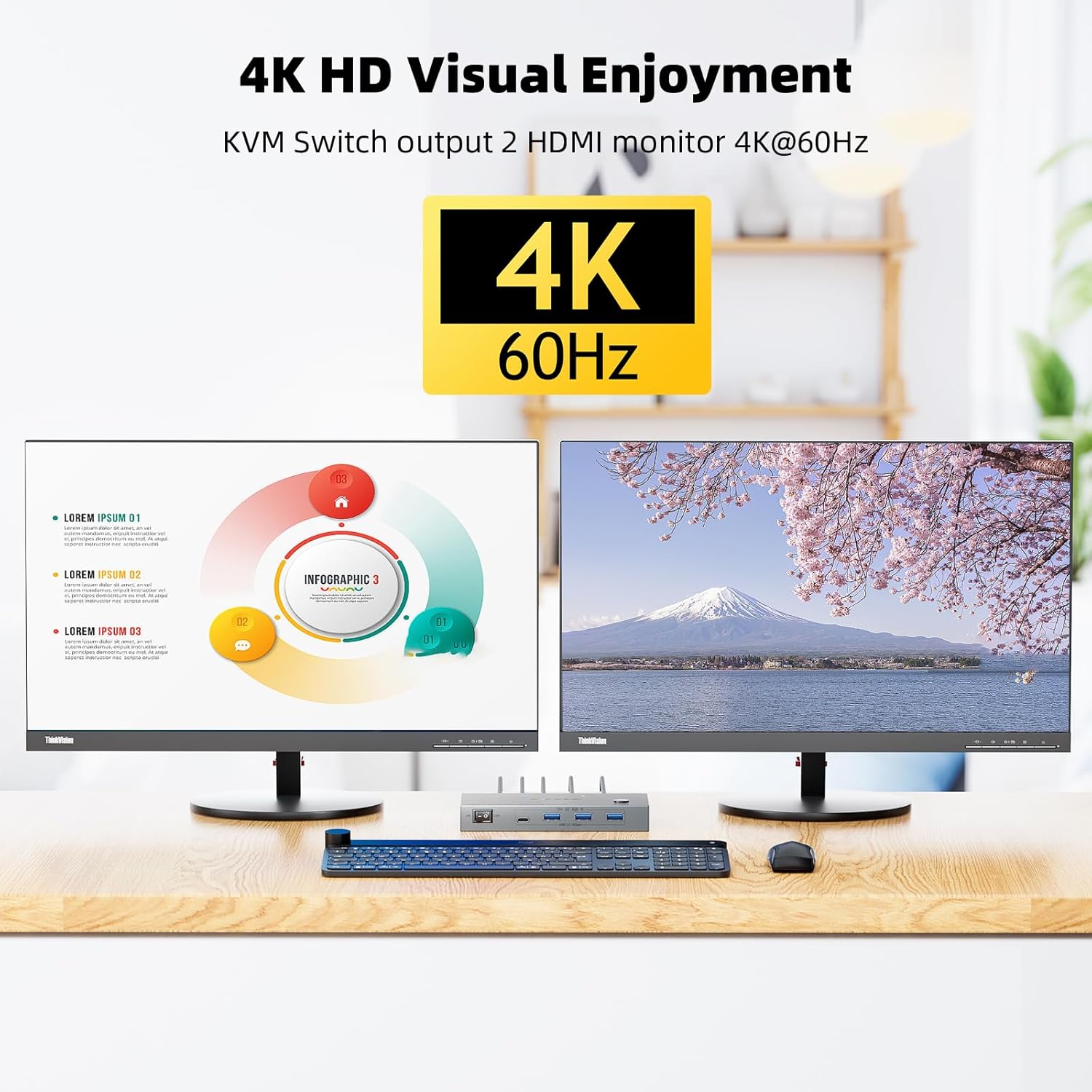
| Resolution Support 📈 | 4K/1080P@60Hz. |
| USB Devices 🖱️ | Supports 4 USB3.0 Devices with 10Gbps transfer speed. |
| PD Charging ⚡ | 100W PD for 2 Laptops. |
| Wired Remote Control 🖱️ | Included for easy switching. |
| Plug and Play ✅ | Easy installation, no driver required. |
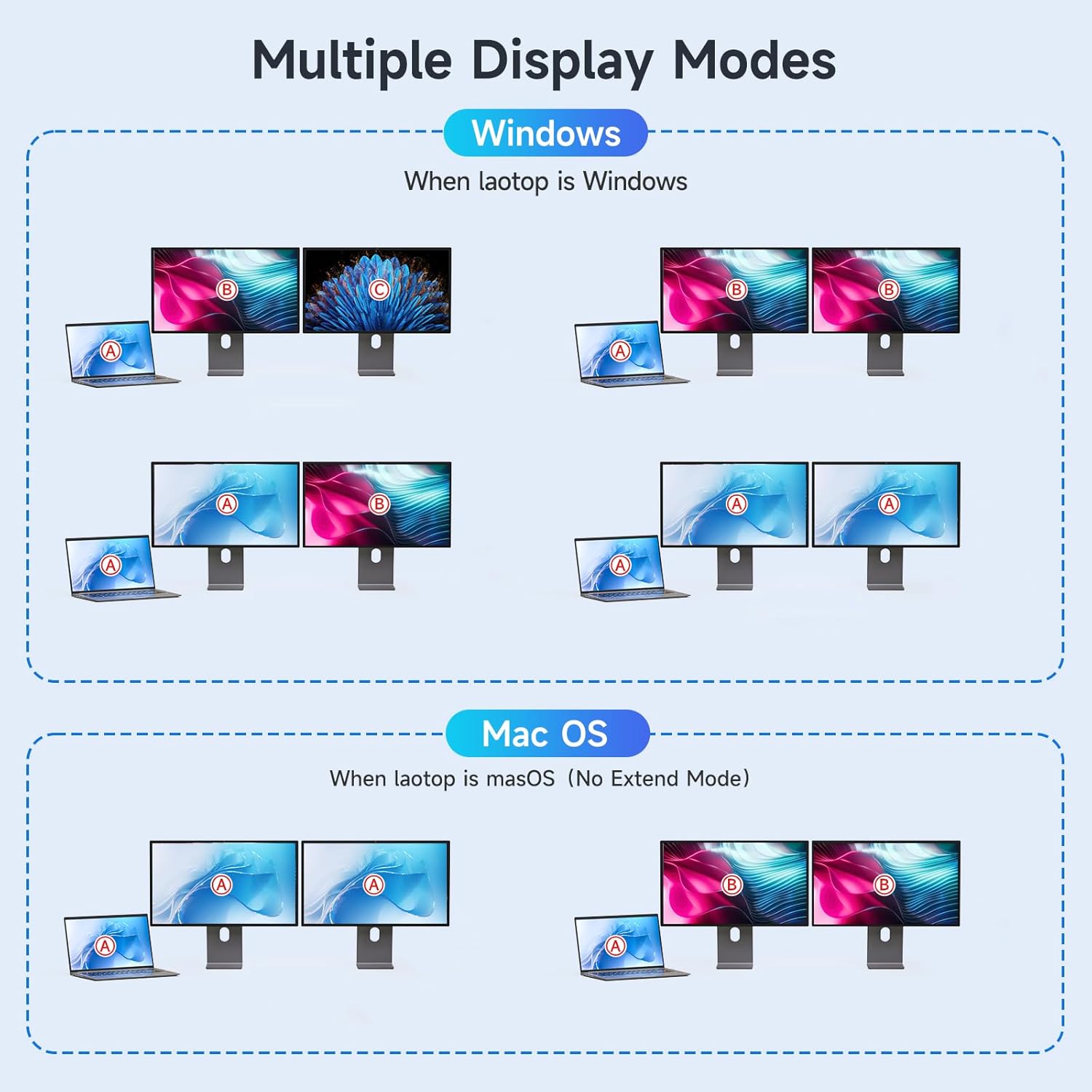
| Mode Support 🔄 | Extension mode and copy mode for Windows laptops. |
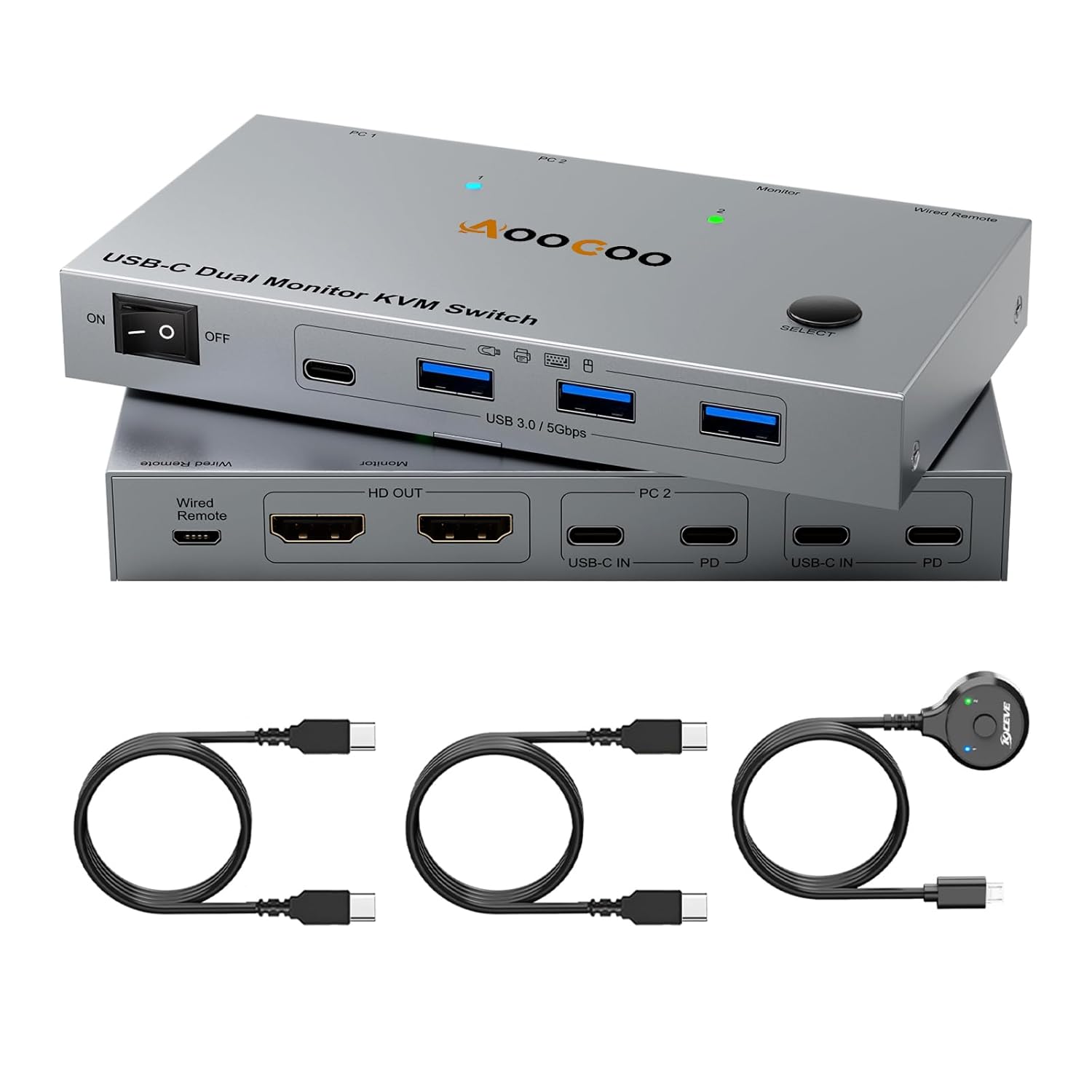
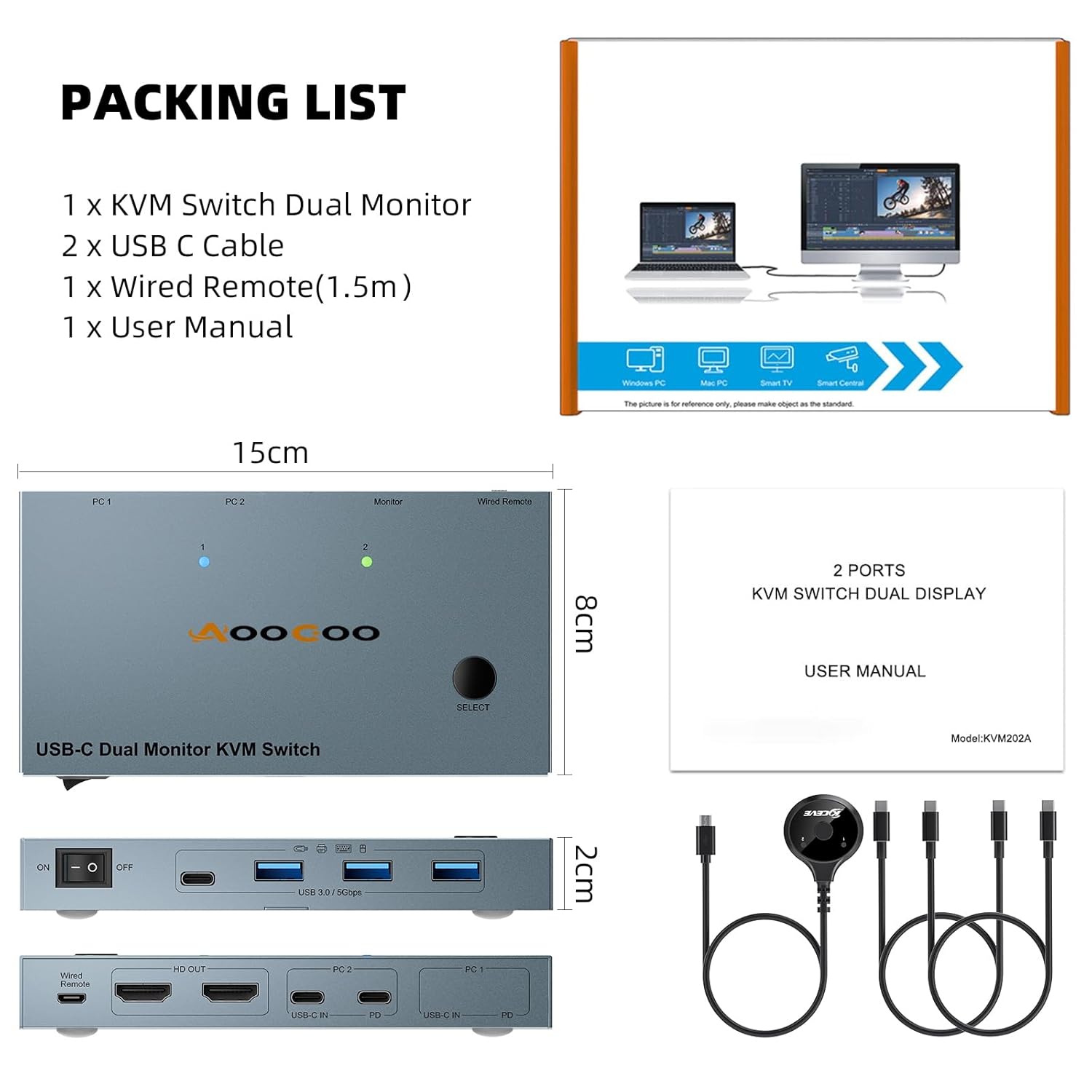
| Docking Station Functionality 📦 | Multiple shared peripheral ports (3x USB, 1x USB-C, 2x PD charge, 2x HDMI). |
| Laptop Charging 🔋 | 100W Power Delivery Pass-Through (dedicated USB-C Power Adapters not included). |
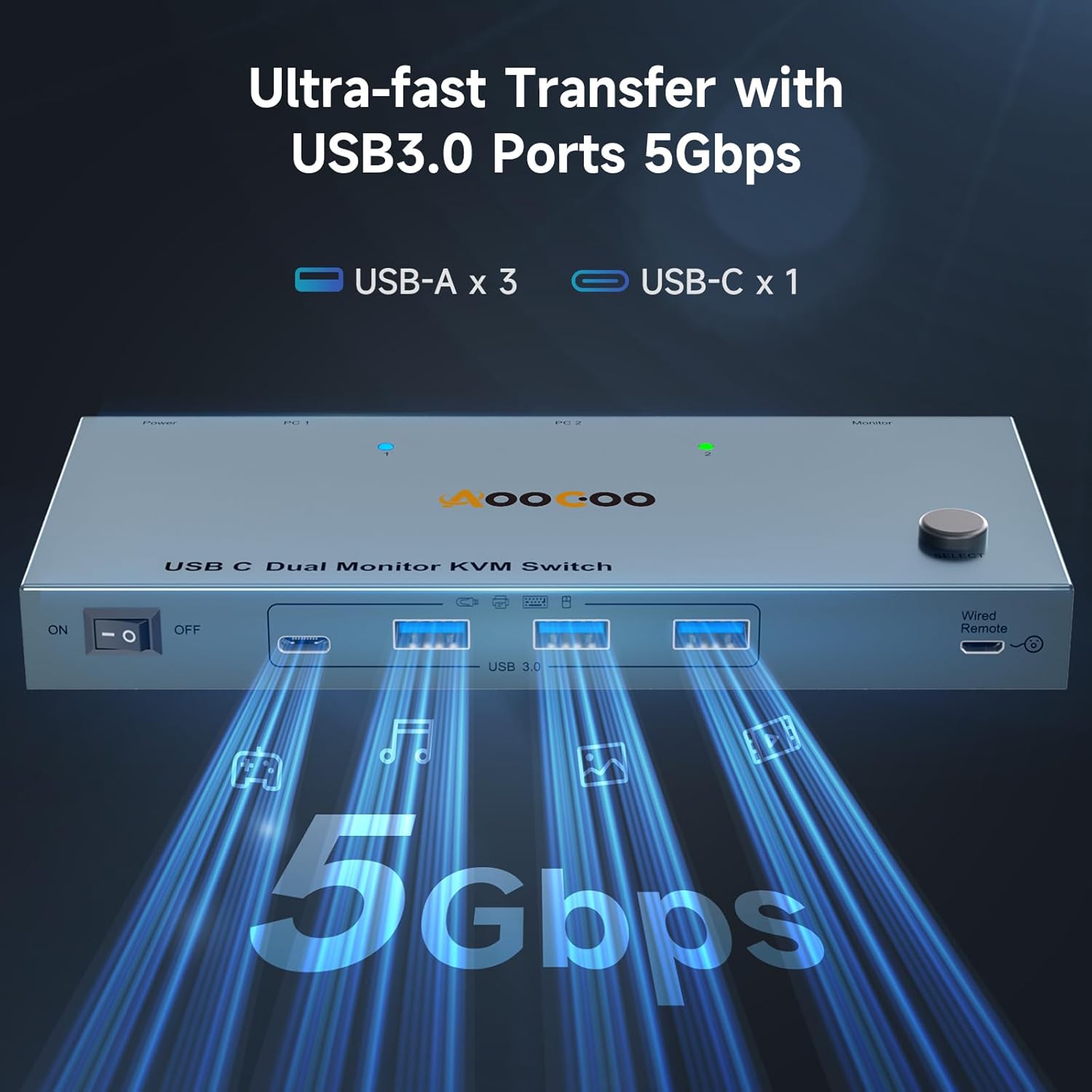
| Port Speed 💨 | USB3.0 transmission speed of 5Gbps. |
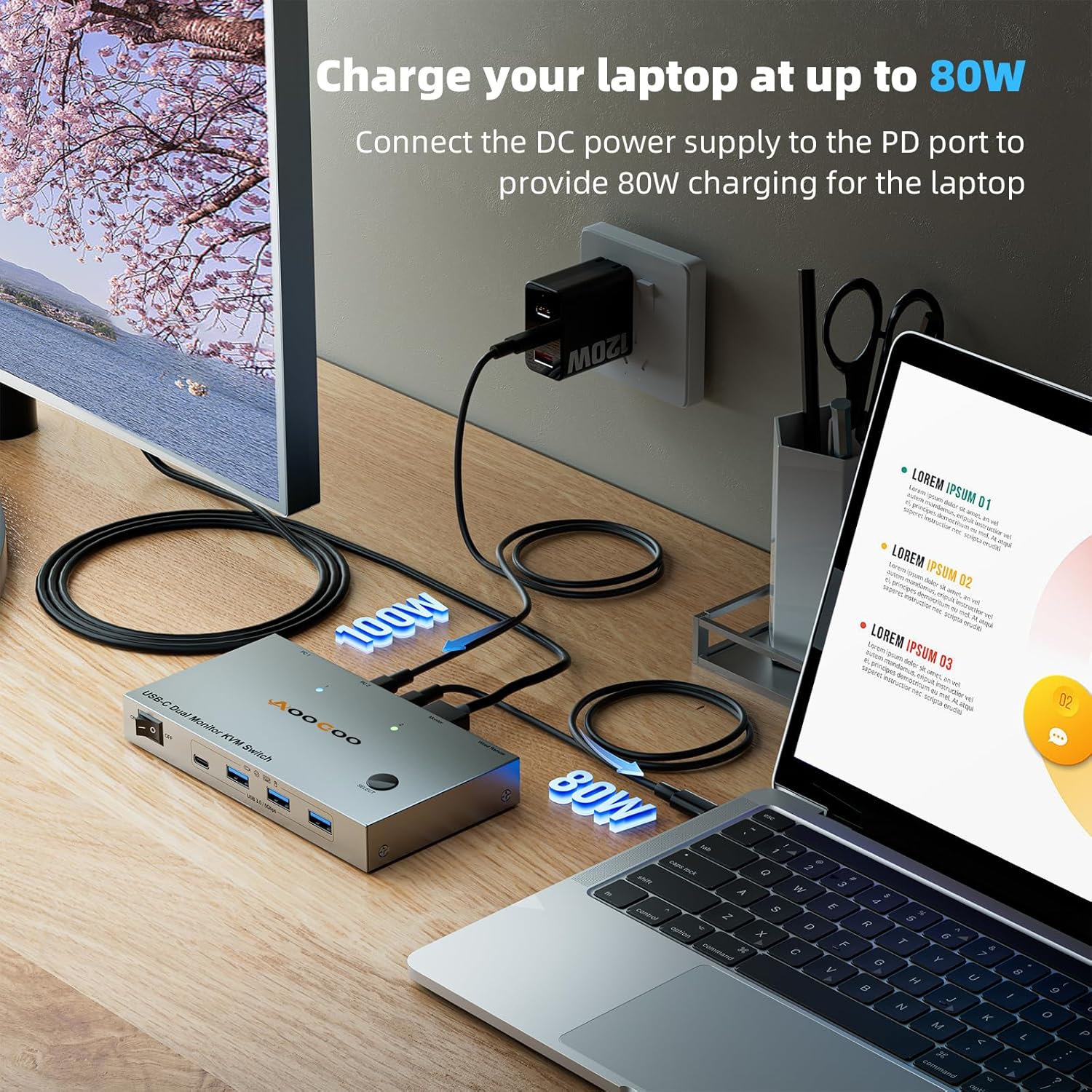
| Charging Output 🔌 | Actual power charged to laptop is 80W-85W due to power loss. |
| macOS Support 🍎 | Only supports mirrored output on macOS. |
| Workspace Conciseness 📐 | KVM Switch can be placed under the desktop or outside for a cleaner look. |
| Hot Keys 🔕 | Keyboard shortcuts (hot keys) are not supported for switching. |
Product Specification 📱
| Specification ⚙️ | Description 💬 |
| Computers Supported 💻 | 2 |
| Monitors Supported 🖥️ | 2 |
| Input Types 🔌 | USB-C (MST), DP, HDMI |
| Output Types 📺 | HDMI |
| Max Resolution 📈 | 4K@60Hz |
| USB Ports 🖱️ | 4x USB3.0 (5Gbps), 1x USB-C |
| PD Charging ⚡ | 100W (2 ports) |
| Wired Remote 🕹️ | Included |
| Power Delivery 🔋 | Up to 90W charging per host laptop |
Usage Instruction 🛠️
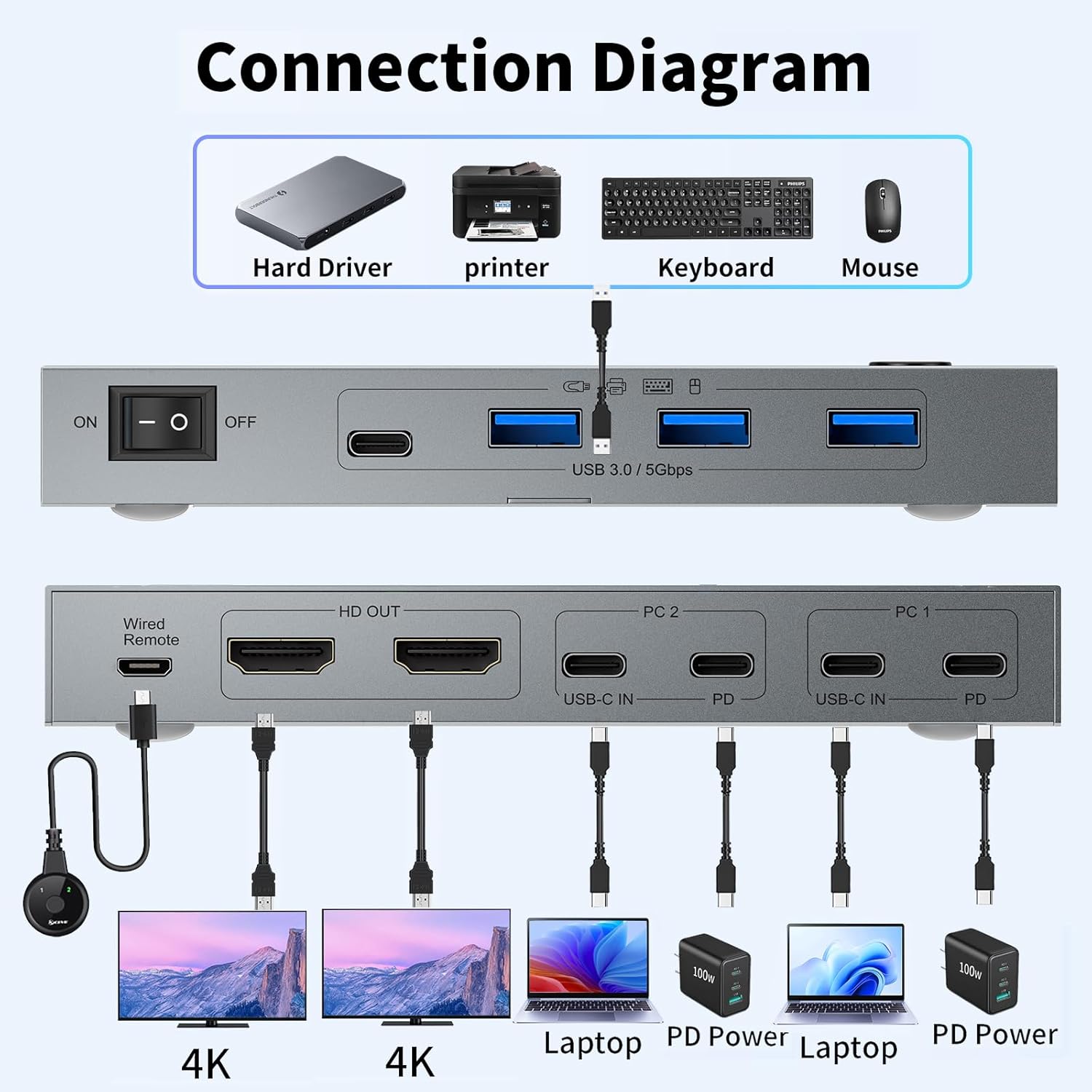
- Step 1: Connect the two laptops to the KVM switch using the provided USB-C cables for video signal transmission. 🔌
- Step 2: Connect the two monitors to the KVM switch using the HDMI cables. 📺
- Step 3: Connect your keyboard, mouse, and any other USB devices to the USB 3.0 ports on the KVM switch. 🖱️
- Step 4: If using PD charging, connect USB-C Power Adapters (not included) to the PD charge ports. ⚡
- Step 5: Press the selection button on the KVM switch or use the wired controller to switch between laptops. ↔️
- Step 6: For Windows laptops, choose between extension mode or copy mode for your displays. 🔄
Product Details 🏷️
USB C KVM Switch 4K@60Hz, USB C Dual Monitor KVM Switch for 2 Laptop Sharing 2 Monitor and 4 USB3.0 Devices, 100W PD for 2 Laptops with Wired Remote Control and USB C Cables Included
Dual Monitor KVM, Double Productivity: The docking station KVM switch connects 2 laptops and 2 monitors with 1x USB-C (MST)+dual HDMI inputs and 2x HDMI outputs. Seamlessly switch between your work and personal laptop to boost your productivity with this USB C KVM switch. Note: The USB C port connected to the laptop needs to support video transmission and USB control protocols.
Dual Monitor KVM Docking Station: Unleash the potential of this KVM switch for 2 laptops with multiple shared peripheral ports, like 3x USB, 1x USB-C, 2x PD charge, and 2x HDMI outputs. Make your work from home more convenient and easier than ever before.
4 USB3.0 Ports: The 4 USB ports of The USB C KVM Switch all have a transmission speed of 5Gbps, which allows you to transfer files faster during use, and the transmission speed is much faster than USB2.0.
Support 100W PD Fast Charging: The USB C KVM Switch is designed with 2 PD charging port, which can provide enough power for your laptop during use. Please note: The actual power charged to the laptop is between 80W and 85W, because the KVM itself and the cable will produce some power loss.
Extension Mode and Copy Mode: Note: Only support mirrored output on macOS. USB-C KVM Switch 2 Monitors supports extension mode and copy mode for Windows laptops.
Easy Switching: Plug and play, easy installation, no driver required, two switching methods are provided: press the selection button on the KVM to switch; use the desktop extension button to switch, the KVM Switch can be placed under the desktop or outside the workspace to make the desktop more concise. Note: Keyboard shortcuts (hot keys) are not supported for switching.
Packing List: USB C KVM Switch, 2 USB C cable for audio and video signal transmission, 1 wired controller, instruction manual
Full Images





Product Standout Benefits
This KVM switch is designed to enhance your productivity by seamlessly connecting and switching between two laptops and two monitors. It offers a streamlined workflow for your home office setup.
- Dual Laptop, Dual Monitor Connectivity: Connect 2 laptops and 2 monitors with 2x USB-C (MST) + dual HDMI inputs and 2x HDMI outputs.
- Expanded Peripheral Sharing: Features multiple shared peripheral ports including 3x USB, 1x USB-C, 2x PD charge, and 2x HDMI outputs.
- 100W PD Fast Charging: Equipped with 2 PD charging ports to power your laptops during use, with actual charging output between 80W-85W due to power loss in the KVM and cable.
- High-Speed USB 3.0 Ports: All 4 USB ports offer a transmission speed of 5Gbps for faster file transfers compared to USB 2.0.
- Flexible Display Modes: Supports extension mode and copy mode for Windows laptops. (Note: macOS only supports mirrored output).
- Effortless Switching: Plug and play with no drivers required. Switch using the selection button on the KVM or the desktop extension button for a cleaner workspace. (Note: Keyboard shortcuts are not supported).
Customer Questions and Answers
Q: How do I set up and use this KVM switch? 🤔
A: It’s super easy! Just plug and play, no drivers needed. You can switch between your laptops using the button right on the KVM, or use the desktop extension button to keep your workspace extra tidy. Just make sure you use the included USB-C cables for audio, video, and USB control.
Q: Can I use this with my two laptops and two monitors? 🖥️
A: Absolutely! This KVM switch is made for exactly that. It connects 2 laptops and 2 monitors, giving you dual HDMI outputs so you can see everything clearly across both screens. It’s perfect for boosting your productivity!
Q: How fast is the USB data transfer? ⚡
A: You’ll love how fast it is! All four of the USB 3.0 ports have a speed of 5Gbps, which means you can transfer your files way quicker than with older USB 2.0 ports. Much more efficient!
Q: Will it charge my laptop while I use it? 🔋
A: For sure! It has two PD charging ports that provide plenty of power for your laptop while you’re working. Keep in mind, the actual power reaching your laptop will be around 80W-85W because the KVM itself and the cable use a little bit of the power.
Q: What display modes does it support? 🖼️
A: It’s pretty flexible! For Windows laptops, you can choose between extension mode and copy mode. Just a heads-up, if you’re using macOS, it only supports mirrored output.
Q: What comes in the box? 📦
A: You’ll get the USB C KVM Switch itself, two USB C cables for audio and video signal transmission, a wired controller for easy switching, and the instruction manual.
Related Products
-

400 ANSI WiFi Bluetooth Mini Projector, 1080P Outdoor Home Theater 4K Support, 200-Inch Wireless Projection for Smartphones
₦139,980.00 -

ECHTPower Wireless PC Gaming Controller Hall Effect Joystick 2.4G Wired 1000Hz 800mAh Battery for PC Switch iOS Android
₦47,980.00 -
EasySMX X05 2.4g Wireless Gaming Controller for PC, Steam, iPhone, Android, Switch – Anti-Drift, RGB
₦47,960.00 -

EasySMX D05 Enhanced Wireless Bluetooth Pro Controller for PC Android Steam Switch – Black, 1000mAh Battery
₦71,980.00 -
LUNAGARIYA® Replacement LCD LED Remote for Redmi TV – No Voice, Exact Match
₦699.00 -

EasySMX X10 Wireless PC Controller White Faceplate Bluetooth for PC Switch Steam Android TV
₦56,780.00 -

JaiHo 17 Inch TFT LCD Monitor Black 1280×1024 4:3 Aspect Ratio HDMI VGA BNC AV USB Earphone Display
₦235,380.00 -

PowerA Wired Controller for Nintendo Switch Black 10ft Detachable USB Cable Officially Licensed
₦22.99 -

Smart WiFi Bluetooth Mini Projector HD 1080P Android 11.0 270 Degree Rotation
₦45.99 -

Mini Smart Projector for Kids Gifts, Blue, HDMI USB Audio TF Card AV Compatible
₦29.99 -

HORI Nintendo Switch Fighting Commander Controller Official Nintendo Licensed Used
₦67,980.00 -

Ergonomic RGB Wireless Controller for Switch Lite OLED PC Android iOS 7 Color Lighting Vibration
₦50,980.00 -
Nyko Wireless Core Controller for Nintendo Switch – Black, Ergonomic Design, Turbo Functionality, Type-C Charging
₦29.99 -
Sale!

Machenike G3S Wireless Gaming Controller Black for PC Switch PS3 Android with K-Sliver Joystick Mechanical D-Pad RGB Lighting
Original price was: ₦65,601.00.₦59,777.00Current price is: ₦59,777.00. -

Hisense 75 Inch QD7 Series Mini-LED 4K UHD Smart Fire TV 2025 Model Black
₦799.99 -

4-Port 4K@60Hz HDMI KVM Switch with USB 3.0, IR Remote, and SPDIF Audio for 4 Computers
₦115.99 -
7SEVEN® Non-Voice Replacement Remote for Mi Redmi Fire TV L32R8-FVIN L43R8-FVIN 32 43 Inch TVs
₦899.00 -

GREATHTEK 2-Port 8K@60Hz HDMI KVM Switch with 3 USB3.0 Hubs for Desktop Sharing
₦37.99 -

Megacom Pro Wireless Bluetooth Gamepad Controller for Switch, PC, Steam Deck – 13 Word Title
₦39,800.00 -

4K60Hz 4 Port HDMI KVM Switch for 4 Computers Sharing 1 Monitor & USB Devices with 4 USB 3.0 Cables and Remote
₦69.99
Reviews
There are no reviews yet.