
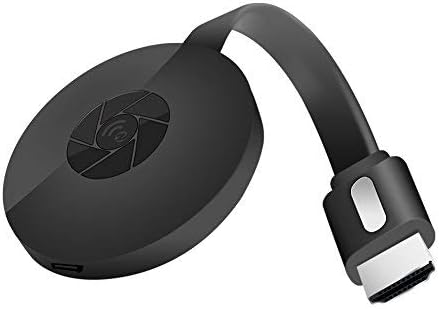
SmartSee 1080P HD Wireless WiFi Display Adapter for iPhone, iPad, Android, Windows to HDTV/Monitor
₦24.99
Description
About the Product 🔑
| Wireless Display 📡 | |
| Cast Small Screen to Large Screen 📱➡️📺 | |
| Carry it while traveling ✈️ | |
 |
Wide Compatibility 🌐 |
Product Specification 📱
| Resolution 🖼️ | 1080P |
| App/Drivers Required 🚫 | No |
| Connection 🔌 | HDMI |
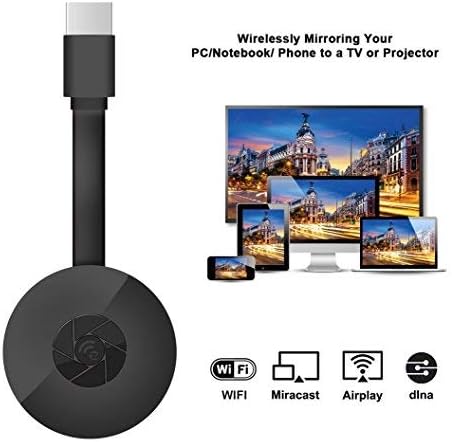
| Protocols Supported 🔄 | DLNA / Airplay / Miracast |
| Compatibility (iOS) 🍎 | iOS 9.0+ |
| Compatibility (Android) 🤖 | Android 5.0+ |
| Compatibility (Windows) 💻 | Windows 10 |
| Compatibility (Mac) 🖥️ | Macbook Series |
| Copyright Apps ⚠️ | Not Compatible (Netflix, Hulu plus) |
| Cable Design 📏 | Extending HD cable |
| Antenna 📶 | External WiFi antenna |
| Firmware Updates ⬆️ | Regular OTA |
Usage Instruction 🧾
- Step 1: 🔌 Connect the SmartSee Wireless HD Adapter to your TV’s HDMI port and power it.
- Step 2: 📱 Find the mirror function on your i-Phone, i-Pad, Ma,cbook, Android smartphone, tablet, or laptop.
- Step 3: 📡 Ensure your device is connected to your local Wi-Fi network.
- Step 4: ✨ Select your device’s casting option (Airplay for iOS/Mac, Miracast for Android/Windows) to cast your screen.
- Step 5: ⚙️ If prompted, recognize your IP address and match your local language for automatic setup.
Product Details 🏷️
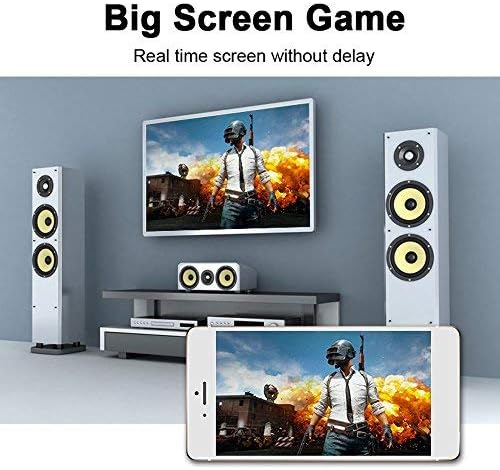
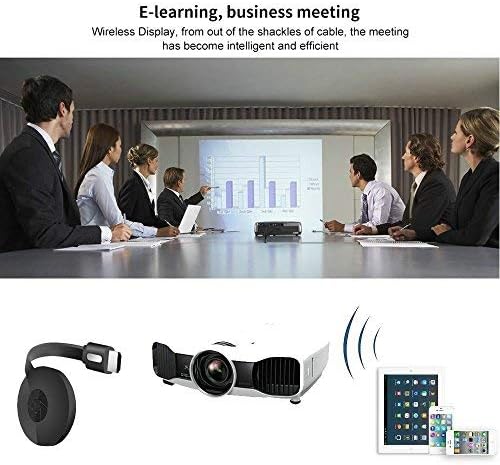
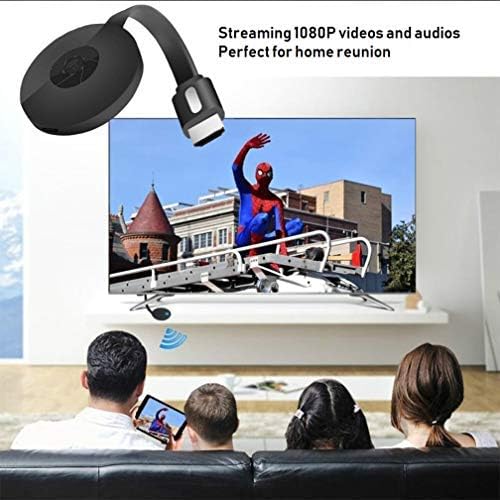
Wireless Display: SmartSee Wireless HD Adapter allows you to watch videos from small screen (i-Phone, i-Pad, Ma,cbook, Android smartphones, tablet, laptop) to large-screen devices (TV / monitor / projector). Wireless display small screen to big screen, support 1080P, enjoy high quality image.
Easy to use: No App or drivers required. Get connected and casting in minutes. Simply connect it to your TV and power it, find mirror function on your device to cast.Recognize your IP address and match your local language automatically, friendly design.
Wide Compatibility: This wireless display adapter is compatible with iPhone iPad iOS 9.0+, Android 5.0+ devices, Windows 10 latops and Macbook series. Casting through Miracast/Airplay/DLNA protocols. ❤ Note: NOT Compatible with Neflix, Hulu plus, or other HDCP copyright apps.
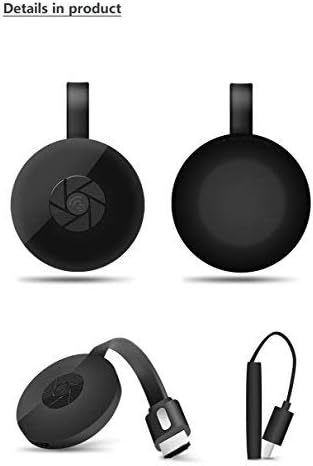
Practical Design: Design with extending HD cable so it can be plugged into your TV easily. With external WiFi antenna to confirm strong wifi connection, easy to install and offering better signal.
Regular OTA Update: We will regularly update the firmware from the cloud server to add features and improve compatibility. Connect this dongle to your wifi and it will be upgraded automatically, keep up with the newest version of your iOS/Android/Windows device anytime.
Full Images
Product Standout Benefits
The SmartSee Wireless HD Adapter offers a seamless way to bring your favorite content from small screens to the big screen. Enjoy your videos, photos, and presentations on your TV, monitor, or projector with stunning 1080P clarity. Designed for ultimate convenience, this adapter makes wireless display effortless.
- Wireless Display: SmartSee Wireless HD Adapter allows you to watch videos from small screen (i-Phone, i-Pad, Ma,cbook, Android smartphones, tablet, laptop) to large-screen devices (TV / monitor / projector). Wireless display small screen to big screen, support 1080P, enjoy high quality image.
- Easy to use: No App or drivers required. Get connected and casting in minutes. Simply connect it to your TV and power it, find mirror function on your device to cast. Designs Airplay Mode(for iOS/Mac devices) and Miracast Mode(for Android and Windows devices), press the button to switch between the 2 modes. Connection is different on different OS devices.
- Wide Compatibility: This wireless display adapter is compatible with iPhone iPad iOS 9.0+, Android 5.0+ devices, Windows 10 latops and Macbook series. Casting through Miracast/Airplay/DLNA protocols.
- Practical Design: Design with extending HD cable so it can be plugged into your TV easily. With external WiFi antenna to confirm strong wifi connection, easy to install and offering better signal. Recognize your IP address and match your local language automatically, friendly design.
- Regular OTA Update: We will regularly update the firmware from the cloud server to add features and improve compatibility. Connect this dongle to your wifi and it will be upgraded automatically, keep up with the newest version of your iOS/Android/Windows device anytime.
Customer Questions and Answers
Got questions about the SmartSee Wireless HD Adapter? We’ve got you covered!
How do I get started with this adapter? 🤔
It’s super easy! Just connect it to your TV and power it up, then find the mirror function on your device to start casting. You’ve got Airplay Mode for iOS/Mac and Miracast Mode for Android/Windows, and you can switch between them with a simple button press. Just a heads-up, how you connect might be a little different depending on your device’s operating system – check out the User Manual for the full scoop!
Which devices can I use this with? 📱💻
This adapter is pretty versatile! It works like a charm with iPhones and iPads running iOS 9.0 and up, Android devices version 5.0 and newer, Windows 10 laptops, and Macbooks. It uses Miracast, Airplay, and DLNA protocols for casting.
Will this adapter work with apps like Netflix? 🎬
While it’s great for most content, it’s important to know that it’s NOT compatible with apps like Netflix, Hulu Plus, or other services that use HDCP copyright protection for their videos.
How does the adapter ensure a good connection? 📡
The practical design includes an extending HD cable for easy plugging into your TV. Plus, it comes with an external WiFi antenna that helps maintain a strong WiFi connection, making installation a breeze and ensuring a better signal. It even recognizes your IP address and matches your local language automatically!
What if I have an Android or Windows device? 🤖
For Android and Windows devices, they MUST support the Miracast protocol for screen mirroring to work. If your device supports Miracast, you’re good to go!
Related Products
-

RUPA Android TV Box 13.0 4GB RAM 64GB ROM Dual WiFi 6 8K HDR BT5.0
₦42.99 -

Anycast 1080P HDTV Wireless Display Adapter for Mobile Screen Mirroring on TV/Projector, Supports Android, Mac, iOS, Windows
₦19.99 -

X96 Mini Android 11.0 4K Smart TV Box 1GB RAM 8GB ROM Dual WiFi HDR
₦33.99 -

4K Wireless HD Display Adapter Mirror Cast Dongle Receiver for iOS Android Mac Windows to TV Projector Monitor
₦36.99 -

LEFFOT Android 14 4K UHD Smart TV Box 2025, 2GB RAM 16GB ROM
₦25.99 -
SmartSee 4K/1080P Wireless Display Adapter for Phone Laptop to TV Projector, Dual Core Streaming Device
₦25.99 -

SmartSee 4K 1080P Wireless Display Receiver Dual Band 5G/2.4G Mobile Screen Cast Mirroring Adapter Dongle for iPhone Mac iOS Android to TV Projector Support Miracast Airplay DLNA
₦38.99 -

iPhone Wireless HDMI Display Adapter for TV/Projector, HD Video/Audio Sync, iOS Mirroring (No Netflix)
₦29.99 -

4K Wireless HDMI Display Dongle Adapter for Seamless Streaming Media Audio Video from Laptop PC Smartphone to HDTV Projector Monitor
₦59.99 -

RUPA Android TV Box 2nd Gen 4GB RAM 32GB ROM 8K Ultra HD Smart TV Box
₦35.99 -

GREVA 4GB/32GB Android 11 Smart TV Box with Dual Band WiFi and Voice Remote
₦27.99 -

Great Bee Arabic Times Muslim 4K Ultra HD TV Box 2GB RAM 16GB ROM Dual-Band WiFi
₦128.90 -

AT-Mizhi 4K Wireless HDMI Display Dongle 1080P Mirroring for Phone Pad Laptop PC to TV Projector Monitor
₦29.99 -

2.4G HD 1080P Wireless Display Receiver Dongle for Streaming Laptop PC Smartphone to HDTV Projector Support Android iOS Windows
₦18.88 -

Android 13 TV Box 4GB 64GB 8K HDR10 WiFi 5 Voice Remote
₦49.99 -

4K Wireless HDMI Display Dongle Adapter No Delay Screen Mirroring for iOS Android Windows Mac to HDTV Monitor Projector
₦39.88 -

LEFFOT L3 Android 14 4K UHD TV Box 2025 with 2GB RAM 16GB ROM and Voice Remote
₦23.99 -

Raxxio RAX2100 Android 9.0 4K HDR Smart TV Box 64GB ROM, 4GB RAM
₦85.99 -

4GB+32GB Android 13.0 TV Box RK3528 8K WiFi 5 HDR10 Bluetooth Voice Remote
₦39.99 -

Unitek 4K Wireless HDMI Display Dongle Adapter Screen Mirroring Receiver 2.4G/5G for iOS Android Windows
₦49.99
Reviews
There are no reviews yet.