


Portable HD Android Streaming Stick 1080p for Seamless Entertainment
₦55,120.00
Experience smooth, smart streaming with the ONN Google TV Stick. Powered by Google TV, this compact streaming device makes it easy to enjoy your favorite shows, movies, and live TV on popular platforms like Netflix, YouTube, Disney+, Prime Video, and more—all from one convenient interface.The ONN Google TV Stick supports up to Full HD resolution
Description
About the Product 🔑
 |
Android TV Sticks |
 |
Safe shopping online |
 |
Fast Delivery |
 |
Cash on delivery Available |
 |
Cinema experience at home |
Usage Instruction 🛠️
- Step 1: 🔌 Plug in the Mecool KD1 TV Stick.
- Step 2: 💡 Connect to your TV’s HDMI port.
- Step 3: 📱 Power on the device.
- Step 4: ⚙️ Follow on-screen prompts for setup.
- Step 5: 🛒 Download your favorite streaming and gaming apps from Google Play Store.
Full Images
Product Standout Benefits
Immersive Viewing Experience
Transform your regular TV into a premium home theater with 4K Ultra HD resolution (3840×2160) and HDR10 support. The combination delivers vibrant, lifelike colors, deep contrast, and crisp, sharp details to elevate your entertainment experience.
Seamless Multitasking and App Performance
The android tv stick is equipped with advanced RK3518 processor and 2GB or 16GB storage space. Enjoy smooth video playback, lightning-fast app loading speed and easy multitasking even when running the most demanding 4K applications.
Uninterrupted Streaming with Wi-Fi 6
Equipped with the latest Wi-Fi 6 technology, this TV stick offers faster speeds and more stable connections than Wi-Fi 5, even in crowded networks. Say goodbye to annoying buffering and enjoy smooth playback anywhere in your home.
Effortless Navigation with Voice Remote
Take command with the included Bluetooth voice remote. Simply speak to search for movies, launch apps, adjust volume—without lifting a finger. It features dedicated buttons for quick access to your favorite platforms, saving you time.
Simple Setup and Portable Design
At just the size of a thumb drive, this stick hides discreetly behind your TV, eliminating messy wires. Set up in minutes—just plug it into your TV’s HDMI port, connect to Wi-Fi, and start playing. Its portable size is perfect for travel or use in multiple rooms.
Customer Questions and Answers
Q: How do I set up this product?
A: Set up your new TV stick in minutes—just plug it into your TV’s HDMI port, connect to Wi-Fi, and start playing.
Q: Is this good for watching high-quality movies?
A: Absolutely! It’s great for people who want a premium home theater experience with 4K Ultra HD resolution and HDR10 support.
Q: How do I control the TV stick?
A: Take command with the included Bluetooth voice remote. Simply speak to search for movies, launch apps, adjust volume—without lifting a finger.
Q: Is it easy to take with me when I travel?
A: Oh, for sure! Its portable size is perfect for travel or use in multiple rooms.
Q: What kind of processor does it have?
A: The android tv stick is equipped with an advanced RK3518 processor.
Q: What are the storage options?
A: It comes with 2GB or 16GB of storage space.
Buyer’s Guide
Step 1: 📦 Review the Features & Benefits
Check out the key features like 4K Ultra HD, HDR10, Wi-Fi 6, and the voice remote to make sure it’s exactly what you need.
Step 2: 📝 Read the FAQs
Go through the FAQs for any last-minute questions about how to set it up, its performance, or its storage capacity.
Step 3: 🎨 Choose Your Option
Select the storage option (2GB or 16GB) that’s best suited to your needs.
Step 4: 🛒 Add to Cart & Checkout
Add the product to your cart and proceed with the simple checkout process.
Step 5: 📦 Upon Delivery
Verify it’s the correct product, check for any damage, and make sure all parts are included, especially the voice remote.
Step 6: 🛠️ Consider Adding Accessories or Related Products
Look into additional accessories like an HDMI extender if needed for better placement behind your TV, or consider a subscription to a streaming service to take full advantage of the 4K viewing experience.
Related Products
-

Amazon Fire TV Stick 4K Streaming Device with Alexa Voice Remote Pro
₦119,056.98 -

Sony HT-S100F 2.0 Channel Black Soundbar with Built-in Bass, Bluetooth, and Easy TV Setup
₦239,980.00 -

Certified Refurbished Fire TV Stick HD Streaming Device with Alexa Voice Remote and TV Controls
₦36,500.00 -
JBL Bar 1300X 11.1.4 Channel Soundbar with Detachable Surround Speakers Black
₦3,399,900.00 -

Amazon Fire TV Stick HD 4K Streaming Media Player Bundle with Alexa Voice Remote Pro
₦98,041.98 -
Panasonic SoundSlayer Small TV Soundbar with Dolby Atmos, Bluetooth, Built-in Subwoofer, Hi-Res Sound – Black
₦467,540.00 -

Airtel Android Smart TV Box with Inbuilt Router Latest Version 4K Capacity
₦67,280.00 -

Airtel Flat Android Smart TV Box with Inbuilt Router – Latest Version
₦67,280.00 -

Amazon Fire TV Stick HD Newest Model 1080p Streaming with Alexa Voice Remote and Smart Home Controls
₦49,020.99 -
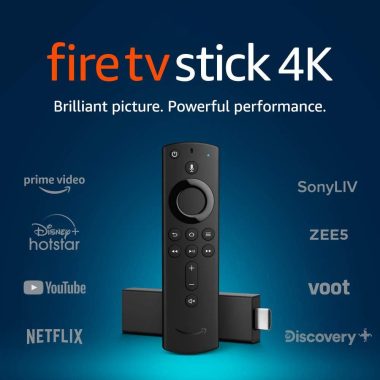
Fire TV Stick 4K Max with Alexa Voice Remote, 16GB Storage, Streaming Media Player
₦36,500.00 -

Amazon Fire TV Stick Lite HD Streaming Device with Alexa Voice Remote Lite 8GB
₦36,500.00 -

Apple iPad Air 11-inch 1TB Starlight M3 Chip Liquid Retina Wi-Fi 6E 5G
₦138,000.00 -

TCL 43 Inch 4-Series 4K UHD HDR LED Smart Roku TV 43S453
₦596,000.00 -

Android TV Box 4K Multimedia Gateway for Seamless Internet Streaming
₦50,200.00 -

MI TV Box S 4K Ultra HD Streaming Media Player 32GB Android Black
₦105,660.00 -
SHARP 32FH6KA 32-Inch HD Ready Android TV Black with Active Motion 400 & Chromecast Built-in
₦316,580.00 -
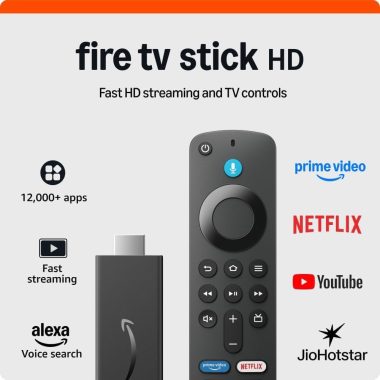
All-New Fire TV Stick HD with Alexa Voice Remote Full HD Streaming Device
₦36,500.00 -
JBL Bar 2.1 Deep Bass MK2 300W Black 2.1 Channel Soundbar with Wireless 6.5″ Subwoofer
₦759,900.00 -

MI’s TV Stick 1080P Global HDR Android 9.0 Portable Dongle 1GB RAM 8GB ROM
₦70,100.00 -
Sony BRAVIA 2 II 50 Inch 4K UHD LED Smart TV with Google TV, PS5 Ready, 2025 Model
₦1,196,000.00