
Sale!


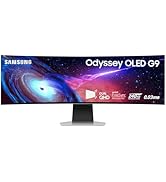

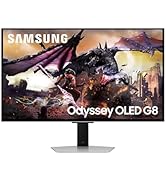


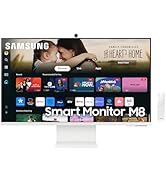


27 Inch QHD Gaming Monitor with Eco-Friendly Design, Fast Nigeria Delivery
Original price was: ₦515,653.54.₦155,000.00Current price is: ₦155,000.00.
QHD resolution & Fast IPS panel: Packing in 1.7 times the pixel density of Full HD, QHD resolution boasts incredibly detailed, pin-sharp images. Fast IPS panel delivers clear colours and a wide 178º viewing angle for clarity from any viewpoint. With more pixels and greater depth, games are closer to reality than ever before.VESA DisplayHDR
Description
🔍 Overview:
- Explore the Samsung 27 inch G50D QHD Gaming Monitor in Black with Fast IPS panel, VESA DisplayHDR 400, AMD FreeSync, Eye Saver Mode, and Ergonomic Stand.
- 180Hz refresh rate & 1ms response time (GtG): Speed through scenes. 180Hz refresh rate eliminates lag for exhilarating gameplay with ultra-smooth action. Jump on enemies right when they appear.
- The Samsung Odyssey G50D S27DG50 is a 27-inch, 1440p entry-level gaming monitor with a 180Hz max refresh rate and FreeSync and G-SYNC VRR support.
⭐ Key Features:
| Feature | Description |
|---|---|
| ⏩ 180Hz Refresh Rate & 1ms Response Time | Speed through scenes. 180Hz refresh rate eliminates lag for exhilarating gameplay with ultra-smooth action. Jump on enemies right when they appear. |
| 💻 27-inch, 1440p Entry-level Gaming Monitor | Samsung Odyssey G50D S27DG50 with FreeSync and G-SYNC VRR support. |
| 🔍 2K QHD IPS Display | Samsung Odyssey G5 G50D gaming monitor featuring 16.7M display colors in black. |
| 🛠️ Ergonomic stand | Adjustable design for optimal viewing angle and comfort. |
| 📦 New Launch | Buy Samsung 27″ Odyssey G50D QHD Gaming Monitor with HDR 400, AMD FreeSync, and Ergonomic Stand. |
🧪 Specification:
| Specification | details |
|---|---|
| 📐 Screen Size | 27″ |
| 🔳 Aspect Ratio | 16:9 |
| 🖥️ Resolution | 2560 x 1440 |
| 📊 Panel Type | IPS |
| ⚡ Response Time | 1 ms |
🧭 How to Use:
- 🔌 Connect the monitor to your gaming console or PC using the appropriate cable.
- ⚙️ adjust the ergonomic stand for your preferred viewing angle.
- 🎮 Configure the FreeSync settings in your gaming setup for optimal performance.
- 🌙 Enable Eye Saver mode for agreeable viewing during extended gaming sessions.
- 💡 Explore VESA DisplayHDR settings for enhanced image quality.
🌟 Product Standout Benefits 🌟
- BOOST YOUR REALITY: QHD resolution packs 1.7x the pixel density of Full HD and boasts detailed, pin-sharp images; Fast IPS panel delivers clear colors and wide 178° viewing angle for clarity from any viewpoint
- REACT IN REAL TIME: Speed through scenes; 180Hz refresh rate eliminates lag for exhilarating gameplay with ultrasmooth action; A 1ms¹ response time (GtG) enables frames with minimal blur, allowing you to jump on enemies the second you see them
- SHED NEW LIGHT ON HIDDEN DETAILS: VESA DisplayHDR 400 delivers more contrast, with deeper blacks and brighter whites, to help you uncover hidden enemies lurking in the shadows; Even in dark scenes, every detail shines with clarity
- STAY IN SYNC w/ THE ACTION: AMD Radeon FreeSync keeps your monitor and graphics card refresh rate in sync to reduce image tearing; Watch movies and play games without interruptions; Even fast scenes look seamless and smooth
- MOVE INTO YOUR COMFORT ZONE: Reach new heights winning with a monitor that swivels, tilts, and adjusts until all your enemies are in perfect view; Achieve total gaming comfort with a display that can be freely moved to accommodate the way you play
- WIN MORE w/ FRESH EYES: Eye Saver Mode minimizes blue light to help keep your eyes relaxed and comfortable when gaming for extended periods; The Odyssey G5 reduces irritating, tiring screen flicker, resulting in less distraction and eye strain
- IMMERSE IN SMOOTH ACTION WITHOUT DISRUPTION: G-Sync compatibility keeps the GPU and panel synced up to eliminate choppiness, screen-lag, and image tears. Fast-action and complex game scenes are stutter-free with support with AMD FreeSync²
🤔 Customer Questions and Answers 🤔
-
Q: How do I set up this gaming monitor?
A: Just set up your new gaming monitor following these steps, and you’re good to go! -
Q: Is this monitor good for competitive gaming?
A: Absolutely! It’s great for people who need powerful processing and clear visuals because the 180Hz refresh rate eliminates lag for exhilarating gameplay with ultrasmooth action, and a 1ms¹ response time (GtG) enables frames with minimal blur. -
Q: How do I take care of the monitor?
A: Just make sure you keep your eyes relaxed and comfortable when gaming for extended periods with Eye Saver Mode, and the monitor reduces irritating, tiring screen flicker, resulting in less distraction and eye strain. -
Q: Can I use this monitor with my existing graphics card?
A: Totally! G-Sync compatibility keeps the GPU and panel synced up to eliminate choppiness, screen-lag, and image tears. Fast-action and complex game scenes are stutter-free with support with AMD FreeSync².
🛒 Buyer’s Guide 🛍️
-
Step 1: 🌟 Review the Features & Benefits
Check out the key features and benefits to make sure it’s exactly what you need. -
Step 2: 🤔 Read the FAQs
Go through the FAQs for any last-minute questions about how the product works or its features. -
Step 3: 🎨 Choose Your Monitor
Select the specific model or version that’s best suited to your needs. -
Step 4: 🛒 Add to Cart & Checkout
Add the product to your cart and proceed with the simple checkout process. -
Step 5: 📦 Upon Delivery
Verify it’s the correct product, check for any damage, and make sure all parts are included. -
Step 6: 🛠️ Consider Adding Accessories or Related Products
Look into additional accessories or related products to enhance your experience, like a compatible HDMI cable, a monitor stand, or a cleaning kit.
Related Products
-

Amazon Fire TV 55 Inch 4-Series 4K UHD Smart TV with Alexa Voice Remote for Streamed Content
₦519.99 -

Perlegear Swivel and Tilt TV Wall Mount for 32-85 Inch TVs Up to 60kg
₦41.66 -

Amazon Fire TV 43 Inch 4-Series 4K UHD Smart TV with Alexa Voice Remote
₦369.99 -
JBLBAR300PROBLKAM-Z 5.0 Channel Compact All-In-One Soundbar Certified Refurbished
₦477,600.00 -

Universal Large Full-Motion TV Wall Mount for 42-90 Inch Smart TVs
₦99.99 -
JBL Bar 9.1 Black 9.1 Channel Surround Soundbar System with Dolby Atmos
₦1,999,980.00 -

Amazon Fire TV Stick 4K Streaming Device with Alexa Voice Remote Pro
₦119,056.98 -
Bestisan 34-Inch 80W Home Theater Soundbar with HDMI-ARC, Bluetooth 5.0 Audio
₦72.85 -

Batman Arkham Origins for PlayStation 3 Used Condition
₦3,332,000.00 -
JBL Bar 1000 7.1.4 Channel Soundbar with Detachable Speakers Black Renewed
₦1,433,600.00 -

Amazon Fire TV Stick HD 4K Streaming Media Player Bundle with Alexa Voice Remote Pro
₦98,041.98 -
JBL Bar 500MK2 750W 5.1 Channel Soundbar System Black with 10″ Subwoofer Dolby Atmos MultiBeam PureVoice
₦99.99 -

SYLVOX 15.6 Inch Google TV 1080P HD Waterproof Smart Television with 10000mAh Battery
₦399.00 -
JBL Bar 700MK2 7.1 Channel Soundbar System 780W Black with 10″ Wireless Subwoofer
₦899.95 -

Apple iPad Air 11-inch 1TB Starlight M3 Chip Liquid Retina Wi-Fi 6E 5G
₦138,000.00 -
Panasonic SoundSlayer Small TV Soundbar with Dolby Atmos, Bluetooth, Built-in Subwoofer, Hi-Res Sound – Black
₦467,540.00 -

Universal Full-Motion TV Wall Mount for TVs Up to 55 Inches Compatible with Fire TVs
₦59.99 -
Philips B4208 2.0 Channel Bluetooth Soundbar with HDMI ARC and USB Playback
₦178,920.00 -

Amazon Fire TV Stick HD Newest Model 1080p Streaming with Alexa Voice Remote and Smart Home Controls
₦49,020.99 -
3D Surround Sound Portable Bluetooth 5.0 Soundbar with Built-in Subwoofer and Remote Control
₦39.95