
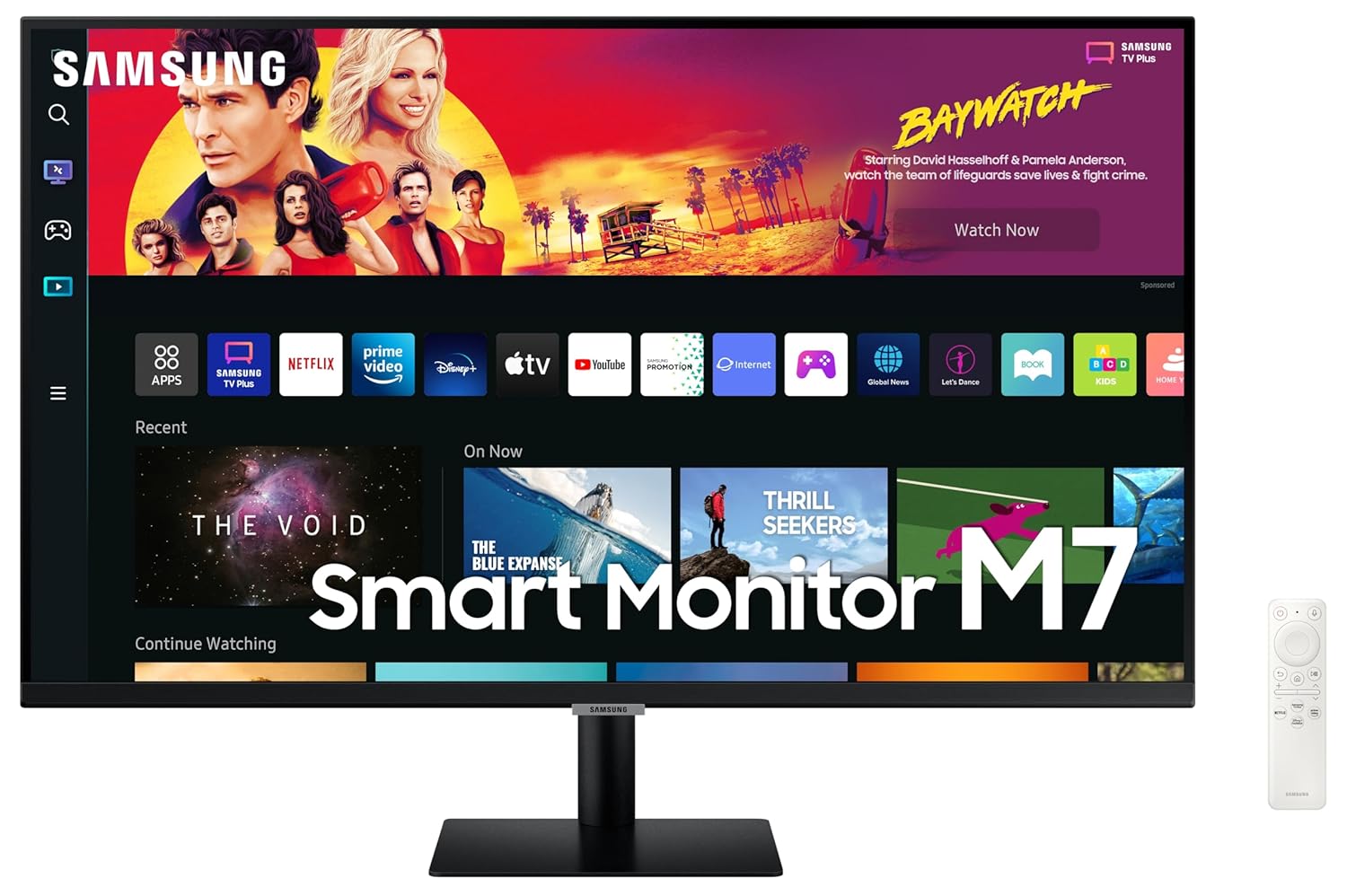
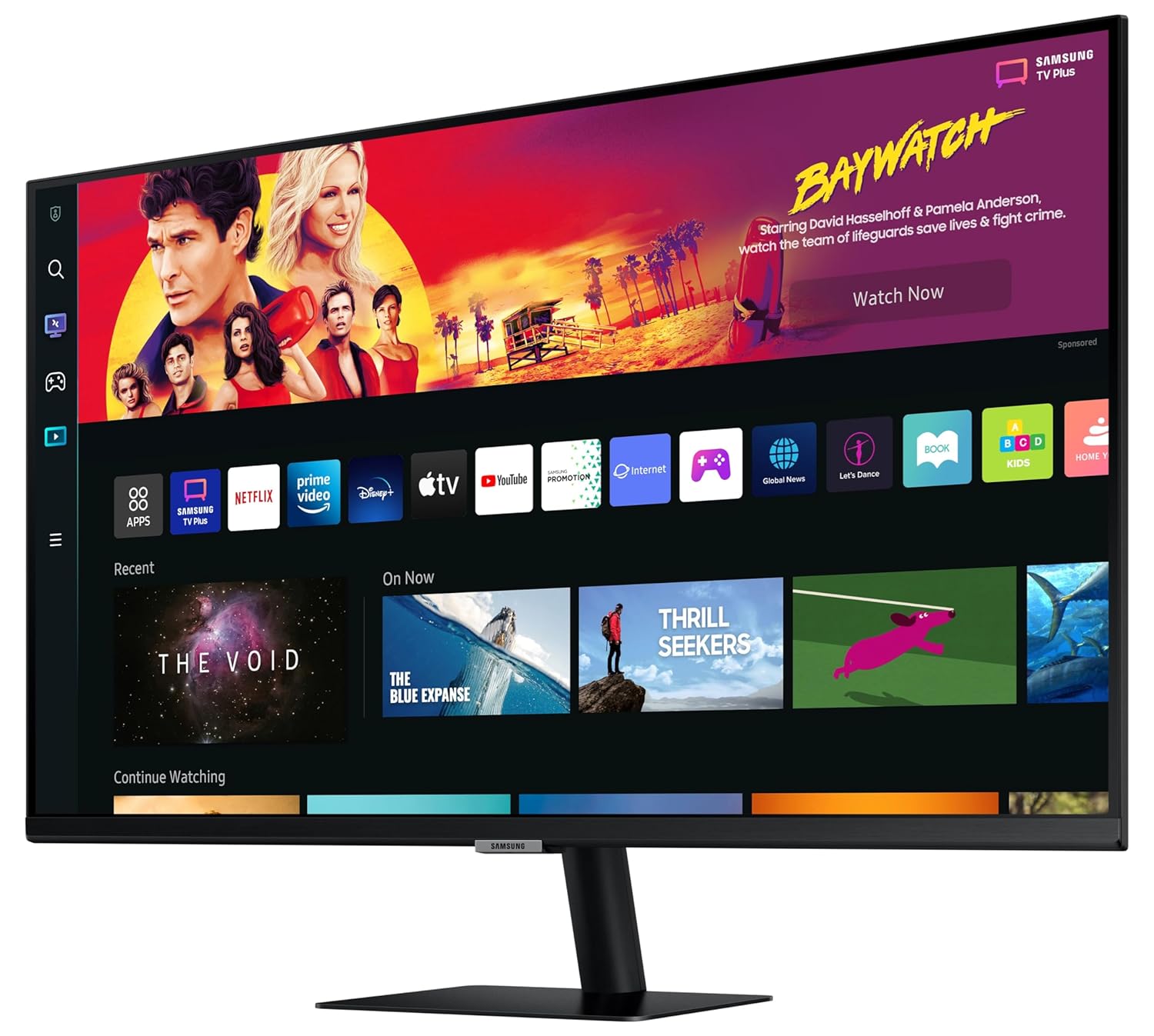
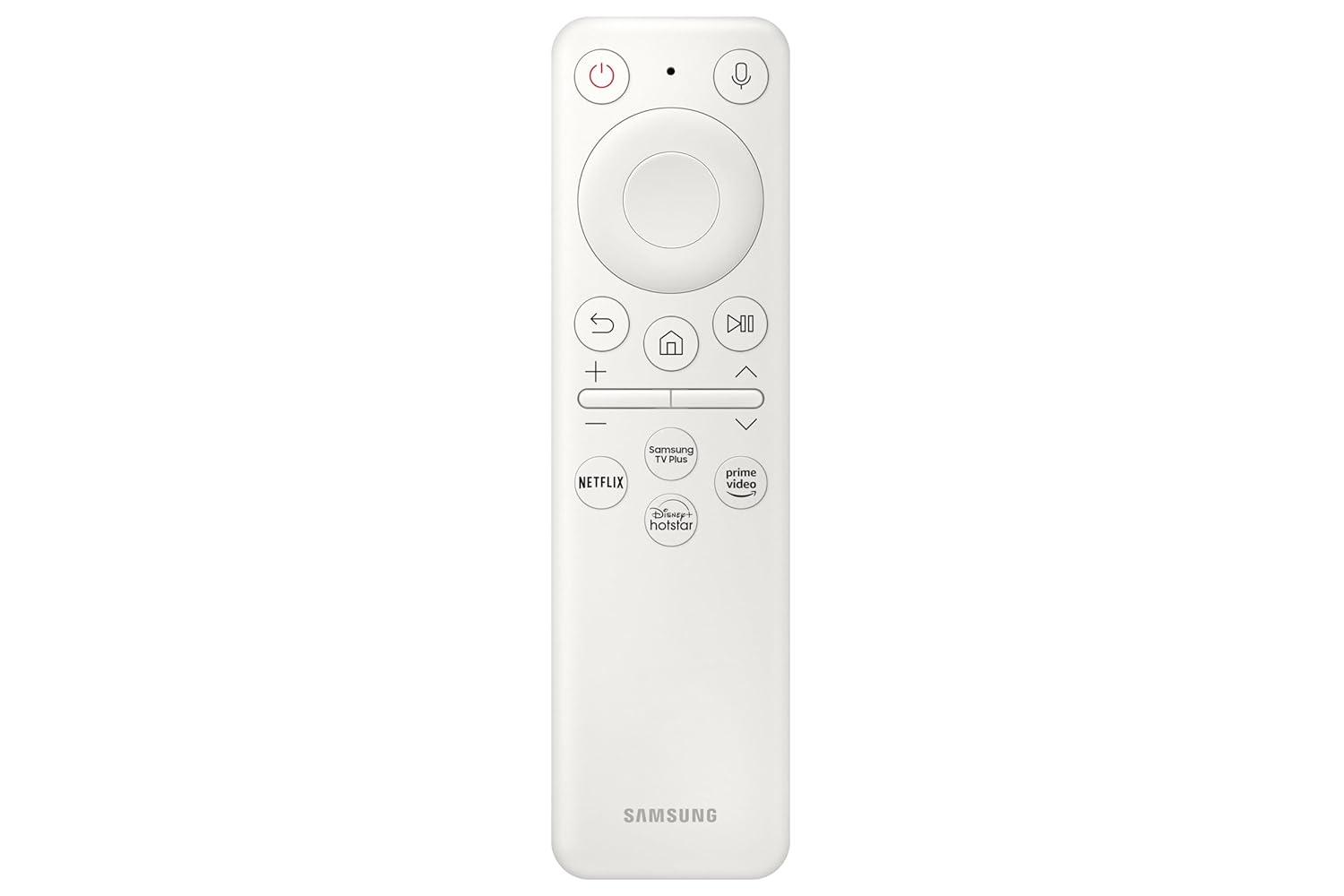
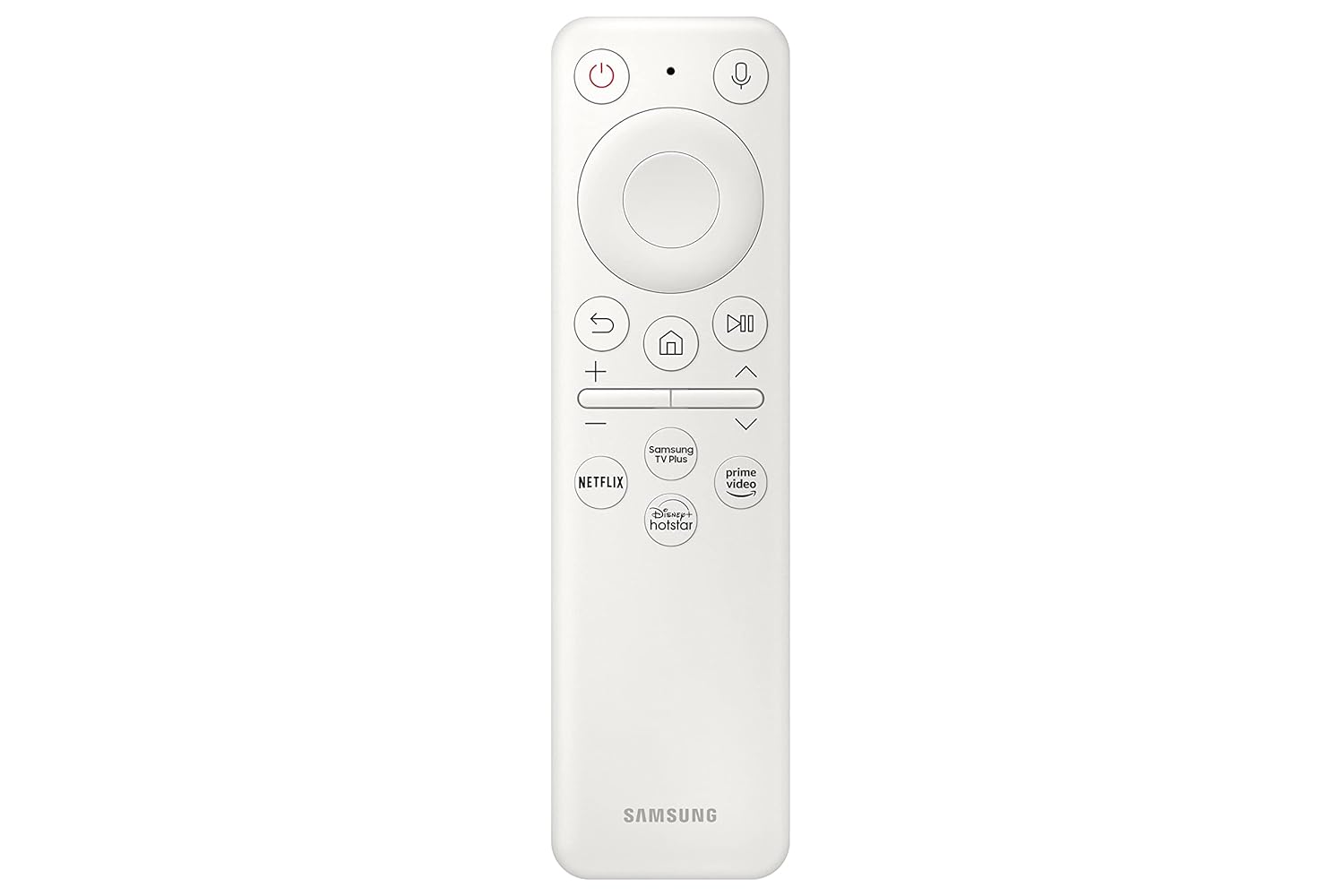
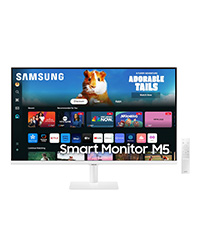
Samsung 32-inch 4K UHD Smart Monitor with Type-C, Smart TV Apps, Black
Original price was: ₦39,000.00.₦31,699.00Current price is: ₦31,699.00.
Description
About the Product 🔑
|
Explore the benefits, features & offers of 80 cm (32) M7 UHD 4K Smart Monitor featuring Smart TV experience with AI. Know more and buy best Monitors at Samsung India. |
Key Features 🔑
| ✨ Smart TV Experience | Effortless entertainment. Enjoy Netflix, YouTube and other streaming services by simply connecting the monitor to WiFi. Samsung TV Plus also offers free live and on-demand content with no downloads or sign-up needed, while Universal Guide provides personalised content recommendations. |
| 🌟 Adaptive Picture | Sensational picture, day or night. Surrounding light is detected by a sensor to adjust brightness automatically with Adaptive Picture. Even in broad daylight, watch dark, gritty dramas without squinting and straining your eyes to see the picture. |
| 🔊 Adaptive Sound | With built-in speakers, the M7 provides rich and realistic sounds for a more immersive experience overall. Plus, the Adaptive Sound feature adjusts sound based on a range of content situations, from speech to music to ambient noise, delivering more refined and enjoyable sounds for every listener. |
| 🎮 Ultrawide Game View | Keep your eye on the win. Adjust your screen to 21:9 to discover hidden areas in game scenes with Ultra wide Game View. Now when you play soccer games, see more of the pitch right up to the goalposts. And in driving games, get a natural and encompassing view of the road ahead. |
| 🖼️ Ultra HD | Astonishing picture quality for work and play. With 4x the pixels of Full HD, the Smart Monitor delivers more screen space and amazingly life-like UHD images. By day, see more documents at once. And, in the evening, watch movies in cinematic 4K quality. |
| 🔌 Auto Source Switch + | No more switching around. With Automatic Source Switch Plus, your monitor detects newly connected devices as soon they’re plugged in, and displays the correct signal. No more searching for the right input on the menu. |
| ✨ Watch, play, live in style | Everything you need is right in your screen. Watch, work and chat – all without connecting a separate PC – with Smart Monitor. Your favourite content, productivity and video call apps are built-in for a simpler and more stylish desk setup that’s a joy to use every time. |
Product Specification 📱
| Screen Size 📏 | 80 cm (32) |
| Resolution 🖼️ | UHD 4K (3840 x 2160) |
| Panel Type 🖥️ | VA |
| Aspect Ratio 📏 | 16:09 |
| Viewing Angle 👁️ | 178°(H)/178°(V) |
| Color Support 🎨 | 1 Billion Color Support |
| Brightness 🔆 | 300 cd/㎡ |
| Contrast Ratio 🎛️ | 3,000:1 |
| Refresh Rate ⚡ | 65 Hz |
| Response Time ⏱️ | 4.0 ms |
| Smart TV Experience 📺 | Real 4K HDR Streaming Apps |
| Productivity 💻 | PC-less browsing, editing, projects |
| IoT Hub 🏠 | Connects to IoT home products |
| Voice Assistants 🗣️ | Far Field Voice Interaction |
| Game Features 🎮 | Game Bar, Ultrawide Game View |
| Mobile Connectivity 📱 | AirPlay Integration |
| Picture Technology ✨ | Adaptive Picture |
| Sound Technology 🔊 | Adaptive Sound, Built-in Speakers |
| Additional Features ➕ | HDR10, Eye Saver Mode, Flicker Free, Game Mode, HDMI-CEC, Tap View, Sound Mirroring, ConnectShare, Auto Source Switch + |
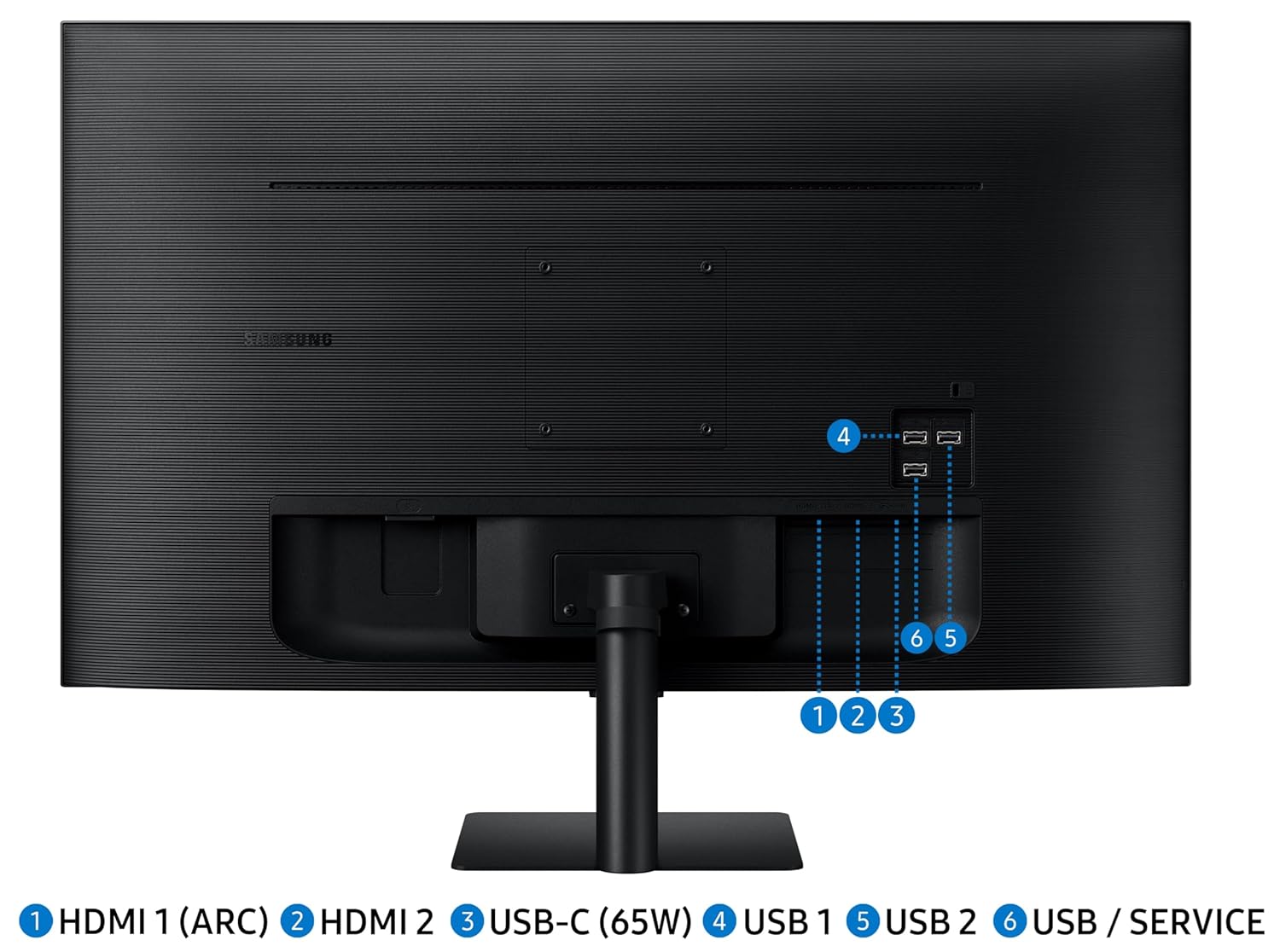
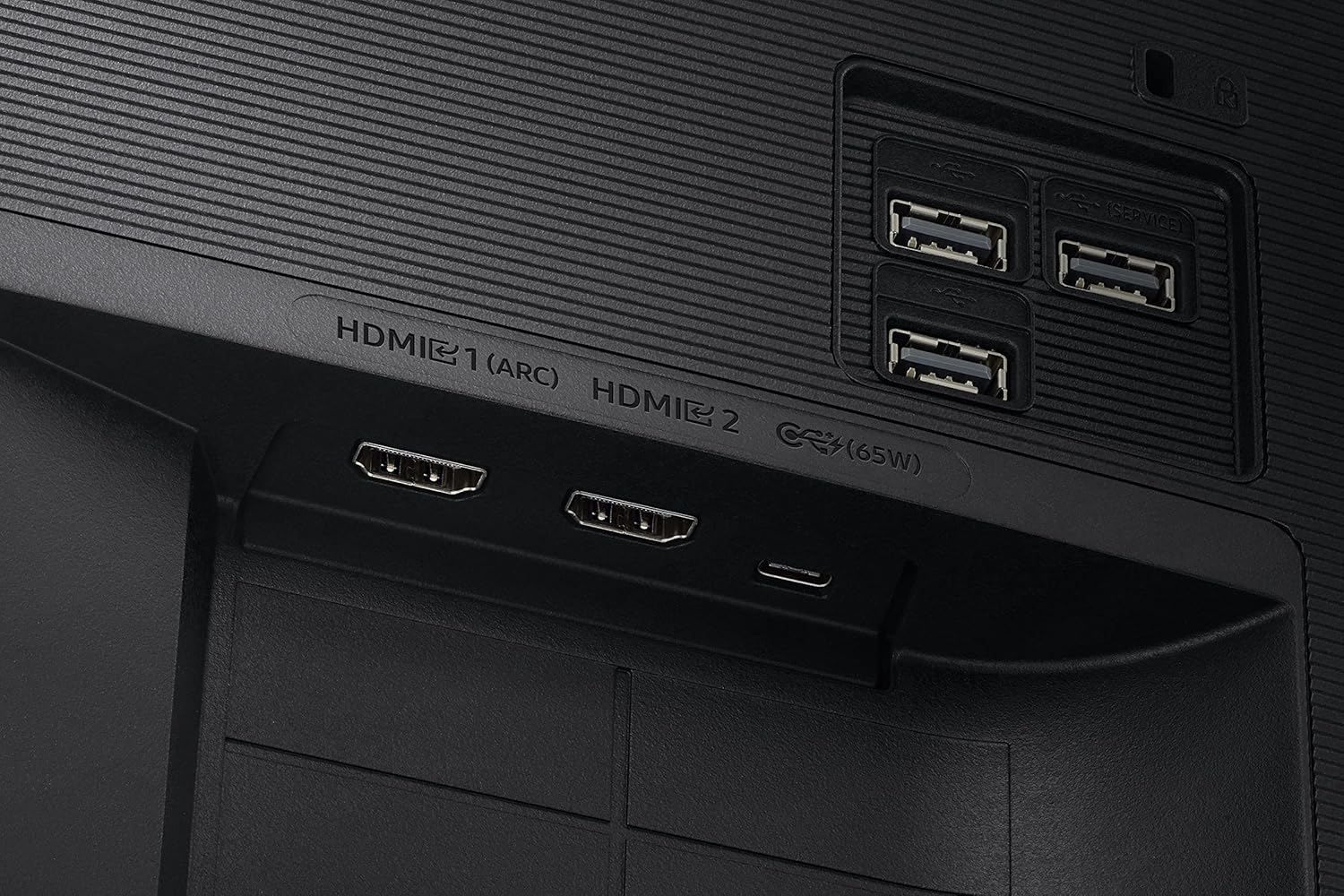
| Connectivity 🔌 | WiFi (5.0), Bluetooth (5.2), Wireless Display, 2 HDMI, 3 USB, 1 USB-C (65W Charging) |
| Included Components 📦 | Power Cable, HDMI Cable, Remote Control |
| Warranty 🛡️ | 3-Year Manufacturer Warranty |
Usage Instruction 🛠️
Step 1: 🔌 Connect the power cable.
Step 2: 💡 Turn on the monitor.
Step 3: 🌐 Connect to WiFi for Smart TV features.
Step 4: ⚙️ Follow on-screen prompts for setup.
Step 5: 🖱️ Use the remote control to navigate.
Product Details 🏷️
| Brand 🏷️ | Samsung |
| Manufacturer 🏭 | Samsung India Pvt Ltd |
| Series 🎛️ | Samsung 4K UHD Smart Monitor |
| Colour 🎨 | Black |
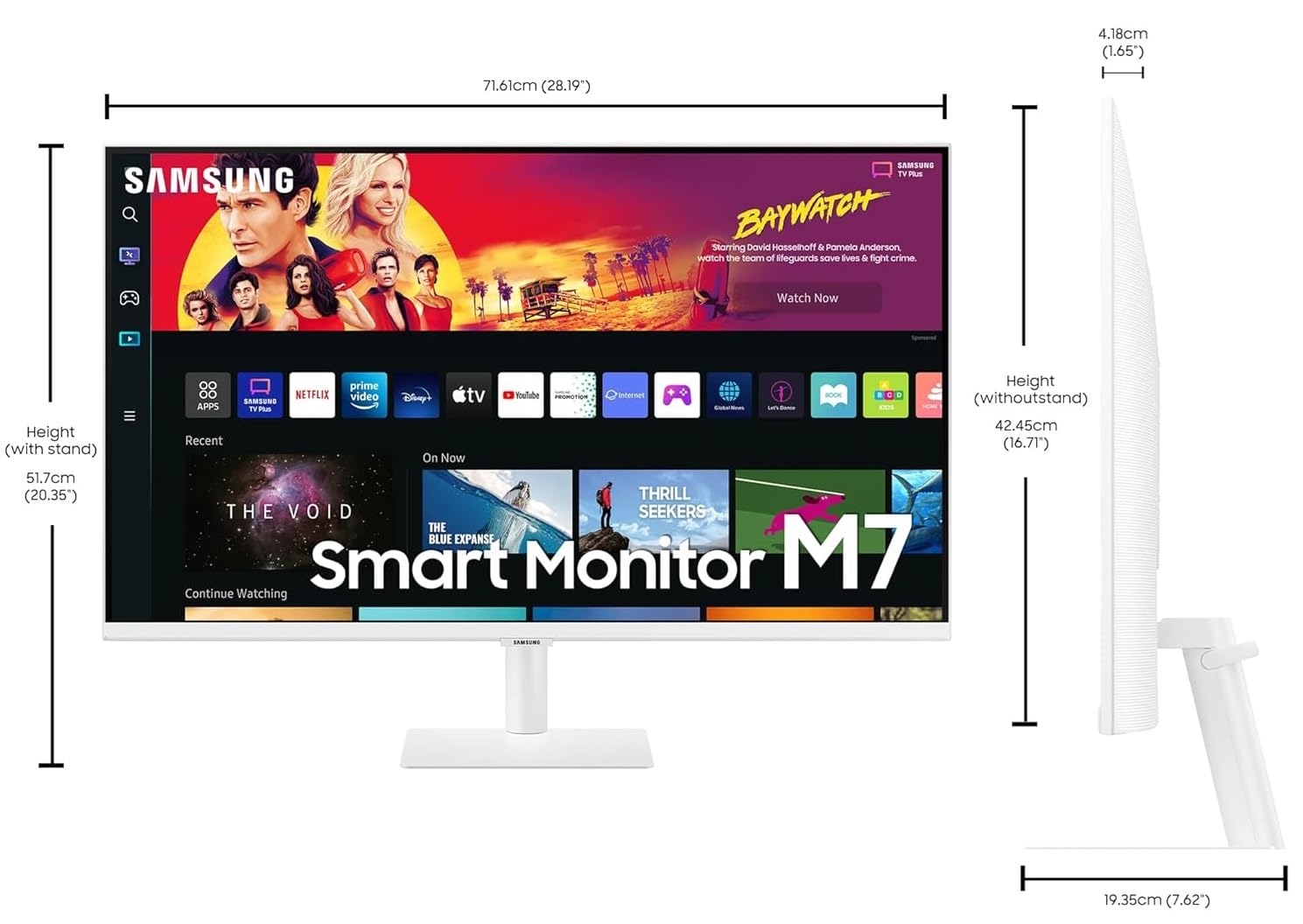
| Item Height 📏 | 42.5 Centimeters |
| Item Width 📏 | 71.6 Centimeters |
| Standing screen display size 🖥️ | 32 Inches |
| Screen Resolution 🖼️ | 3840 x 2160 Pixels |
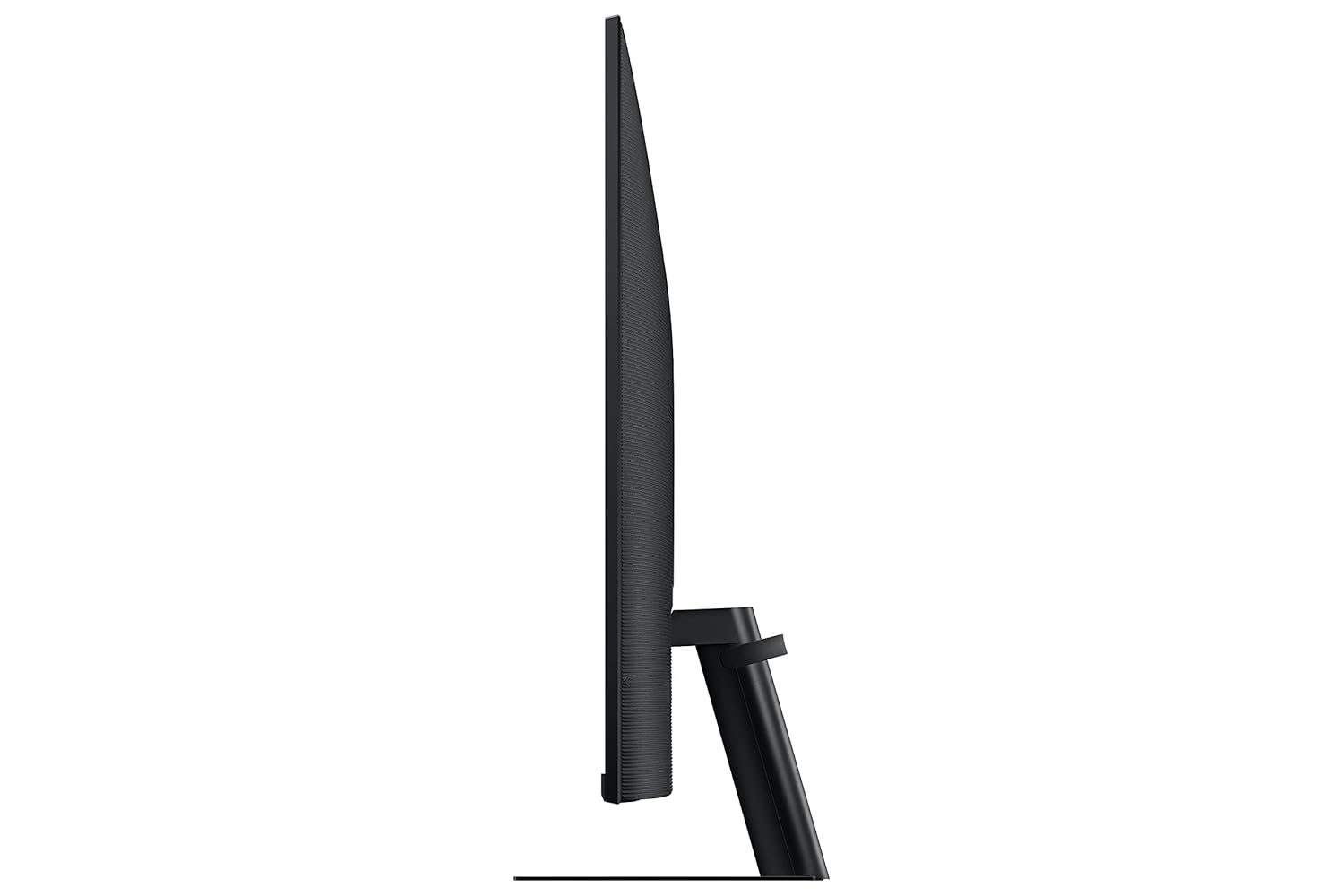
| Product Dimensions 📏 | 4.2 x 71.6 x 42.5 cm; 0.26 g |
| Item model number 🔢 | LS32BM700UWXXL |
| Number of USB 3.0 Ports 🔌 | 3 |
| Number of HDMI Ports 🔌 | 2 |
| Voltage ⚡ | 240 Volts |
| Included Components 📦 | Monitor, Power Cable, HDMI Cable, Remote |
| Item Weight ⚖️ | 0.26 g |
| ASIN 🆔 | B09W2GMSXT |
| Customer Reviews ⭐ | 4.1 out of 5 stars (1,734 ratings) |
| Best Sellers Rank 🏆 | #30,003 in Computers & Accessories, #496 in Monitors |
| Date First Available 🗓️ | 21 March 2022 |
| Packer/Importer 🏭 | Samsung India Electronics Pvt. Ltd. |
| Item Dimensions LxWxH 📏 | 42 x 716 x 425 Millimeters |
| Net Quantity 🔢 | 1 Count |
| Generic Name 🏷️ | Monitor |
Full Images










Product Standout Benefits
Samsung’s Smart M7 Monitor is an all-in-one streaming TV and desktop monitor. Stream content directly from the monitor or tune into live TV channels. Maximize your multitasking using a single mouse and keyboard across devices. 4K UHD resolution brings content to life with vivid clarity.
Instant Access to OTT Content
Stream OTT content directly from monitor or tune into Samsung TV Plus to get live TV channels and on-demand content at zero cost.
Mouse & Keyboard Across Devices
- Maximize multitasking by controlling multiple devices with one mouse and keyboard.
- Seamlessly drag & drop content across the Smart Monitor, a Galaxy Tab & Galaxy mobile device, streamlining your workflow.
Enjoy Contents in Vivid Detail
Crystal clear video; 4K UHD resolution brings your content to life with vivid clarity; Lose yourself while exploring nuanced settings with incredible detail.
Connect with Convenience
- With USB-C, HDMI & USB-A ports, you can connect to the Smart Monitor without adapters.
- Charge devices, transmit data & make the most out of your multiscreen setup – or do all at once – thanks to the 4 available ports.
Where Gaming Comes Together
Samsung Gaming Hub is the ultimate home for gaming; Instantly play the biggest games from top streaming partners, with no PC or console needed; Discover new games or replay old favorites all in one place.
Solar Powered Control
The SolarCell Remote, featuring a solar charging panel on its back, eliminates the need for disposable batteries, making it an eco-friendly choice.
Designed for Low Vision Users
Designed with accessibility in mind, it comes equipped with tools that help low vision users see and use the screen more easily, including screen magnification, color switching and audio descriptions for TV settings.
Easy Switching Between Monitor & PC
Enjoy better control when switching between your PC and Smart Monitor’s home screen controls; With the Easy Setting Box installed on your PC, move between these configurations with just one mouse and keyboard.
Easier Access to Your Work Tools
- Access & control your PC remotely or work directly on the monitor.
- Embedded productivity apps like Microsoft 365 let you bypass the PC for a simpler, streamlined working environment.
Simple Control for Your Smart Home
See all your smart home devices in a new 3D Map View, for an easier way to manage devices in different rooms; See energy, usage and costs by device & save money by turning on energy-saving modes.
Customer Questions and Answers
Q: How do I use this product?
Just set up your new monitor following the product description and features, and you’re good to go!
Q: Is it good for multitasking?
Absolutely! Maximize multitasking by controlling multiple devices with one mouse and keyboard; Seamlessly drag & drop content across the Smart Monitor, a Galaxy Tab & Galaxy mobile device, streamlining your workflow.
Q: How do I take care of it?
Ensure you use the SolarCell Remote, featuring a solar charging panel on its back, eliminating the need for disposable batteries, making it an eco-friendly choice.
Q: Can I use this with my PC?
Totally! Enjoy better control when switching between your PC and Smart Monitor’s home screen controls; With the Easy Setting Box installed on your PC, move between these configurations with just one mouse and keyboard.
Q: Can I access my work tools directly?
Yes! Access & control your PC remotely or work directly on the monitor; Embedded productivity apps like Microsoft 365 let you bypass the PC for a simpler, streamlined working environment.
Q: What about smart home control?
See all your smart home devices in a new 3D Map View, for an easier way to manage devices in different rooms; See energy, usage and costs by device & save money by turning on energy-saving modes.
Buyer’s Guide
Step 1: 📦 Review the Features & Benefits
Check out the key features and benefits to make sure it’s exactly what you need. Stream OTT content, use one mouse and keyboard across devices, enjoy vivid detail with 4K UHD, and connect with convenience via multiple ports. Explore Samsung Gaming Hub for gaming, and utilize the SolarCell Remote for eco-friendly control.
Step 2: 📝 Read the FAQs
Go through the FAQs for any last-minute questions about how the product works, its care, or warranty.
Step 3: 🎨 Choose Your Setup
Consider how you’ll connect your devices. This monitor offers USB-C, HDMI, and USB-A ports for flexible connections and charging.
Step 4: 🛒 Add to Cart & Checkout
Add the product to your cart and proceed with the simple checkout process.
Step 5: 📦 Upon Delivery
Verify it’s the correct product, check for any damage, and make sure all parts are included. This includes the monitor, stand, power cable, and SolarCell Remote.
Step 6: 🛠️ Consider Adding Accessories or Related Products
Look into additional accessories or related products to enhance your experience. This could include a compatible mouse and keyboard for cross-device control, or a Galaxy Tab or mobile device for seamless content transfer.
8 reviews for Samsung 32-inch 4K UHD Smart Monitor with Type-C, Smart TV Apps, Black
Related Products
-

VisionOwl 15.6 Inch Portable Monitor FHD 1080P USB-C Computer Display with Cover Stand
₦139.99 -

LG 27-Inch FHD IPS Smart Monitor with webOS 23 HDR10 and Dual Speakers Pink
₦219.99 -

SANSUI 22 Inch IPS FHD 1080P Computer Monitor 75Hz with HDMI VGA Ports and Eye Care
₦105,075.00 -

14 Inch Portable Monitor Laptop Screen Extender Full HD 1080P IPS USB-C HDMI Dual Speakers
₦259.99 -

ASUS ZenScreen 16-inch Full HD IPS Portable Monitor with Dual USB-C and Mini-HDMI
₦199,980.00 -

17.3 Inch FHD 1080P Portable Monitor 144Hz, HDR IPS Panel, USB-C HDMI, Ultra-Slim with Smart Cover & Speakers
₦109.99 -

Acer 15.6″ Full HD IPS Portable Monitor 1920×1080 AMD FreeSync 2x USB-C 1x Mini HDMI
₦199,980.00 -

UPERFECT 17.3 Inch 4K Portable Monitor 500 Nits 100% AdobeRGB HDR IPS
₦713,980.00 -

ViewSonic VG1655 15.6 Inch 1080p IPS Portable Monitor with 60W USB C and Built-in Stand
₦219.99 -

HP EliteDisplay E24 G4 24-Inch IPS FHD Monitor with HDMI, DisplayPort and USB-C Adapter
₦334,839.00 -

15.6 Inch FHD 1080P Portable IPS Travel Monitor with Smart Cover and Speakers
₦57.99 -

ZSCMALLS 15.6 Inch 1080P FHD HDR IPS Portable Monitor with Smart Cover Speakers Grey Metallic Casing
₦49.99 -

InnoView 15.6 Inch 1080P Triple Portable Laptop Monitor Extender 90/180 Degree Black
₦379,980.00 -

14-Inch 2.5K HDR 400cd/m² Eye-Care Portable Monitor with 100% sRGB for Laptops, Mac, PC, and Phones
₦143,760.00 -

16 Inch Pro Triple Laptop Screen Extender Dual 2K Portable Monitors 144Hz 100% DCI-P3 for MacBook Pro and Windows Laptops
₦799.99 -

15.6 Inch FHD 1080P IPS Travel Monitor Ultra-Slim Portable Gaming Display with Smart Cover and Dual Speakers
₦85.99 -

LG StanbyMe 27-Inch 1080p Portable Touchscreen Monitor 27ART10AKPL, 2022 Model, Black (Renewed)
₦1,565,600.00 -

14.1″ FHD IPS HDR Portable Touchscreen Travel Monitor Dual Speakers Kickstand HDMI USB C
₦129,980.00 -

ViewSonic VP1656 15.6 Inch 1080p Portable IPS Monitor 40W USB C Pantone Calibrated
₦339.99 -

KYY 15.6 Inch FHD 1080P Portable USB C HDMI Gaming Monitor Ultra-Slim IPS Display with Smart Cover Speakers
₦87.99
Sushanta Dey –
Sent without camera
Camera was not included in the pack. Either It was taken before despatch or it is mistake of factory
Rajat –
It is good for everything except high performance gaming.
Pros:4K resolution at this price.Excellent remote – sleek and USB rechargeable.Plug and play (only 2-3 minutes setup required when out of box)Bezelless design.All samsung TV features, even Samsung TV Plus which provides few free channels without subscribing and without sign-in. List of channels may vary from country to country. All discovery channels(HD & normal), republic news channels, few movie channels, some regional language channels.Built-in speakers are good enough for a 10×12 ft room. Not at par with Samsung TVs.USB-C port with 65W power output + UHD supported video and audio.Airplay and wireless video sharing at 1080P+30Hz is enough for mobile screen mirroring.Cons:16Amp plug – although max power consumption is 150W which can easily be supported by regular plug(6amp). Power plugs are usually occupied by AC in the rooms and could not be attached to regular extension without 16to6 amp plug converter.Low brightness – If your room has large uncovered windows then screen would look dim on sunny daytime.60Hz support – Only a con for high performance gaming or may be video editing (not sure). It was really not a con for me because of my needs.Very basic stand – I know hieght adjustable stands are costly but this stand has very limited tilt angles, which could be improved.Few more points :It is a VA screen. Not IPS LCD, Not LED/OLED. It is a variety used for a bit cheaper screens but that is fine as the quality is very good for this price.The remote is USB-C chargeable – but manual does not mention what power wattage can be used to charge it. Now a days regualr smartphone chargers could be too powerful for the 200mah battery provided in remote and would damage it. I don’t think I can get a remote separately easily or at lower price.
Priyanshu Patidar –
Impressive Monitor â¤ï¸
I purchased the Samsung M5 monitor last year based on my brother’s recommendation.Positive:The color accuracy is exceptional, and the screen clarity is impressive, with deep, rich dark tones. The split-screen feature is fantastic for multitasking, and there are no light reflections, making it comfortable to use. The brightness control is outstanding, and the sound quality is surprisingly good. Itâs versatile enough to serve as both a monitor and a TV. Overall, it provides excellent value for money, especially when compared to other non-smart monitors of smaller sizes that are more expensive.Negative:That said, there are a few downsides. The screen cannot be rotated to a vertical position, which limits its usability for certain applications. The refresh rate could also be better, as I noticed some glitching in the ball movement while watching cricket. Overall, it’s a solid option for both work and entertainment.
Ramesh –
Value for money
Really nice monitor, I am using this for past 8 month
Shivam Verma –
Donât buy Samsung
Disappointing Experience with Samsung MonitorI purchased the Samsung monitor with high hopes for quality and reliability, but unfortunately, my experience has been far from satisfactory. Within just three months of purchase, the monitor stopped working completely. After contacting the local Samsung service center, they replaced it with what was supposed to be a new monitor. However, to my dismay, the replacement monitor turned out to be defective as well.This whole ordeal has been incredibly frustrating and inconvenient. As someone who relies heavily on their monitor for work and personal use, I expected better longevity and service from a brand like Samsung. The inconvenience of dealing with multiple failures within such a short time span has significantly impacted my productivity and overall satisfaction with the product.I hope Samsung takes notice of these issues and improves their quality control and customer service processes to prevent similar experiences for other customers in the future.
Amit Hansda –
Almost Perfect for Work From Home
Thanks to the seller, I was able to receive it intact condition. I generally use 23inch screen, so this was a huge stepup for me. I think now 27inch should have been the perfect size for me. Like other reviews, it does come with 16A plug, but if you read current rating it mentions 10A. So you can use a branded 10A 3pin plug, I am doing without any issues so far.Smart Features:I definitely like the smart app features, You don’t have to fire up the pc to watch Netflix etc,It even has some entertainment and news channels for timepass. Though not so much regional content. But point of disappointment was with the split screen mode. There is limited option to choose source, you can either have pc screen and mobile, YouTube and mobile but not two pc sources pinned together.Connectivity:It comes with 3 USB type A ports, you will be able to connect external HDD, and watch contents in the monitor. Mine was a 2TB, despite the huge storage it was able to browse through quite smoothly. It does not have display port or DVI. It has 2HDMI ports, one of them is arc to connect speaker. Lack of 3.5mm is a disadvantage, only ways to connect speakers are through HDMI and bluetoothErgonomics:It will not be the most ergonomic one since it lacks height adjustable stand, you can not rotate it horizontally also vertical tilt angles are also limited. But it supports external stands/mounts.
Amazon Customer –
Smart buy
Good product
glock –
quality and features is good